Com Radio Operation
9-8 SkyView HDX Pilot’s User Guide – Revision B
This feature also works when a Garmin SL30, SL40, GTR 225, GNC 255, MGL V6,
MGL V10, Trig TY91, Val NAV 2000, and f.u.n.k.e. ATR833 or Icom A210 (with Icom
software version 1.53 or newer) is appropriately configured. The SL30 and GNC
255 can additionally receive NAV radio frequencies by selecting VOR, ILS and LOC
frequencies (MAP > NRST > VOR > TUNE NAV/ILS/LOC). You can tune NAV
frequencies from both the NRST list of VORs, as well as from the detailed VOR and
Airport Info pages.
Loading Airports to the SkyView Com Radio
The SV-COM-C25’s most unique and innovative feature is its ability to load airports onto the
control panel. Once an airport is loaded, single presses of the TWR, ATIS, GND, and ATC buttons
automatically tune those frequencies (to the standby location) for that airport.
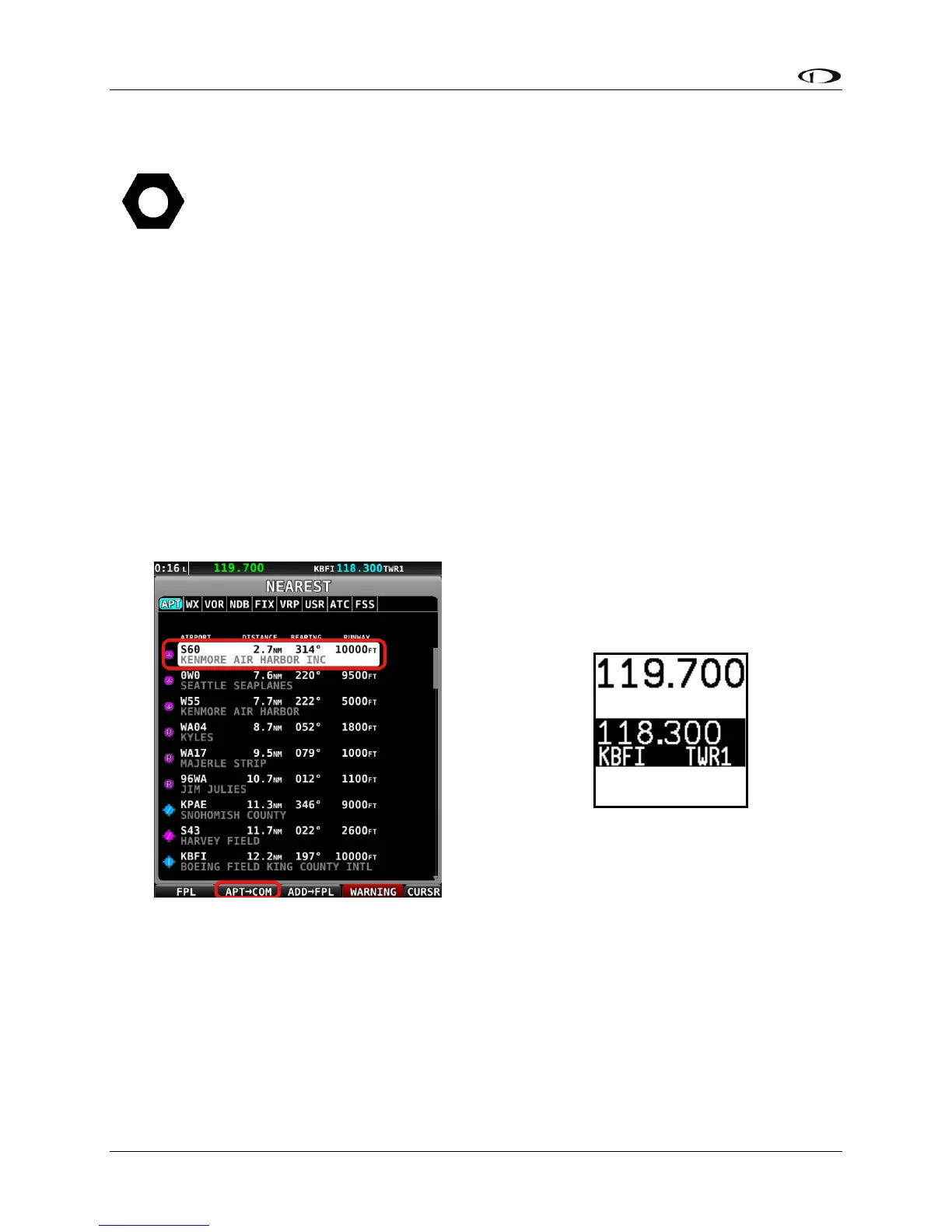
Loading Airports via SkyView
By Nearest
• From SkyView HDX’s MAP page, press NRST.
• Highlight the airport you wish to load to the control panel.
• Press the APT>COM button to load the airport to the control panel
o Note this button is only available if SkyView has frequencies for the selected
airport.




 To Next Page