SkyView HDX Pilot’s User Guide – Revision B 10-1
10. Utility Tools
SkyView HDX includes several useful tools or utilities to help pilots manage various information
useful in managing and operating the aircraft.
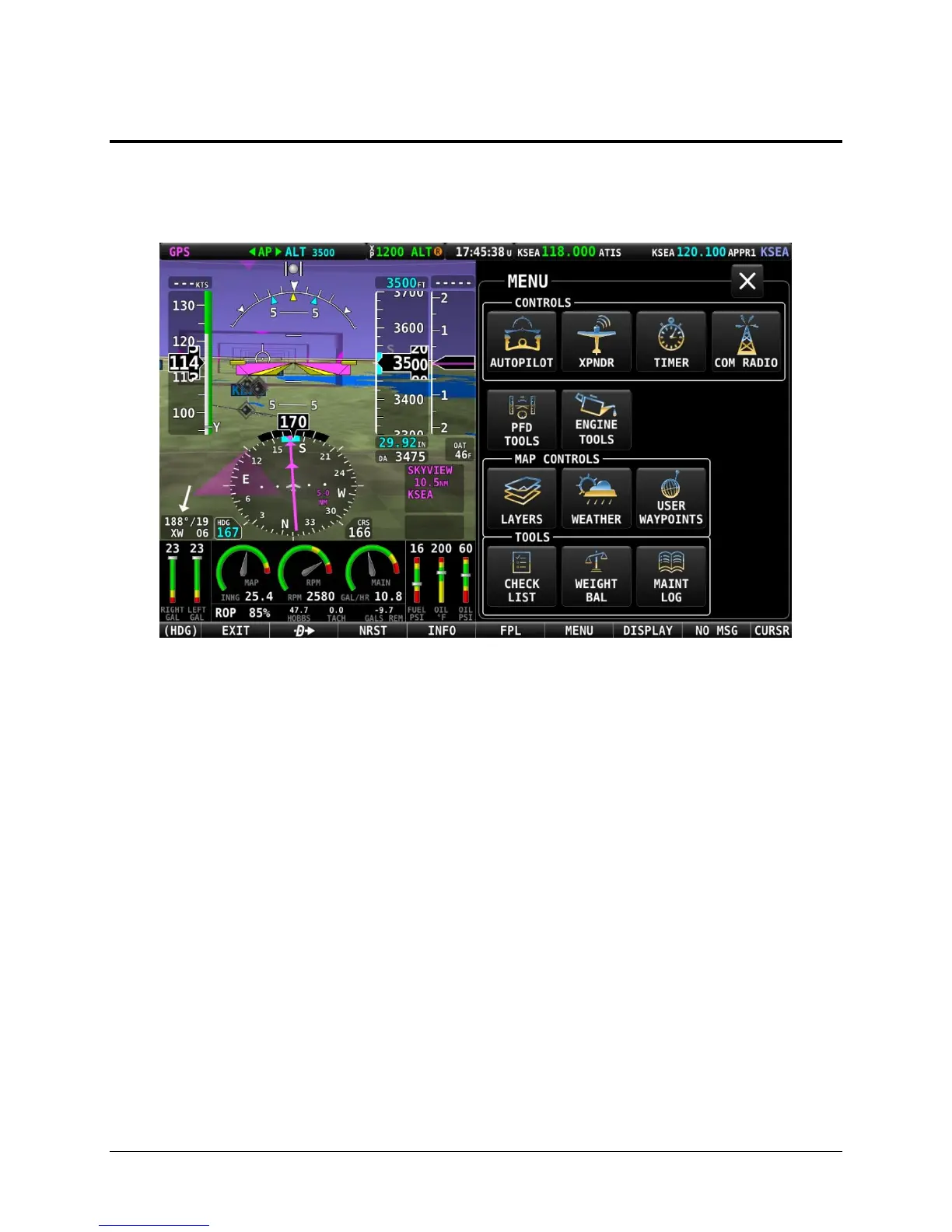
These tools are accessible on the bottom row of the MENU page, as shown below.
Figure 238 – MENU page, showing Utility Tools in the bottom row
Select each tool by touching it’s respective named icon.
CHECK LIST - Checklists
Checklists are composed on a computer and then transferred to SkyView with a USB flash drive.
Checklists can be composed with any plain ASCII text editor such as the “Notepad” app included
with Windows, or the “TextEdit” app included with Mac OS. Microsoft Word and Windows
WordPad will also work to compose a checklist file if you save the file as a .txt file (plain text
format). For more information how to make and load your own checklists, see the System
Installation Guide.
Checklists are shown on the display as a “list of lists”. The top-level checklist is a list of all
available checklists.
Accessing a Checklist on your SkyView HDX Display
To access your checklist on a SkyView HDX display, select MENU (Button 6) on the Main Menu,
then select the CHECK LIST icon on the bottom row. The CHECKLIST page will appear, as shown
below.




 To Next Page