Transponder Operation
7-14 SkyView HDX Pilot’s User Guide – Revision B
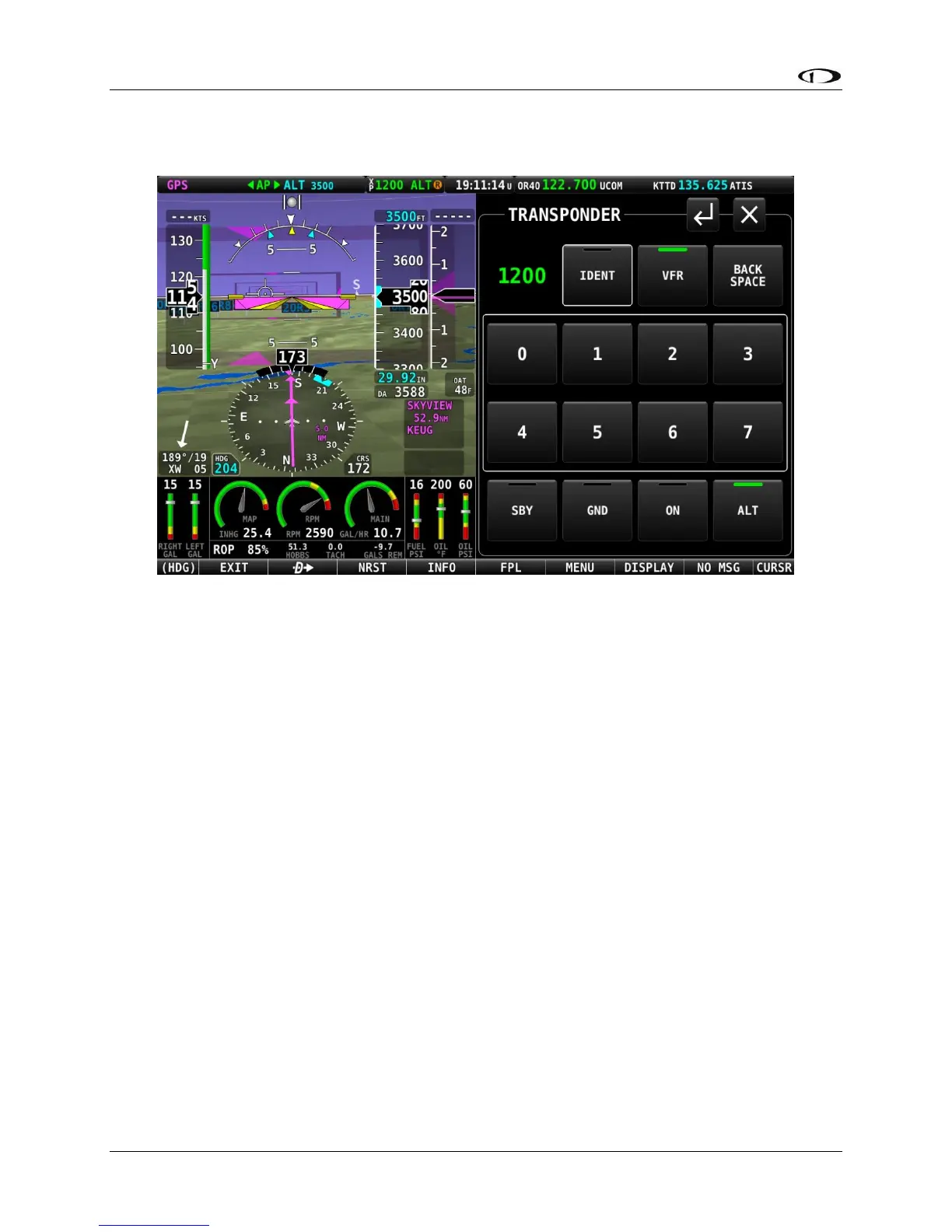
Figure 203 – TRANSPONDER control page
Use of each of the controls/icons on the TRANSPONDER control page is described below.
Active Code (lot labeled)
When the TRANSPONDER page is first displayed, the active transponder code is presented as a
4-digit value in green text in the upper left corner of the TRANSPONDER page. As a new
discrete code is entered by the pilot, this code value will add each digit in sequence as it is
entered by the pilot. Note, however, that until a valid 4-digit code is entered, the code active in
the transponder is not changed. The new transponder code will only be programmed into the
transponder and updated in the TOP BAR once a new, complete 4-digit code is entered on the
TRANSPONDER page.
IDENT
Press the IDENT button when requested to “ident” by ATC. “IDT” will be displayed in the
Transponder Status Area for the next 18 seconds as the transponder sends the ident signal.
Note that if a button is pushed to change the transponder mode or to turn it off, that action will
be delayed until the ident transmission completes.





 To Next Page