Engine parameters only trigger alerts in the Message Notification Area and
Message Window when they enter their “red” ranges. In other words, “yellow”
caution ranges for engine parameters do not trigger alerts. Yellow caution ranges,
however, are visually annunciated via yellow highlighting on the Engine Page.
100% Engine Page
When ENGINE is selected as Primary Content for a display using the DISPLAY LAYOUT menu,
engine instruments will be presented in a 100% page when the FULL screen layout is selected.
If the screen is then split to display PFD, MAP or VIDEO pages, the engine page layout will
change to the 50% engine page while the screen is split. It will return to the 100% when FULL
layout is selected.
50% Engine Page
Because the ENGINE BOTTOM BAND is the preferred engine presentation in the SkyView HDX
display, the 50% is configured by default to present additional or alternative engine information
and other systems information not already shown on the ENGINE BOTTOM BAND. In that
configuration the 50% Engine Page is normally selected as Split Content on the screen when the
pilot needs access to that additional information.
If ENGINE BOTTOM BAND has been turned off, the 50% engine page may become the primary
source of engine information. In that case, it’s layout should be reconfigured to assure all
required engine instruments are displayed and conveniently located on the page.
Combined CHT/EGT Gauge
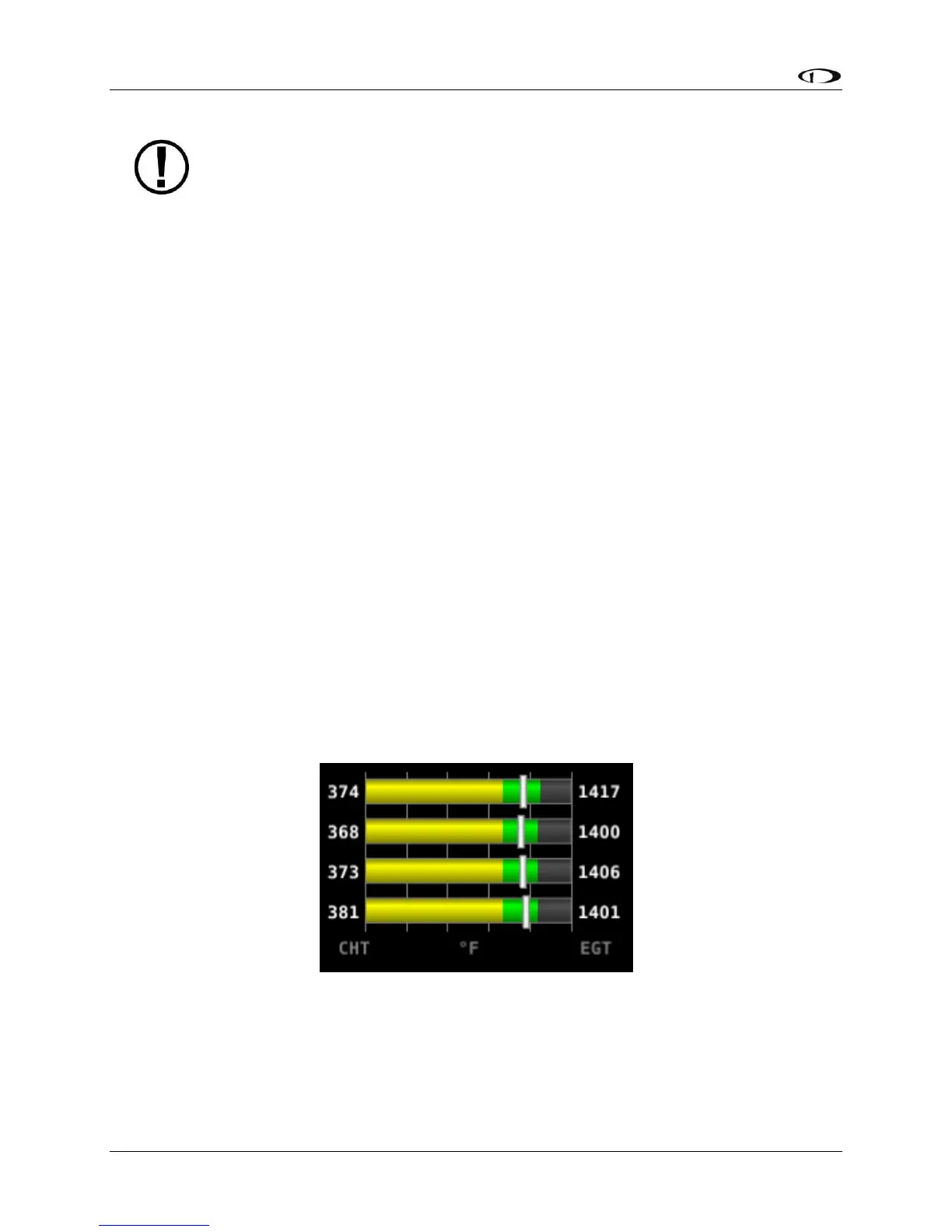
Most of the graphical engine instrument gauges – also known as widgets – present information
from a single engine sensor. An exception is the combined CHT/EGT Gauge shown in the figure
blow.
Figure 195 – Combined CHT/EGT Gauge
This combined CHT/EGT widget displays all of the engine’s CHTs and EGTs in one compact
gauge. EGTs are displayed numerically down the right side of the gauge. They are represented
graphically by the solid yellow/green/red bar graph. CHTs are displayed numerically on the left
side of the gauge. They are graphically represented by the white “tick marks” that overlay the




 To Next Page