PFD Operation
4-2 SkyView HDX Pilot’s User Guide – Revision B
The primary information shown on the PFD includes:
• Synthetic Vision
• Airspeed Indicator, Airspeed Bug, and Airspeed Trend Rate
• Attitude Indicator with Extreme Pitch Warning Arrows (not shown in Figure 27; see
Figure 74 for an illustration of the Extreme Pitch Warning Arrows).
• Flight Path Marker
• Altimeter with Altitude Bug, Altitude Trend Rate, Barometer Setting, and Density
Altitude
• Vertical Speed Indicator with Vertical Speed (VS) BUG
• Heading Indicator/Directional Gyro with Heading (HDG) BUG
• Slip/Skid Ball
• Angle of Attack Indicator
• OAT
• Winds Aloft magnitude and vector
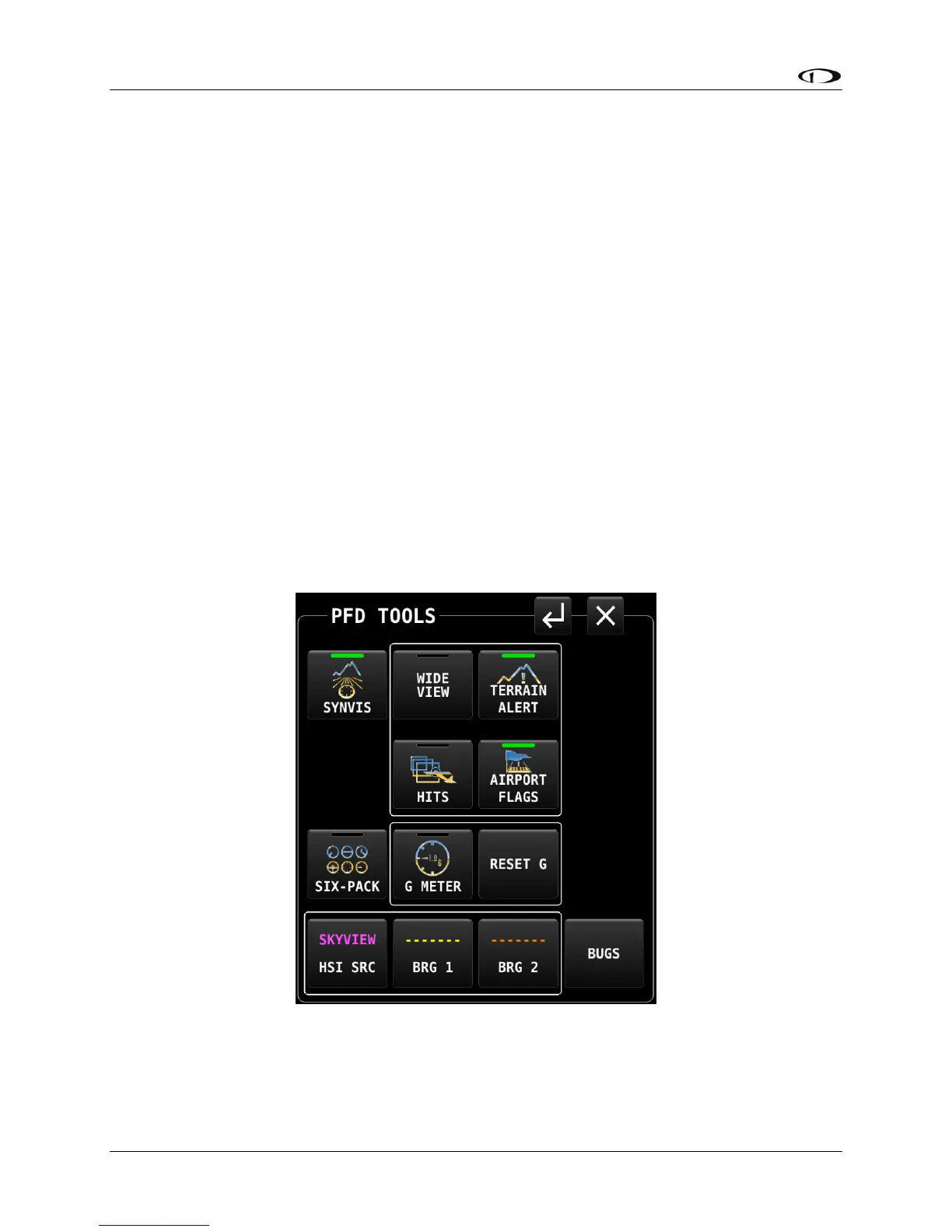
PFD TOOLS Menu Page
Many components of the PFD are selected and controlled on the PFD TOOLS menu. Access this
menu by selecting MENU (Button 6) on the Main Menu, then selecting the PFD TOOLS icon on
the second row of that menu. The PFD TOOLS menu page is shown below.
Figure 28 – PFD TOOLS menu page is shown
Each of the options on the PFD TOOLS menu is discussed in more detail in later sections of this
manual.




 To Next Page