MAP and VFR GPS Navigator Operation
SkyView HDX Pilot’s User Guide – Revision B 5-37
Suspend Navigation
When SkyView is providing navigation guidance to a waypoint, press FPL > NAVIGATE to
suspend navigation. The NAVIGATE button will un-highlight to indicate that navigation is no
longer active. Note that this operation does not clear the active flight plan: It simply suspends
SkyView HDX’s active course guidance.
Clearing the Navigation Flight Plan
To completely clear the active target or Flight Plan press FPL > FPL MENU, select CLEAR
FLIGHT PLAN, and then PUSH the knob twice (once to select, twice to confirm) to clear all
waypoints from the flight plan and cancel navigation simultaneously. This effectively resets the
navigation and flight planning feature in SkyView.
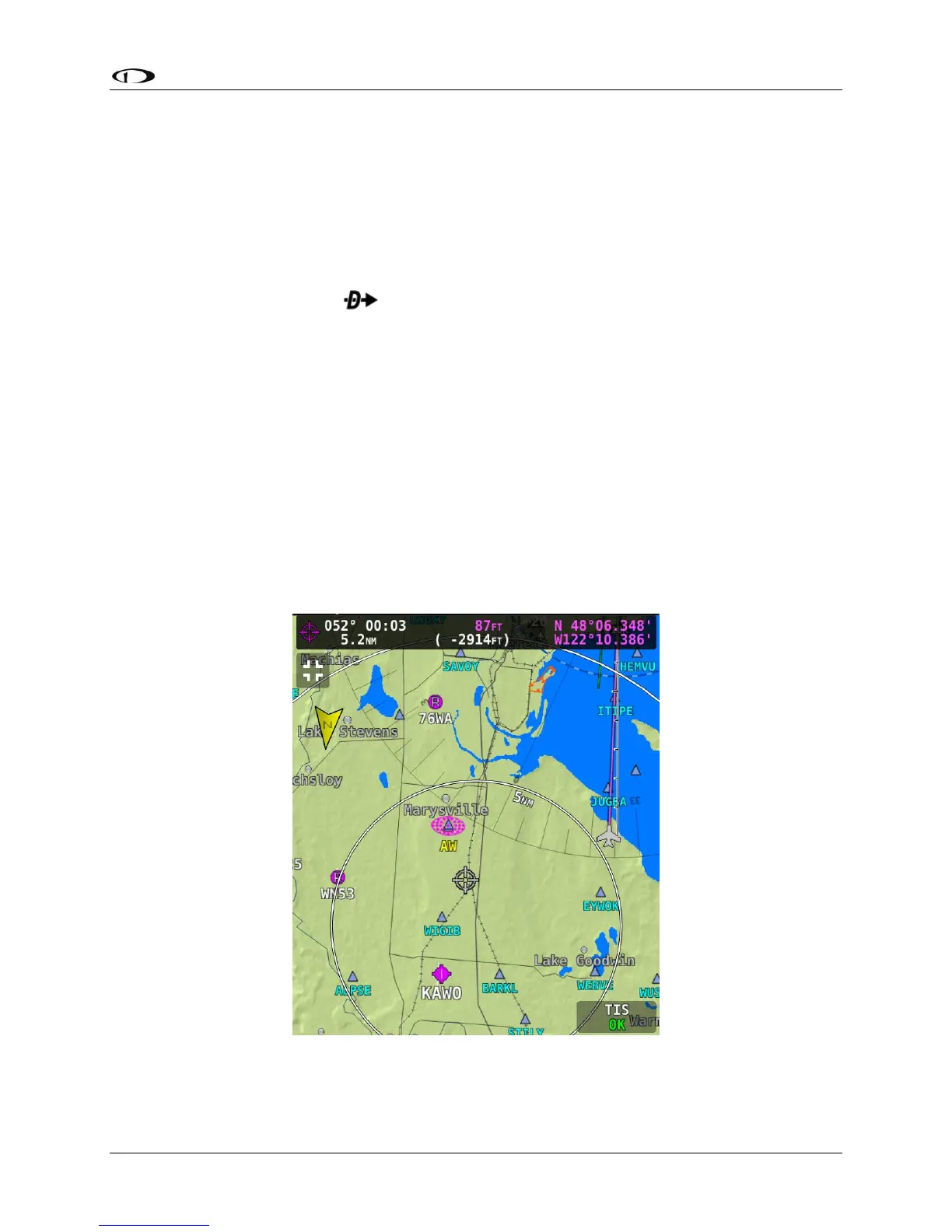
Map Panning with the Map Pointer
Panning on the map is used to view areas away from the aircraft’s current position. Panning is
one of the rare actions in SkyView HDX which can only be accomplished using a touch gesture.
To pan on the map, simply touch the map and drag your finger across the screen in any
direction to pull the desired area into view.
When in this Map Panning Mode, the Map Page does not auto-center on the airplane, but on
the Map Pointer instead. Turning the knob causes the map range to increase and decrease
(zoom in/zoom out) around the Map Pointer, just like it does when it is following the aircraft.
Figure 136 – Map Panning Mode




 To Next Page