Com Radio Operation
SkyView HDX Pilot’s User Guide – Revision B 9-3
Using your SkyView Com Radio
Power
The SkyView Com Radio normally powers on and off with your SkyView system. Press and hold
the Volume Knob / Power Button to manually turn the SkyView Com Radio off and on.
Volume
Use the volume knob to adjust the radio volume. You may want to use Squelch Override –
covered below, to aid in finding a comfortable volume level.
Transmitting and Receiving
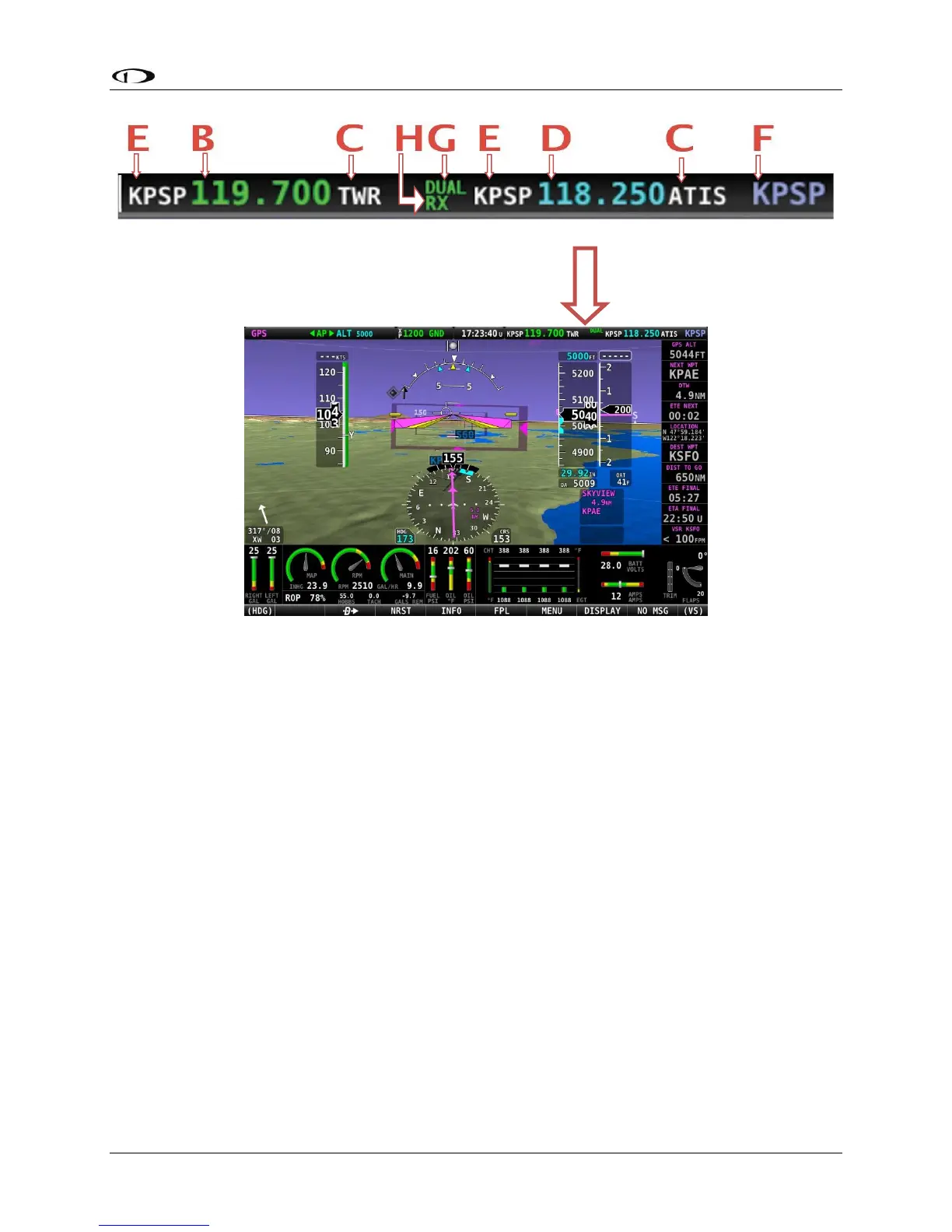
The SV-COM-C25 and SV-COM-X83 transmit on the active frequency only, and normally
receives only on that frequency. When transmitting, the following indications are shown:





 To Next Page