MAP and VFR GPS Navigator Operation
5-20 SkyView HDX Pilot’s User Guide – Revision B
Enroute VFR, IFR Low Altitude, IFR High Altitude Charts
When a USB stick with optional enroute charts is connected to your SkyView display(s), enroute
chart options will be available under MENU > [MAP CONTROLS] LAYERS.
To View Charts
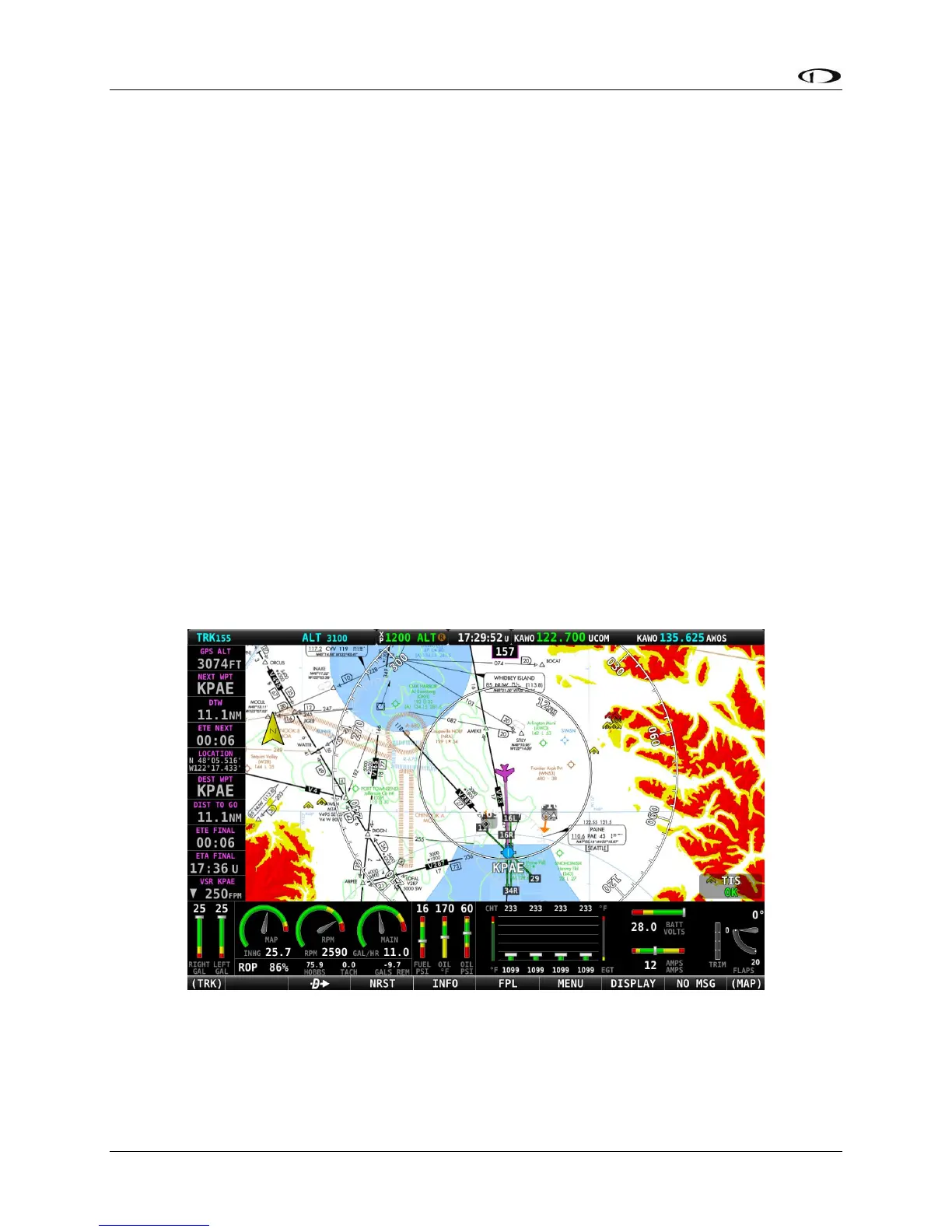
On the LAYERS menu there may be options for VFR, IFR LOW, and IFR HIGH when using chart
data for the US. Other chart types may be listed when using data for other regions of the
world. Choose a chart type in this menu to replace the SkyView digital representation on the
moving map with it. A particular chart type is only selectable if the product is on the USB stick.
Pressing TOPOG (Topography) will return to the normal SkyView moving map plus terrain. If any
of the charts on the USB stick are out of date a message will appear on the screen at startup to
alert you to update your chart data. This message can be acknowledged and cleared until the
next power-up.
Map Items on Charts
To reduce visual clutter on charts, map items from SkyView HDX’s databases will only appear on
top of a chart in some circumstances. Traffic, user waypoints and terrain warning colors will
always appear on charts. Obstacles will be drawn in yellow and red on the charts when the
aircraft altitude is within the warning range and flight plans will appear when Active. With an
SV-ADSB-470/472 installed, TFRs appear on the charts. Pilots can still select items for more
information by selecting them with the map pointer (airports, airspaces, navaids, etc.) Weather
is drawn on top of the charts when the WEATHER button is selected in the LAYERS menu.
Figure 116 – IFR-Lo En-route Chart Integrated on Map




 To Next Page