MAP and VFR GPS Navigator Operation
SkyView HDX Pilot’s User Guide – Revision B 5-31
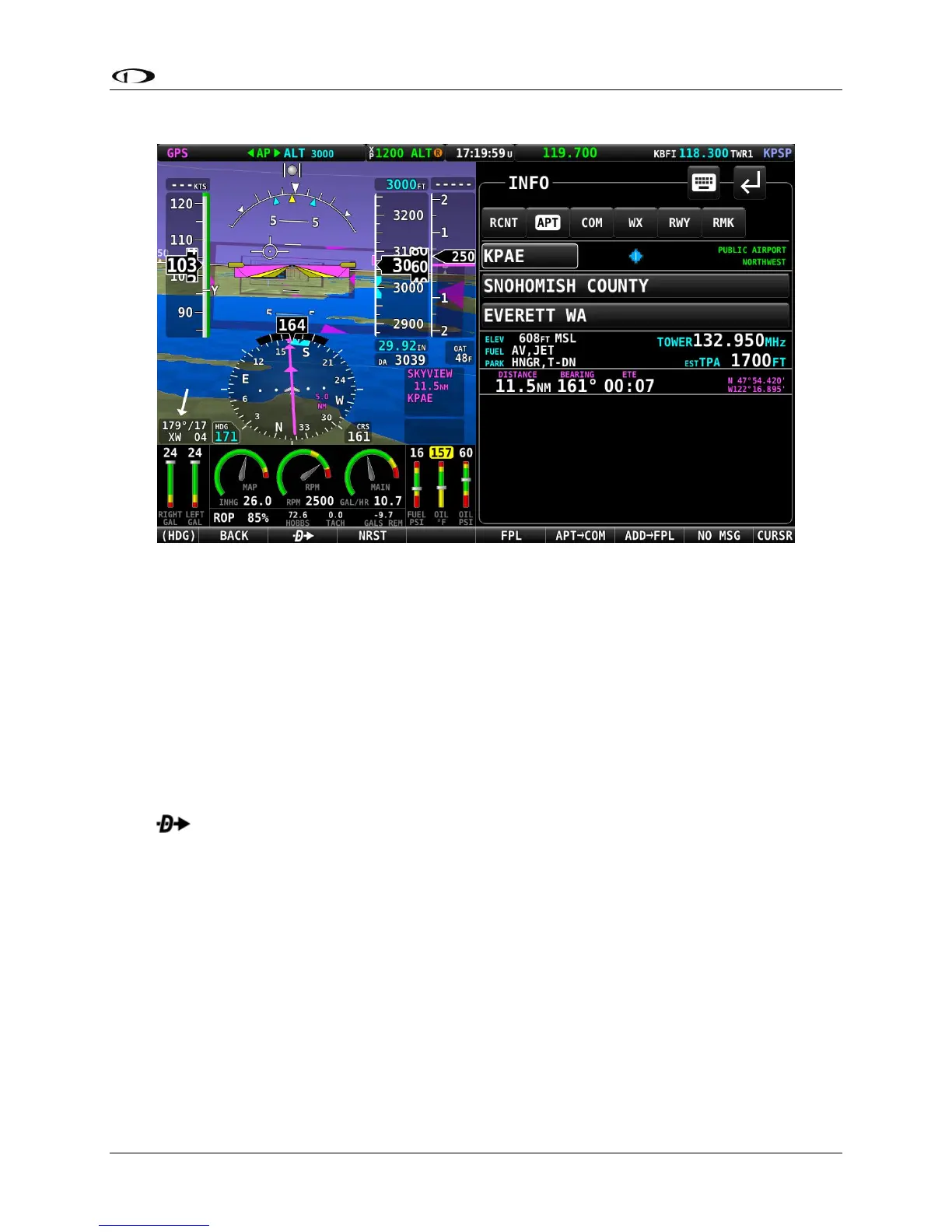
Figure 127 – Moving Map Info Window
When the Info window is first displayed it shows detailed information about the airport or
navaid that was most recently used or selected. From here, you can move the CURSR knob
down to find the desired item by identifier, facility, or city*. To do this, move the CURSR knob
up/down to move between identifier (top), facility name (middle), and city* (bottom) fields;
Once you have selected the field you wish to use to search, rotate the knob to change the
highlighted character. Move the knob right to select the next character and continue until the
desired facility is shown.
Alternatively, if you move the CURSR knob left after the first press of the INFO button, you can
choose from the most recently used and viewed airports and navaids under the RECENT tab.
Press to navigate directly to the currently displayed or highlighted airport or navaid, or
ADD->FPL to add it as a waypoint in a Flight Plan.
When an airport is being displayed in the INFO window, more information about that airport
can be found under additional tabs along the top of the window. To see this information, move
the CURSR knob up to highlight the APT tab. Then, move the knob to the right to select
different sub categories of information about the selected airport.
*Search by city is not available when Jeppesen aviation databases are used.
Nearest Airports, Navaids, and User Waypoints
To quickly bring up a list of the nearest airports, navaids, and user waypoints press NRST
(Button 3) on the Main Menu. A window similar to the one seen in the following figures will be
displayed.




 To Next Page