PFD Operation
4-26 SkyView HDX Pilot’s User Guide – Revision B
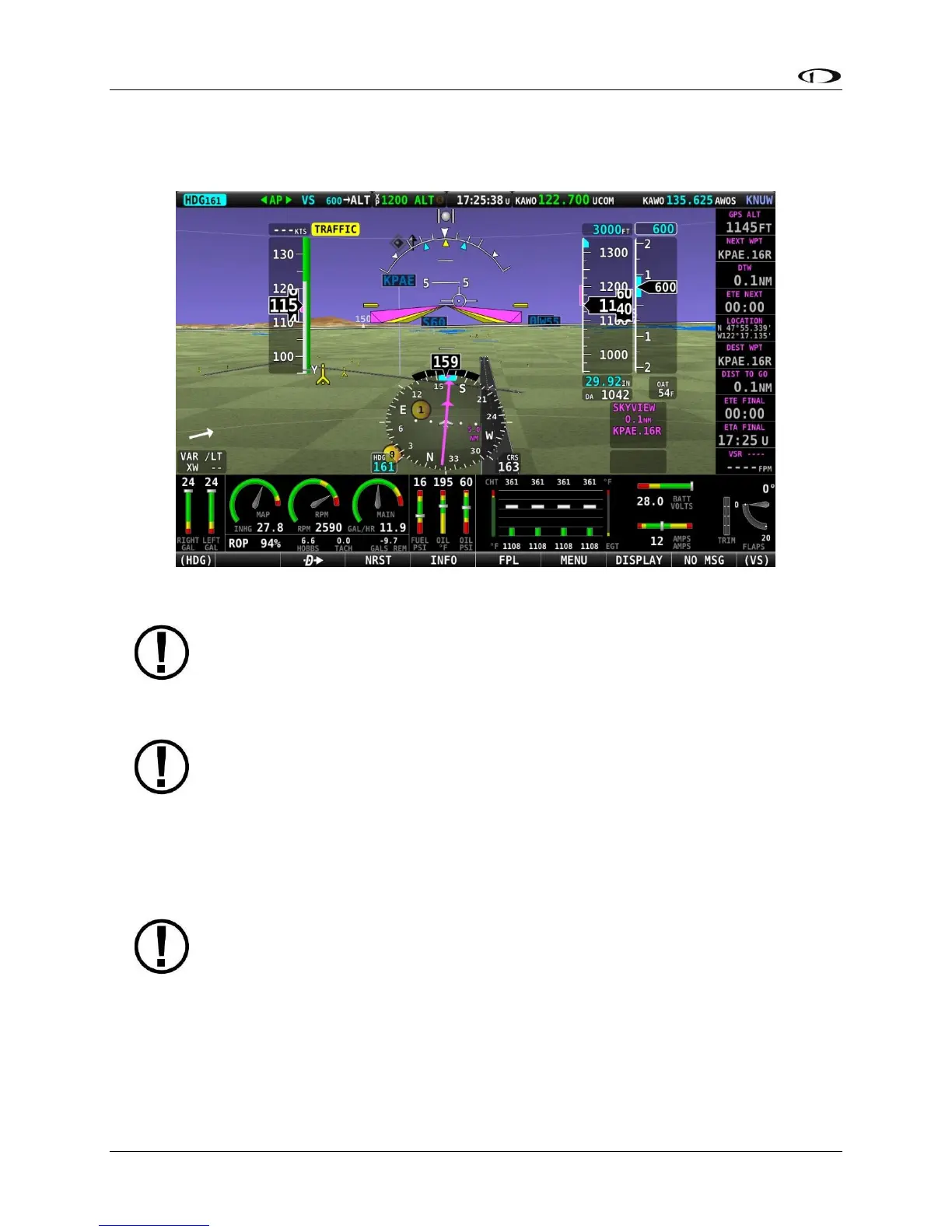
Traffic on Synthetic Vision
When a device capable of receiving traffic information is installed and configured, traffic can be
displayed within the Synthetic Vision display to improve situational awareness.
Figure 69 – SkyView HDX Synthetic Vision Traffic Alert
Traffic information is informational only, and does not relieve you-in-command of
his or her responsibility to see and avoid traffic.
The graphical depiction of traffic is only displayed when Synthetic Vision is enabled.
However, the yellow textual “TRAFFIC” alert message on the PFD page (shown in
Figure 69 to the right of the IAS window, and Figure 73 below) is always shown
when Traffic Advisories are received, and traffic is enabled (reference the SkyView
Classic / SE / HDX System Installation Guide, TRAFFIC SETUP for additional
information).
Traffic is displayed as reported by the device sending it to SkyView HDX. The
precision and accuracy of the location of traffic targets may vary from device to
device, and this may impact how accurately the position is represented on the
SkyView HDX display. For example: TIS traffic updates, such as those received by
the SV-XPNDR-261/262, may be anywhere from 2-12 seconds old due to radar
latency and other technical factors. Be sure to understand the traffic-detection
capabilities of your traffic device thoroughly so you understand how to best
interpret the position of the traffic displayed on SkyView.
Traffic targets are displayed using the same symbols that are used on the Map Page display of
traffic. See the Traffic section in the MAP and VFR GPS Navigator Operation section for





 To Next Page