PFD Operation
SkyView HDX Pilot’s User Guide – Revision B 4-25
o 200’+: 12 lines
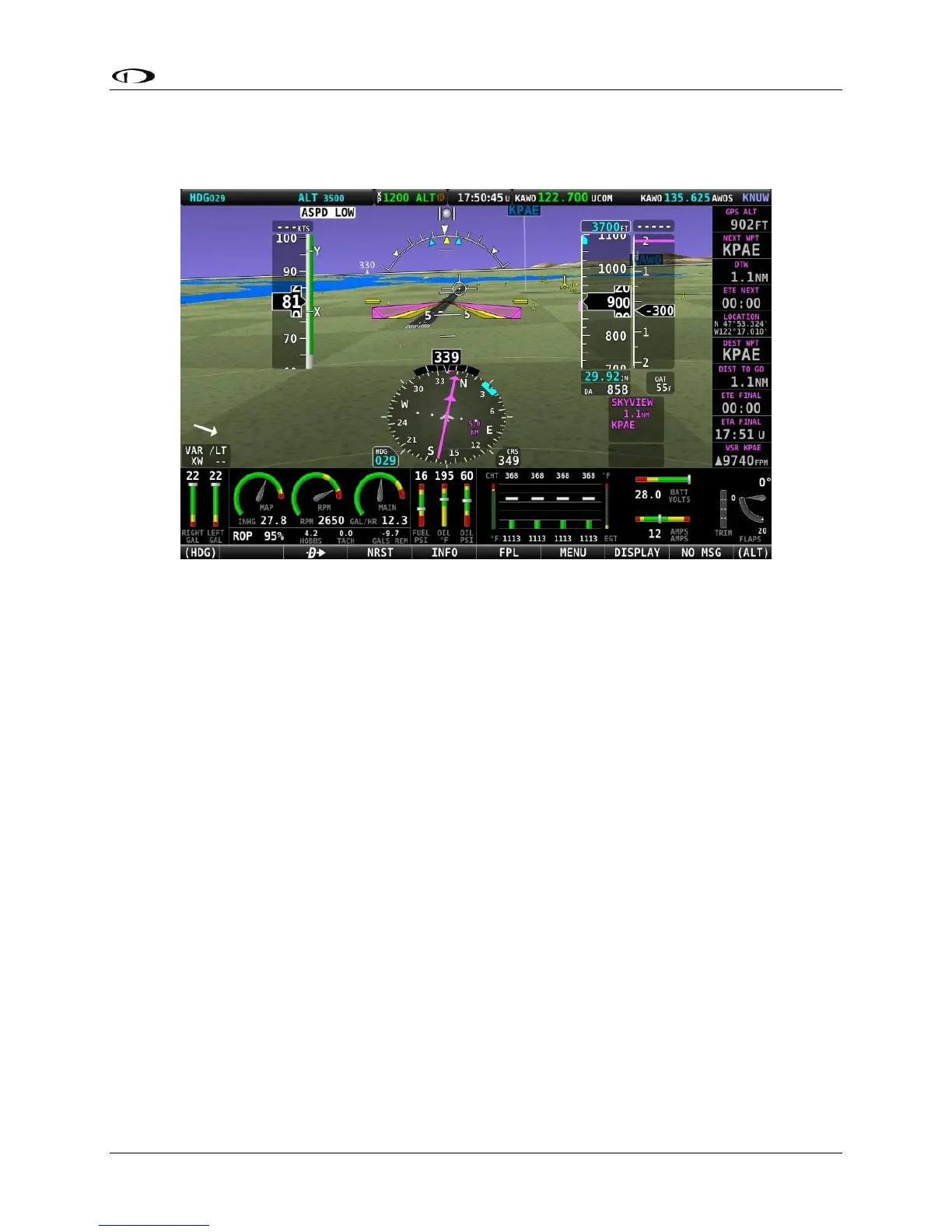
Figure 68 – SkyView HDX Synthetic Vision With Runways
Flight Plan Airports and Waypoints on Synthetic Vision
When a Flight Plan is active, airports and waypoints are shown in SynVis as flags.
Obstacles on Synthetic Vision
Obstacles are only shown on Synthetic Vision if their highest point is within 1000 feet below
your aircraft’s GPS altitude. If the highest point of an obstacle is within 100 feet below your
current GPS altitude to anywhere above you, it will be displayed in Red. If the highest point of
the obstacle is 100 - 1000 feet below your current GPS altitude, the obstacle will be displayed in
Yellow. This is the same color scheme (but not the same algorithm for determining the coloring
of the displayed object) used on the MAP Page, as described in the Topography with Terrain
Proximity Alerts Section.
Obstacles are shown at their actual height above the ground. In other words, if the flight path
marker is above the top of an obstacle in the Synthetic Vision version, your aircraft is on a path
to clear the physical object.
The tower symbology used to denote different types of obstacles is the same as used in the
Moving Map depiction. See the Moving Map Symbology section of this guide for more
information.





 To Next Page