PFD Operation
SkyView HDX Pilot’s User Guide – Revision B 4-17
• Touch the HSI SRC data block near the lower right corner of the PFD and beneath the
Altimeter. Repeated touches of the HSI SRC data block will cycle through the available
HSI data sources.
Back course tracking under autopilot will only work if the NAV radio has a back
course mode that reverses sensing. For example, the SL30 has this in the form of
the BC button.
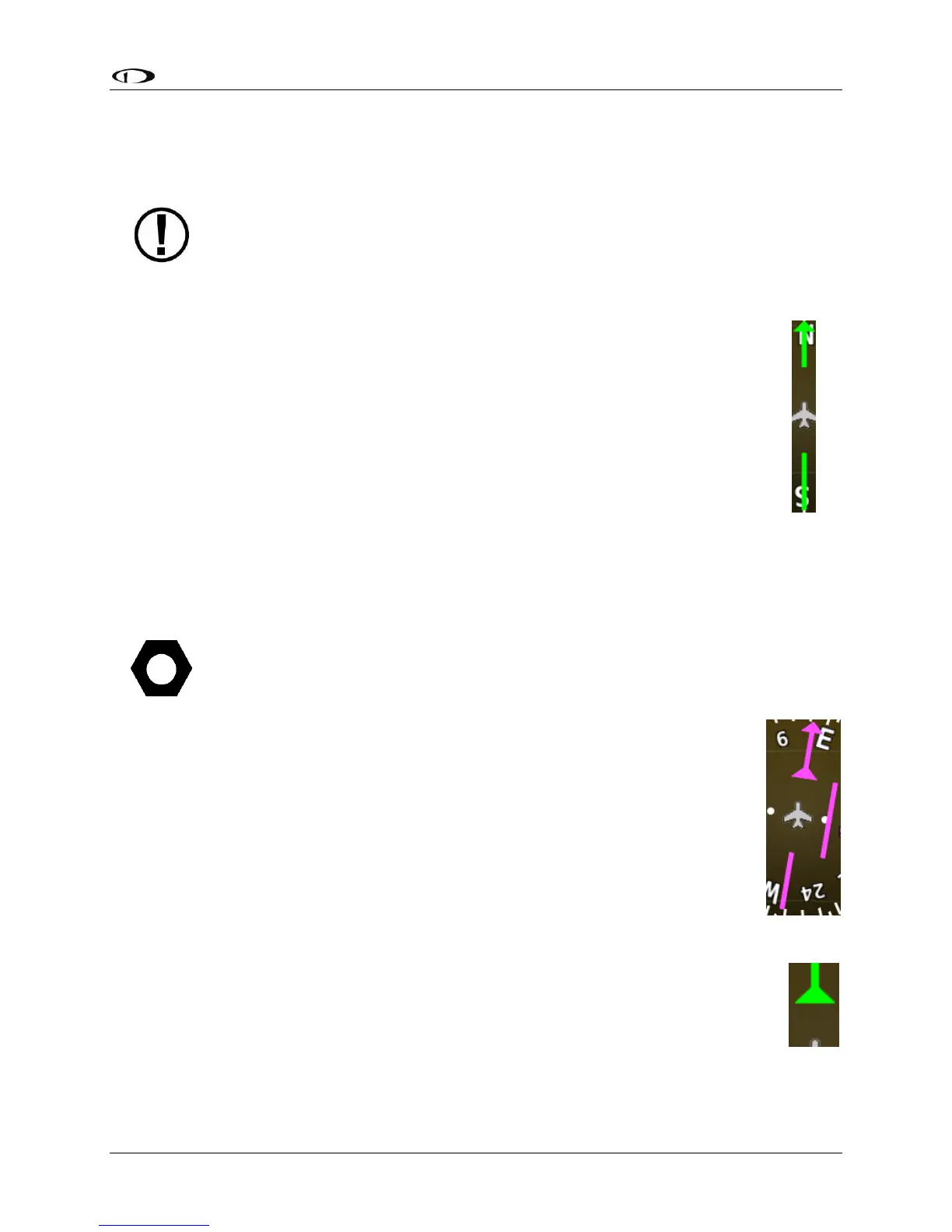
Course Indicator
The course indicator has an arrow at its end which points to the currently selected
course. When a GPS source is selected, course direction is automatically by the
programmed route. When a NAV radio source is selected, the course direction can be
set either on the NAV radio or via the Course (CRS) knob function on SkyView HDX
(depending on the NAV radio that is connected). The Course indicator is fixed to the
rotation of the heading indicator, so it is easy to see which way you must turn to get on
course. When tuned to a LOC, course should be set to the runway heading via the knob
CRS function. Courses are remembered for each navigation source, this is especially
helpful when switching between VOR and ILS or GPS and ILS sources.
You may also synchronize the CRS bug value to point at the station (when tuned
to a VOR only) by pushing and holding the knob (½ second click), providing the
CRS function is currently assigned to the knob. After the Course is synchronized a
“CRS SYNC” message will appear above the knob.
When a Garmin SL30 COM / NAV radio is connected to SkyView HDX, when tuned
to a LOC / ILS frequency, its own OBS knob is disabled.
Course Deviation Indicator (CDI)
The CDI indicates how far to the left or right you are from the selected course.
When in NAV mode, full scale deviation indicates ten degrees of deviation from the
VOR radial that has been chosen as the course. When tuned to a localizer, full scale
represents 2.5 degrees of deviation. When following a GPS course, full scale
represents 5 nautical miles of deviation. When on course, the course indicator and
the CDI make a solid line, making it easy to see when there is little error in your
aircraft's position. Unlike a CDI indicator found in basic aircraft, the CDI needle on
an HSI rotates with the heading indicator and course indicator. By turning the
aircraft towards the CDI needle you reduce your deviation.
To/From Indicator
Because an HSI rotates the course line on top of the heading indicator, the to/from
indicator always points at the physical VOR/LOC transmitter, or towards the GPS
waypoint. If it is pointing the same direction as the arrow at the end of the course
line, then that is a "to" indication. If it is pointing the opposite direction of the
arrow at the end of the course line, then that is a "from" indication.
Figure 44
HSI Course
Indicator
Figure 46
HSI To
Indication





 To Next Page