MAP and VFR GPS Navigator Operation
5-34 SkyView HDX Pilot’s User Guide – Revision B
o MINIMUM RUNWAY LENGTH – You can select a minimum runway length for
airports to be displayed when FILTER is engaged. Runways with unknown length
are not shown when the NRST list is being filtered by runway length.
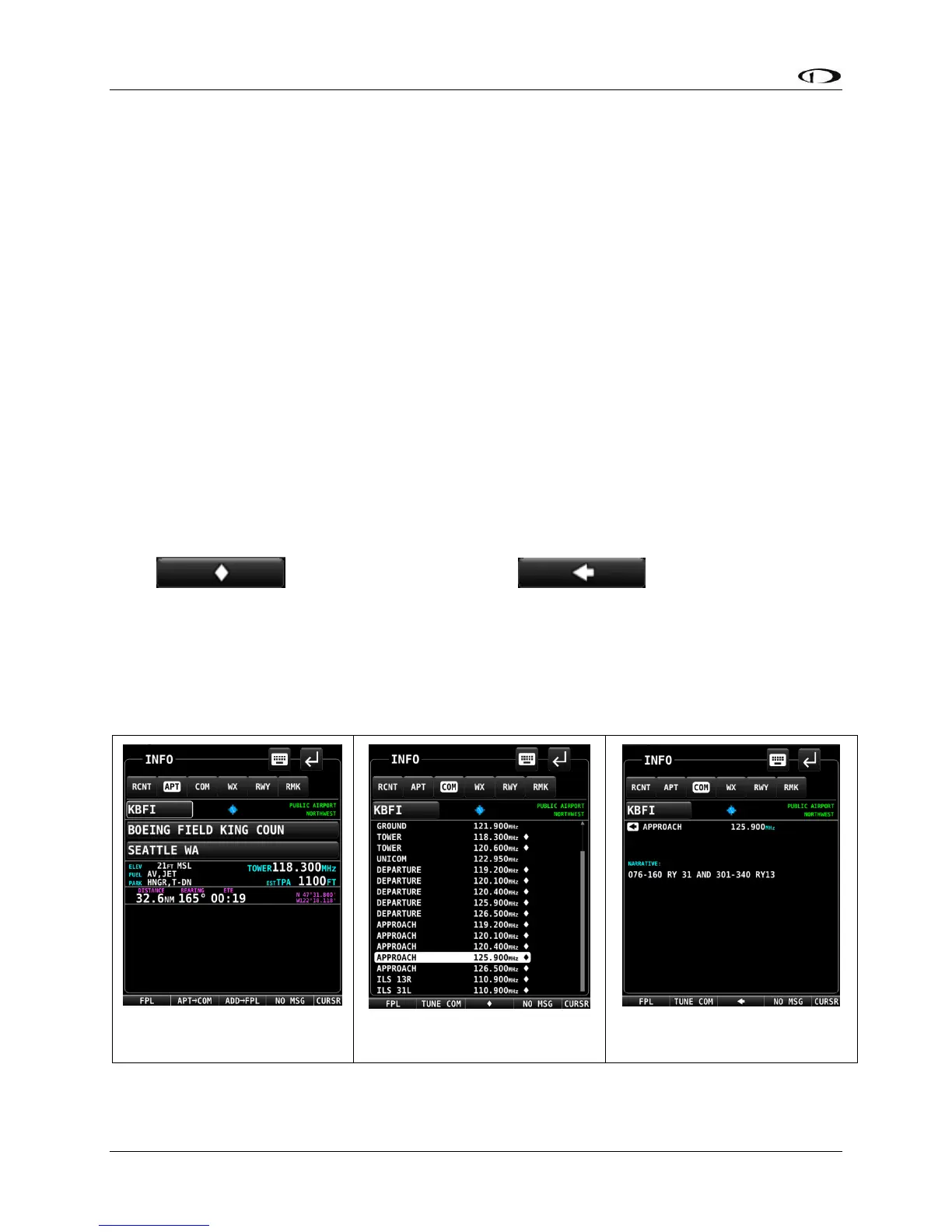
Detailed Facility Information
When an airport is displayed in the Info window after the INFO button is pushed, detailed
information about the selected facility is displayed. Information is arranged into tabs of
organized information. For example, information about airports is divided into APT, COM
(frequencies), WX (weather), RWY (runways) and RMK (remarks) tabs.
Push-and-hold the CURSR knob while rotating to move a secondary blue cursor left and right
among the tabs to select the information you wish to see.
Some tabs have more information than can fit on the screen at once. In this case, rotating the
knob will scroll or change the information displayed. For example, some airports have multiple
runways listed under the RWY tab. Once the RWY tab is selected, different runway information
can be displayed by turning or moving the CURSR knob up/down. Under the COM tab, many of
the frequencies include a description, which can show information about the sector or ATC
frequencies or valid runways for tower and ground, etc. To view the additional information
press . To return to the full list press ore touch anywhere in
the area with the additional information.
You may press ADD->FPL from the info window to add the displayed facility as a waypoint to
the Flight Plan. You may also press the TUNE COM button to send the selected frequency to the
standby on the Com Radio.





 To Next Page