Transponder Operation
7-12 SkyView HDX Pilot’s User Guide – Revision B
7. Transponder Operation
Dynon Avionics offers two transponder modules that can be connected to SkyView. When
installed and configured, SkyView displays gain an integrated transponder that is controlled
directly from the SkyView display.
The SV-XPNDR-262 is a Class 2 Mode S transponder that is limited to use beneath 15,000 feet
and under 175 knots. The SV-XPNDR-261 is a Class 1 Mode S transponder that can be used
above those limitations. Throughout this guide, they are often referred to together as the SV-
XPNDR-261/262 for instructions that apply to both versions. Be sure that your aircraft is
operated within the limitations of the transponder model that is installed in your aircraft.
The SV-XPNDR-261/262 also outputs ADS-B OUT messages via its 1090ES capability.
The SV-XPNDR-261/262 transponder is controlled using the SkyView HDX’s on-screen control
page. No dedicated panel-mounted control panel is required (or available). This allows the
transponder to be mounted separately from the instrument panel, and eliminates any panel
space taken by the transponder. SkyView HDX also provides pressure altitude directly to the
transponder, eliminating the need for a separate altitude encoder.
Transponder Status
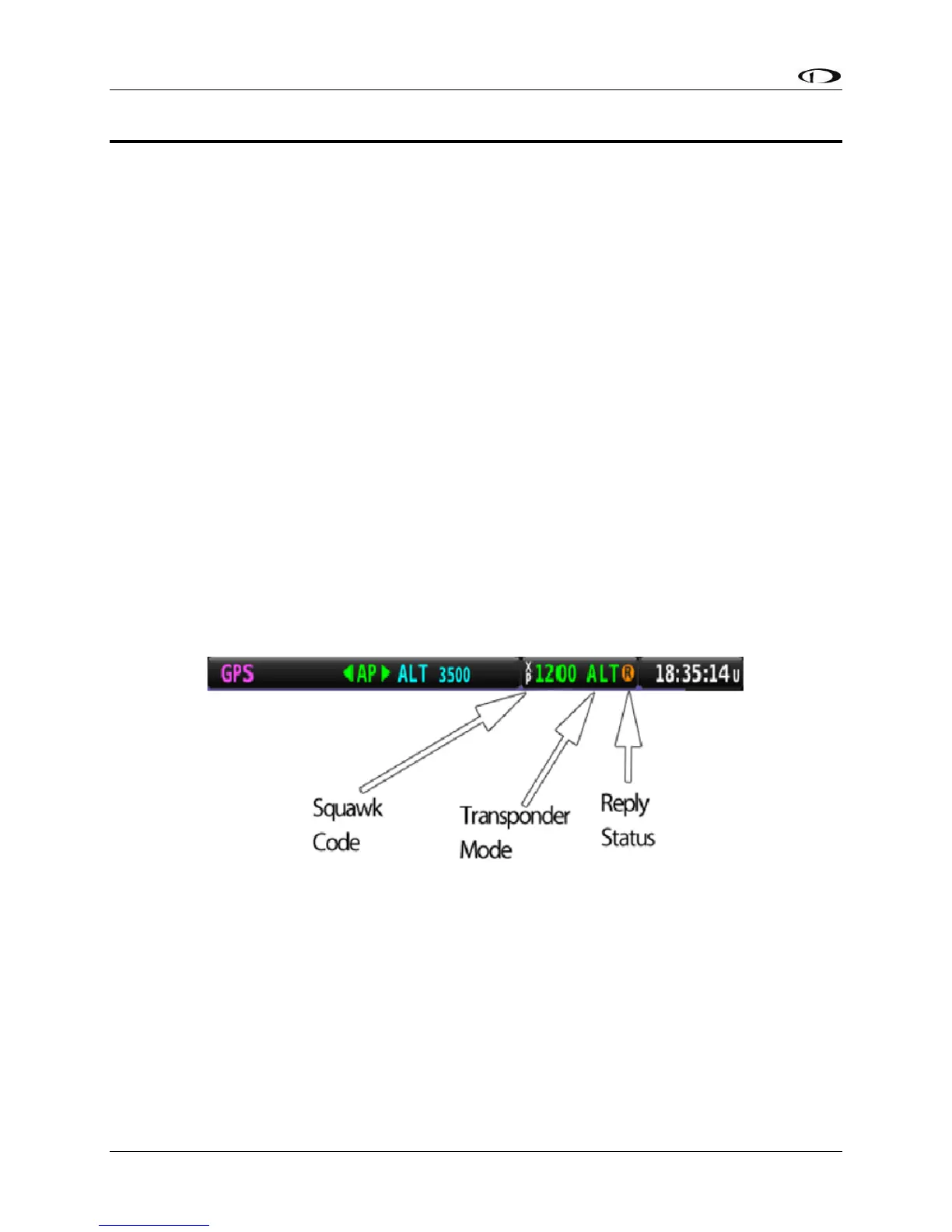
When the transponder is installed and configured, the Top Bar will display transponder status
to the left of the Clock, as shown in the following figure:
Figure 202 – Transponder Status Area in Top Bar
The transponder status area is comprised of the following status elements:
• Squawk Code: This code is transmitted when the transponder is in a broadcast mode.
• Transponder Mode: Displays the current operating mode and status of the transponder.
Modes in which the transponder will reply to interrogations are colored green, while
other modes, such as standby and errors, are in yellow or red. The different modes
possible include:





 To Next Page