PFD Operation
SkyView HDX Pilot’s User Guide – Revision B 4-9
Units can be set to feet or meters. Reference the SkyView Classic / SE / HDX System Installation
Guide instructions on how to change the displayed units.
The digital readout scrolls up and down in the manner of an analog altimeter. The rate of
change of the digits provides a sense of the increase or decrease in altitude.
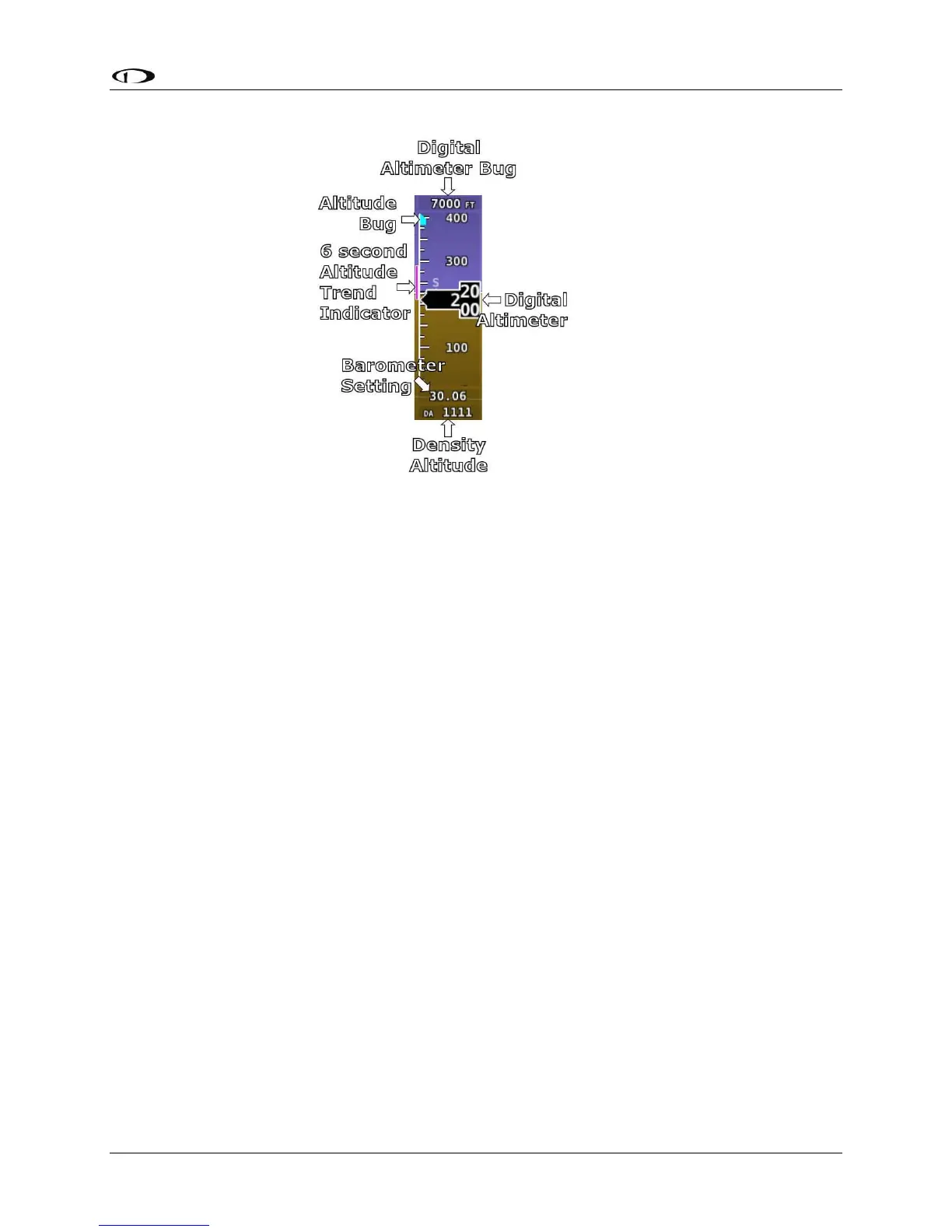
An altitude trend indicator based on current vertical speed is represented as a magenta bar on
the altimeter. It grows proportionally as your climb or descent rate increases/decreases. The
altitude trend indictor is scaled to indicate a 6-second altitude trend. This means that if current
rate of altitude change is kept constant, the altitude will end up at the number indicated at the
end of the trend line after 6 seconds have passed.
DA will display “----” if an OAT is not valid. Since relative humidity is not readily available to
SkyView in flight, density altitude is calculated using an approximation. The results of SkyView
HDX’s DA computation will closely match a traditional handheld E6B.
Setting Barometer (BARO)
To change the barometer setting:
1. Enter the Knob Function Menu.
2. Rotate the knob up or down to highlight (BARO).
3. Push the knob to close the menu (this is optional; the menu will close after
approximately 5 seconds). This step assigns that knob to BARO BUG.
(BARO) will now display just above that knob. The barometer setting on the PFD will be outlined
to signal that it is selected. Rotate the BARO BUG knob to adjust the barometer setting. Note
that while the barometer setting is changing, its display window lights up in cyan to draw your
attention to it.




 To Next Page