MAP and VFR GPS Navigator Operation
5-18 SkyView HDX Pilot’s User Guide – Revision B
NDBs and Markers
SkyView represents NDBs using the same symbols that are used on a sectional chart with a two-
three-character name underneath as shown in Figures Figure 109 and Figure 110.
Visual Reporting Points
SkyView can display visual reporting points if they are contained in the database that is
currently loaded. As of this time, only PocketFMS databases contain visual reporting points.
Figure 111 – Visual Reporting Point
Airports
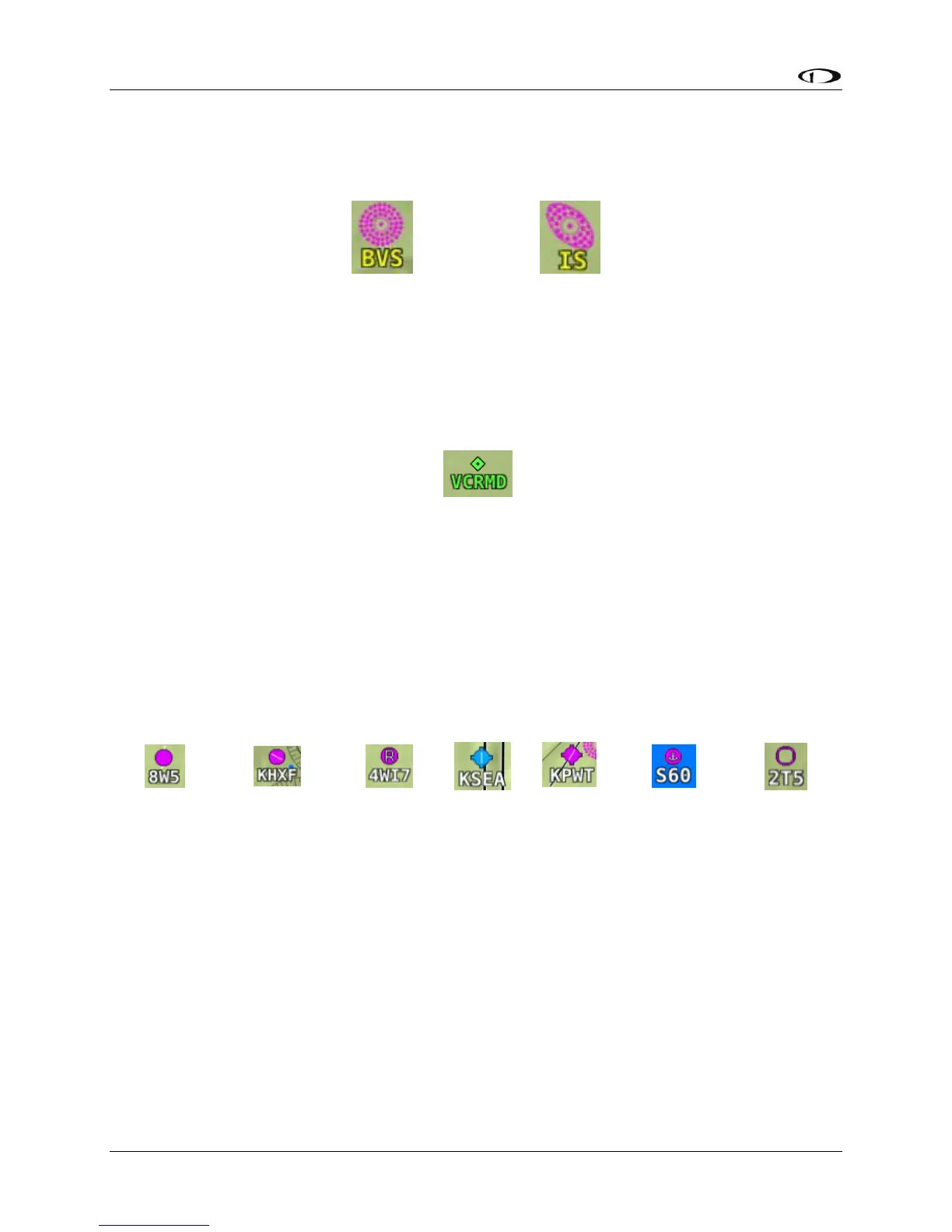
SkyView represents an airport with a circle and a text identifier. If more information is provided
in the database, a modifier may be added to the icon. A line in the circle represents the
direction of the primary runway. Other symbology may be used in the circle such as an “R” to
denote a private airport, an anchor to denote a seaplane base, or a ring to denote a military
airport.
Figure 112 – Moving Map Airport Example Icons
User Waypoints
SkyView supports a diverse set of icons that can be used to identify User Waypoints. A few of
the many available icons are shown here. See the User Waypoints section below for detailed
information on editing user waypoints.




 To Next Page