SkyView HDX Display Operation
3-18 SkyView HDX Pilot’s User Guide – Revision B
Behavior of ENGINE BOTTOM BAND
The ENGINE BOTTOM BAND is functionally divided into two halves, left and right. The half
underlying the Primary Side of the screen – as selected on the DISPLAY LAYOUT page – is known
as the protected half. The default arrangement of the ENGINE BOTTOM BAND has the required
engine instruments positioned in this portion of the band to assure they normally remain in the
pilot’s view.
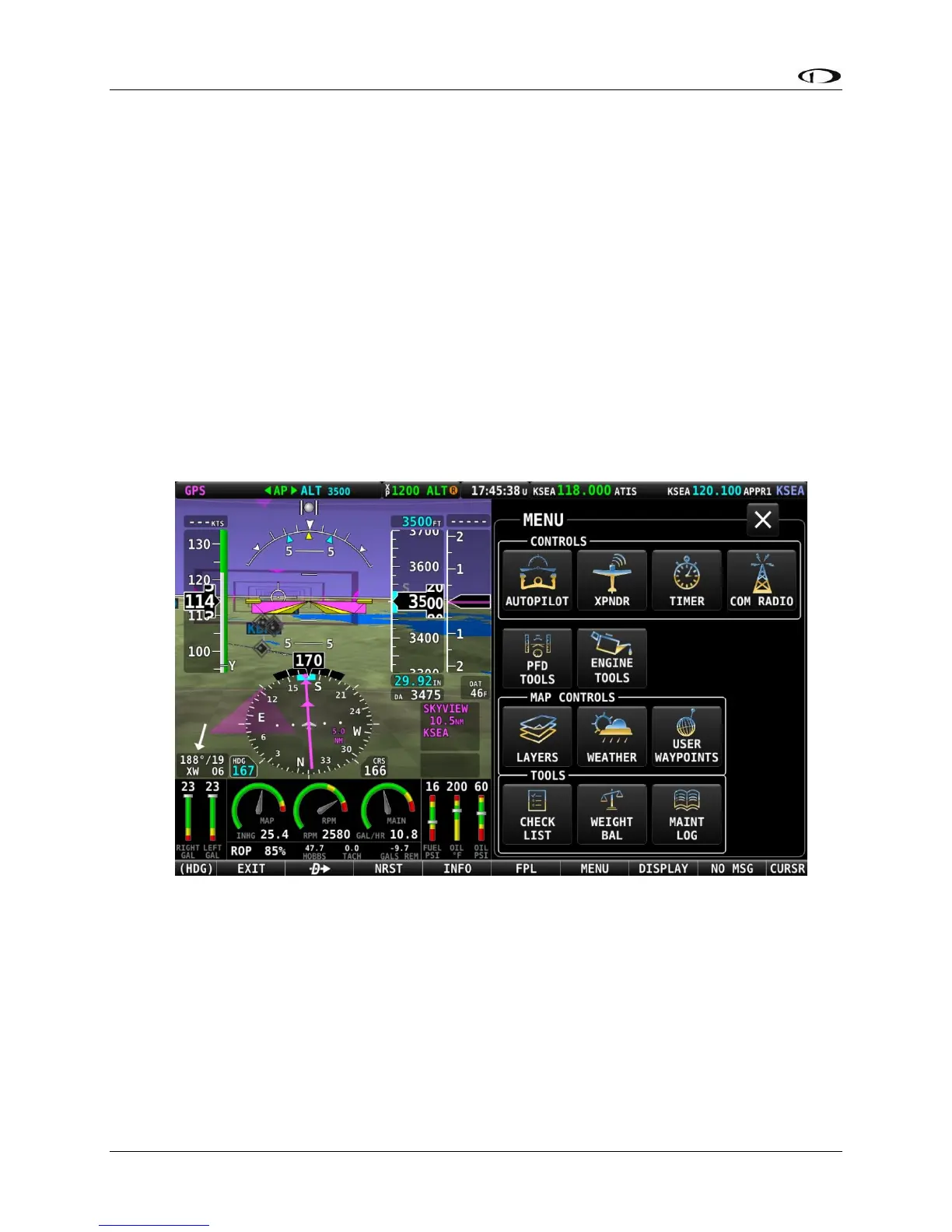
Menu and feature control pages activated by the pilot will occupy 50% width of the screen on
the non-primary side, and many require the full height of the screen. When the ENGINE
BOTTOM BAND is enabled, those menu and feature control pages requiring the full screen
height will overwrite the unprotected side of the bottom band, again assuring the most critical
instruments remain in the pilot’s view.
An example of the ENGINE BOTTOM BAND being over-written by the MENU icon page is shown
below.
1.
Figure 17 – ENGINE BOTTOM BAND partial over-written by MENU page
Display of External Video Device
If the optional SkyView Video Input Adapter is installed, VIDEO is one of the SPLIT CONTENT
options on the DISPLAY page. When an external video device, such as a nose camera or belly
camera, is connected and properly configured, the video can be activated by selecting DISPLAY
(Button 7) on the Main Menu, then selecting the VIDEO icon in the SPLIT CONTENT group.




 To Next Page