Autopilot Operation
SkyView HDX Pilot’s User Guide – Revision B 8-5
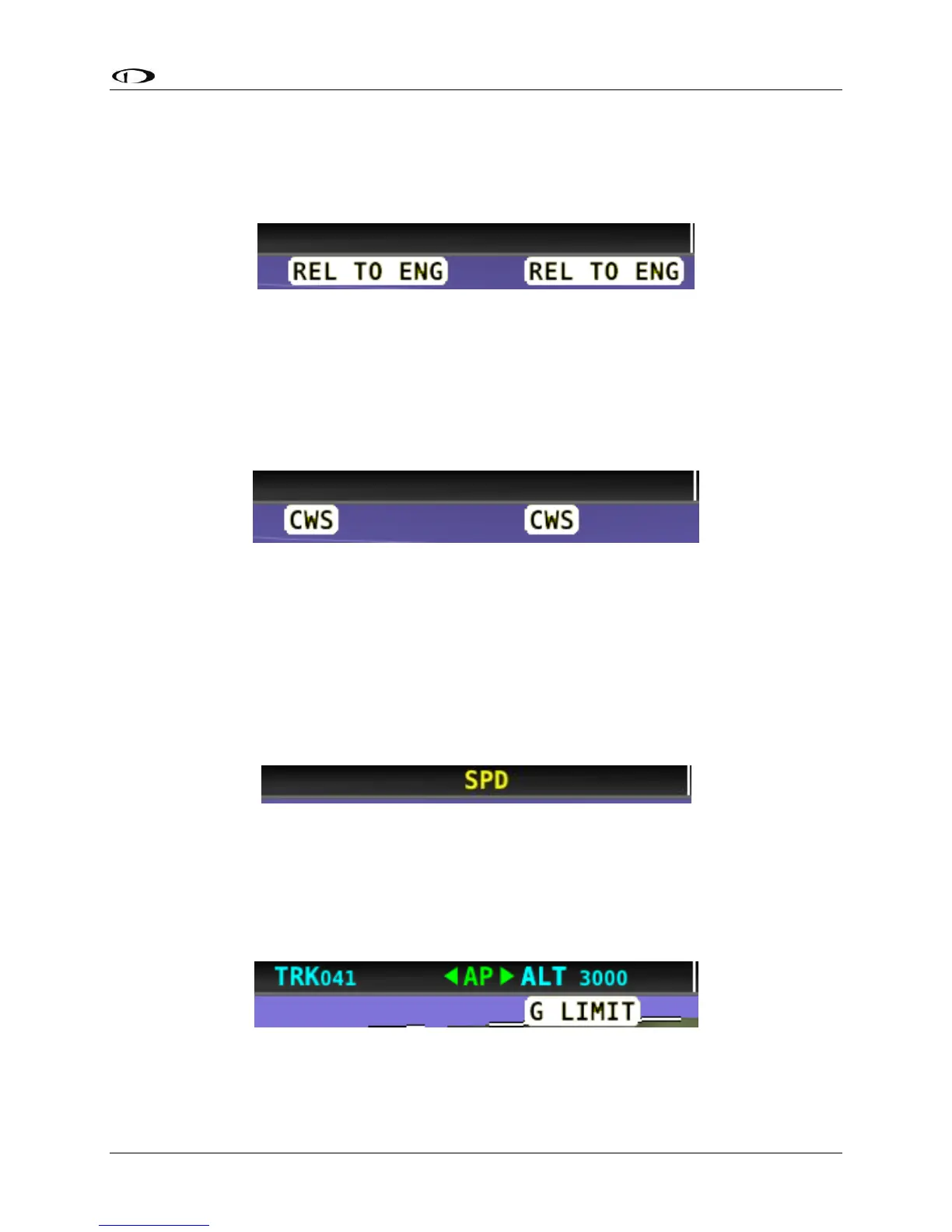
Hold To Engage Indicator
Displayed when the disconnect switch is held down to engage the autopilot. The behavior upon
release is different for Simplified and Expert Autopilot Control schemes. See the Simplified and
Expert Control sections below for additional Hold To Engage behavior information.
Figure 210 – Hold to Engage Indicator
Control Wheel Steering Indicator
Displayed when the disconnect switch is held down while the autopilot is engaged to adjust the
autopilot’s targets. Control Wheel Steering behavior is different for Simplified and Expert
Autopilot Control schemes. See the Simplified and Expert Control sections below for additional
Control Wheel Steering behavior information.
Figure 211 – Control Wheel Steering Mode Indicator
The Control Wheel Steering feature can be enabled and disabled via the Autopilot Setup Menu.
See the SkyView Classic / SE / HDX System Installation Guide for details.
Airspeed Out-Of-Range Indicator
SkyView uses the indicator shown below to denote that the aircraft airspeed is outside of the
specified autopilot airspeed range as specified during installation. When SPD is displayed in the
Top Bar the autopilot cannot be engaged.
Figure 212 – Speed Out-Of-Range Indicator
G Limit Indicator
SkyView uses the indicator shown in the following figure to denote that the autopilot’s preset G
limits are hit, and thus the autopilot will not pull or push on the pitch axis in a way that would
exceed these limits.
Figure 213 – G-Limit Indicator




 To Next Page