PFD Operation
SkyView HDX Pilot’s User Guide – Revision B 4-3
PFD Symbology
Bugs
The SkyView PFD uses the following bugs to control the SkyView AP (if Dynon Avionics servos
are installed to provide Autopilot functionality).
• Altitude (ALT)
• Barometer (BARO)
• Course (CRS)
• Heading (HDG) / Track (TRK)
• Indicated Airspeed (IAS)
• Minimum Descent Altitude (MDA)
• Vertical Speed (VS)
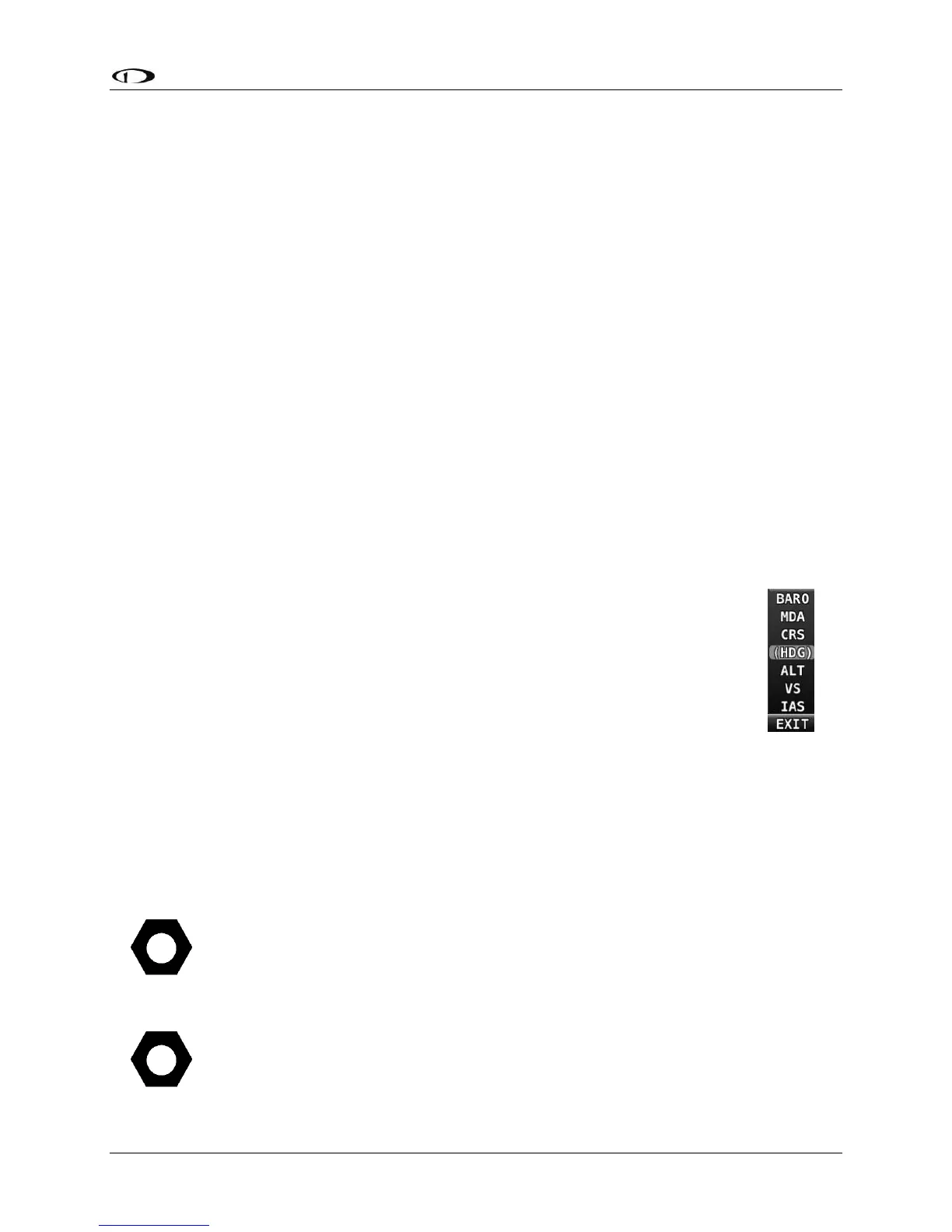
See Figure 28
BUGS
Knob
Function
Menufor the locations on the PDF of the various BUGS.
How to Enter the BUGS Knob Function Menu
Knob Function menus for each knob are used to specify which bug or parameter the
knob adjusts if turned. For example, Knob 1 could be set to adjust the heading bug
and Knob 2 could be set to adjust the Altitude bug.
Figure 28 shows the Knob Function menu when all possible bugs and functions of
the SkyView HDX are enabled (via the BUGS on the PFD TOOLS page) and selectable
for use. Depending on which bugs you have enabled, the BUGS Knob menu on your
SkyView HDX display may contain fewer items than shown in Figure 28.
To change the function of a knob:
1. Push on the desired knob to open the Knob Function menu.
2. Rotate the knob to highlight the preferred Knob Function.
3. Push on the knob a second time to change the Knob Function.
To select which BUGS are enabled for selection on the BUGS Knob, select MENU
(Button 6) on the Main Menu, then select the PFD TOOLS icon, then BUGS icon. On
the BUGS menu page, select/deselect the various BUGS per your preferences.
NOTE: The selection of active bugs on the KNOB function list is a local display
setting. That is, changing the bugs included in the KNOB function list on one display
will have no effect on the contents of the KNOB function list other SkyView HDX
displays in the aircraft.
If the MAP window is displayed, the knob closest to the MAP is labeled (MAP) and
is used to change the scale of the MAP page.




 To Next Page