MAP and VFR GPS Navigator Operation
5-42 SkyView HDX Pilot’s User Guide – Revision B
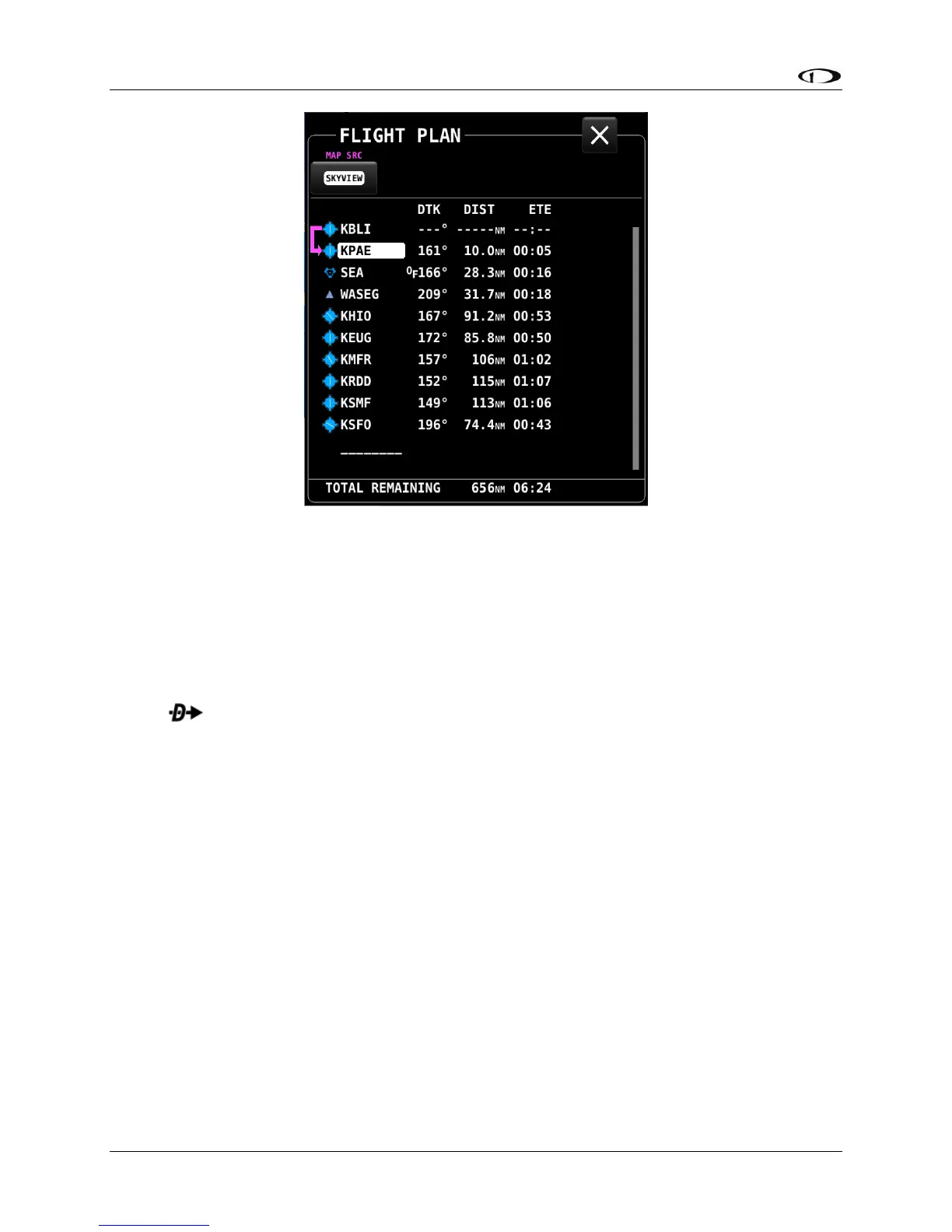
Figure 141 – Flight Plan Window
Figure 141Figure 141 shows the following items:
• Waypoint List: The list of waypoints making up the current Flight Plan.
• Waypoint Icons: The icon that would be shown on the Map Page for the waypoint is
shown to the left of each waypoint in the Flight Plan.
• Active Leg Icon: The active leg of the Flight Plan is depicted by a hooked arrow from
origin waypoint to the destination waypoint if the leg is point-to-point. If the FPL Menu
function has been used to go directly to a waypoint within, the flight plan, this
arrow will instead be straight arrow pointing at the selected destination waypoint.
• OF (overfly) Icon: This indicates the transition type of the leg. When OF is present, the
leg ending at this waypoint has an overfly transition, otherwise, it has a flyby transition.
• DTK (Direct Track): The direction of the leg. For the active leg, though, this is the direct
track from the aircraft to the destination waypoint.
• DIST: The distance of the leg. For the active leg, it is the distance from the aircraft to the
next waypoint.
• ETE: The estimated time enroute for the leg, based on the current ground speed if
flying, and if stationary based on the Plan Ground Speed setting (MAP SETUP > FLIGHT
PLAN OPTIONS). For the active leg, this is the estimated time until the aircraft reaches
the next waypoint based on its current closure rate towards it.
• ------: The last item in the waypoint list is a placeholder for adding another waypoint at
the end of the Flight Plan.
• TOTAL REMAINING: This is always displayed at the bottom and is the total distance and
total ETE of the legs of the Flight Plan. If the route is active, only the current and
remaining legs are included in the calculation. If inactive, all legs are included.




 To Next Page