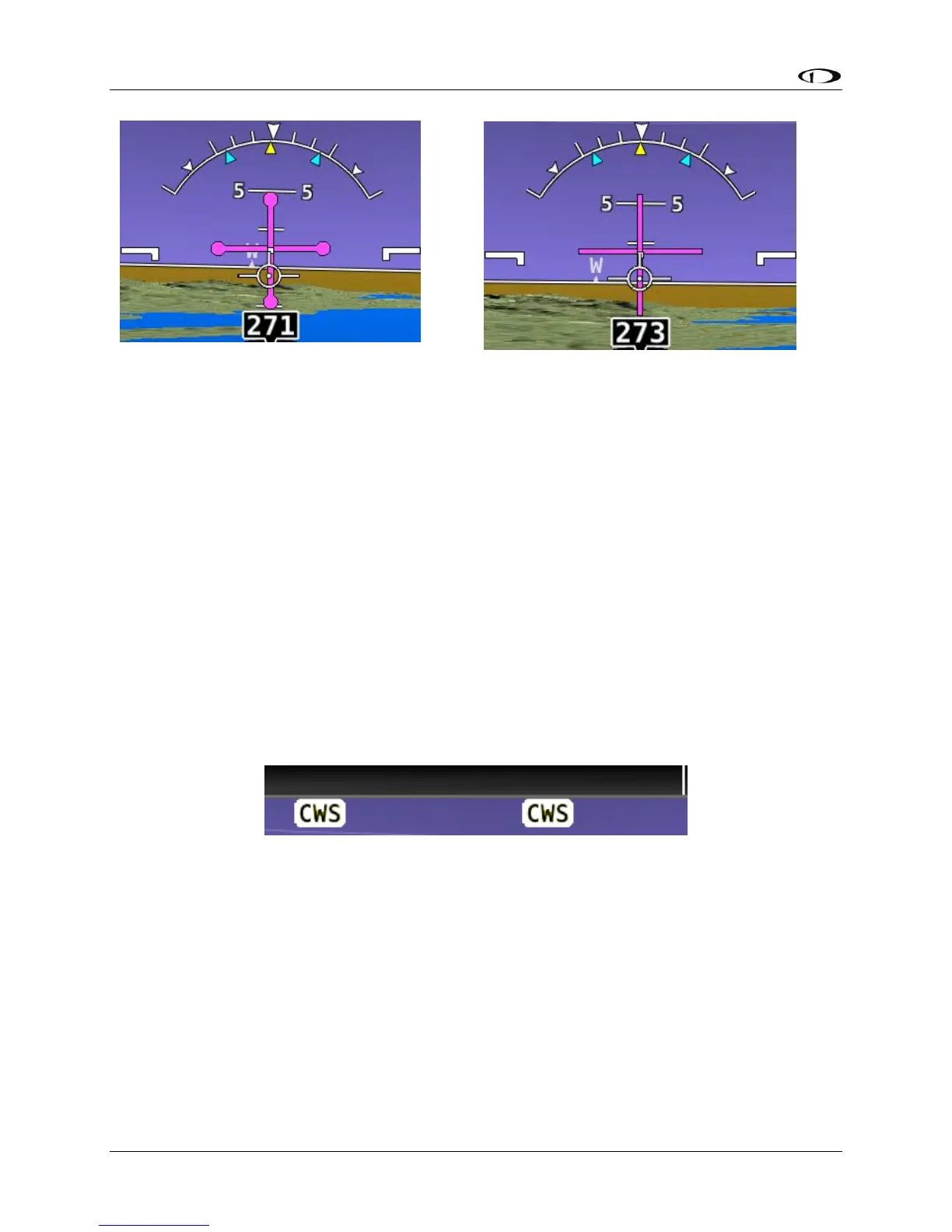
If the flight director symbol is aligned with the aircraft’s pitch and roll water-marks the aircraft
is in the desired attitude in order satisfy the autopilot’s guidance. When the autopilot servos
are engaged, it will maneuver the aircraft to align the flight director cues.
Refer to the SkyView Classic / SE / HDX System Installation Guide for instructions on how to
change the type of flight director used.
Control Wheel Steering
When the autopilot is engaged, press and hold the Autopilot disconnect switch to put the
autopilot into Control Wheel Steering mode. While Control Wheel Steering mode is active, the
Autopilot servos are temporarily disengaged. This lets you fly the aircraft by hand for short
periods to make an adjustment to the autopilot’s targets without completely disengaging the
Autopilot.
Figure 233 – Control Wheel Steering Active
When the disconnect switch is released, servo engagement, flight director, active modes and
armed modes are restored to their states prior to activation of control wheel steering. Active
modes which have adjustable targets are synchronized to the current aircraft state; heading
mode, track mode, roll hold mode, vertical speed, indicated airspeed, altitude hold. Active
modes which do not have adjustable targets resume tracking their source; NAV and vertical
navigation.
The Control Wheel Steering feature can be enabled and disabled via the Autopilot Setup Menu.
See the SkyView Classic / SE / HDX System Installation Guide for details.





 To Next Page