Messages and Alerts
12-2 SkyView HDX Pilot’s User Guide – Revision B
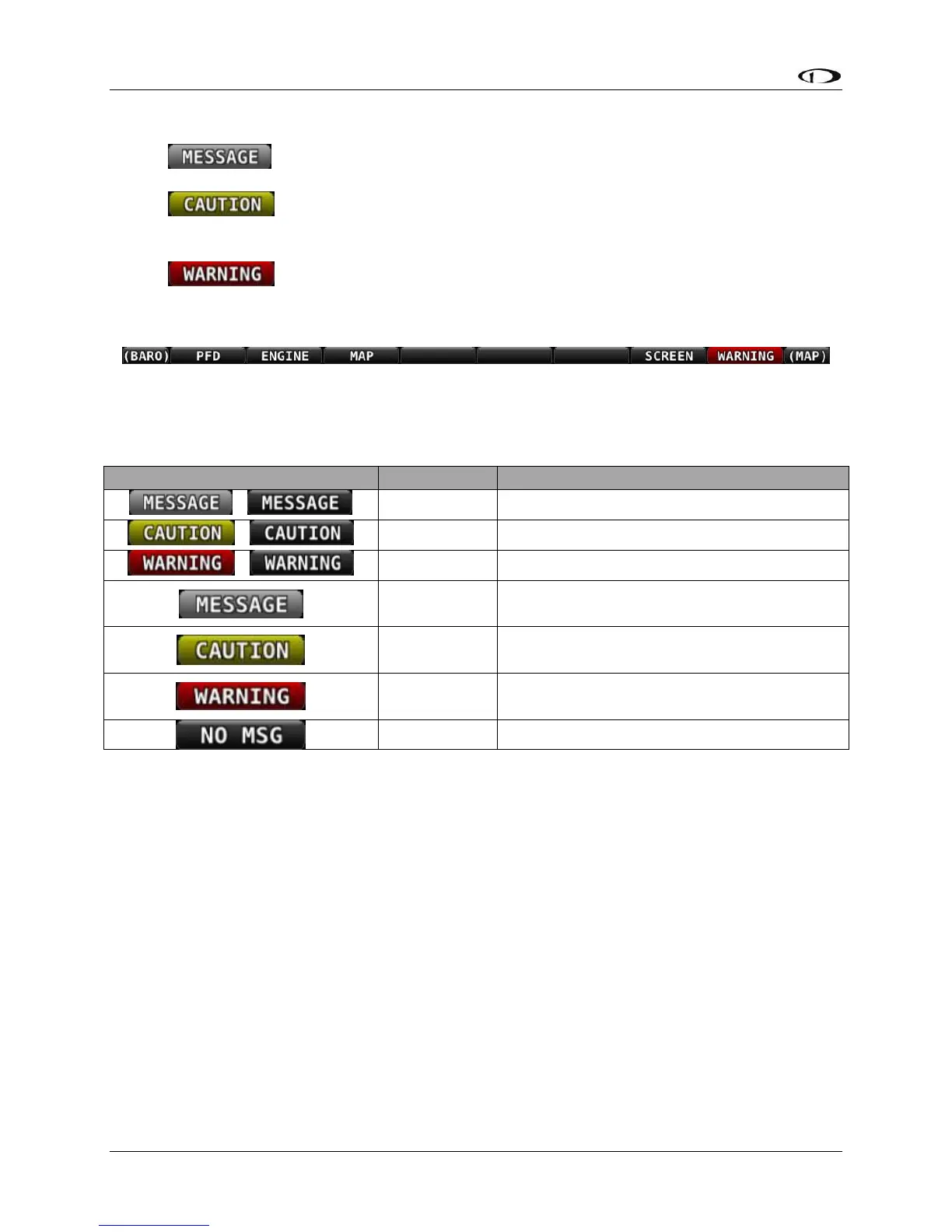
Alerts and messages are all categorized into one of three severity levels:
•
o Advisory message.
•
o A condition which is abnormal but not critical in nature; may increase pilot
workload.
•
o A critical condition that should be addressed immediately; may affect safety of
flight if not addressed.
Figure 245 – Message Notification Area above button 8 (2nd from right), showing a Warning Notification
The Message Notification Area changes its appearance to reflect the highest level of alert that is
present in the system at any given time:
Table 10 – Notification Types
Whenever a new alert or message is generated, the Message Notification Area will flash to
provide a clear visual indication that there are unviewed messages or alerts that have not yet
been seen and acknowledged.
When alert conditions are present – but they have been acknowledged by viewing them – the
Message Notification Area will continue to show the highest notification type of all persisting
alerts or messages. However, if there are no unviewed messages or alerts, the Message
Notification Area will not flash.
Anytime a yellow caution alert is triggered, the following simultaneous events occur:
• If audio is connected and an audio alert exists for the particular alert, it will be played.
Anytime a red warning alert is first triggered, the following simultaneous evens may occur:
• If installed, the external alarm light will flash (for EMS-based alerts only).
• If audio is connected and an audio alert exists for the particular alert, it will be played.





 To Next Page