SkyView HDX Display Operation
SkyView HDX Pilot’s User Guide – Revision B 3-7
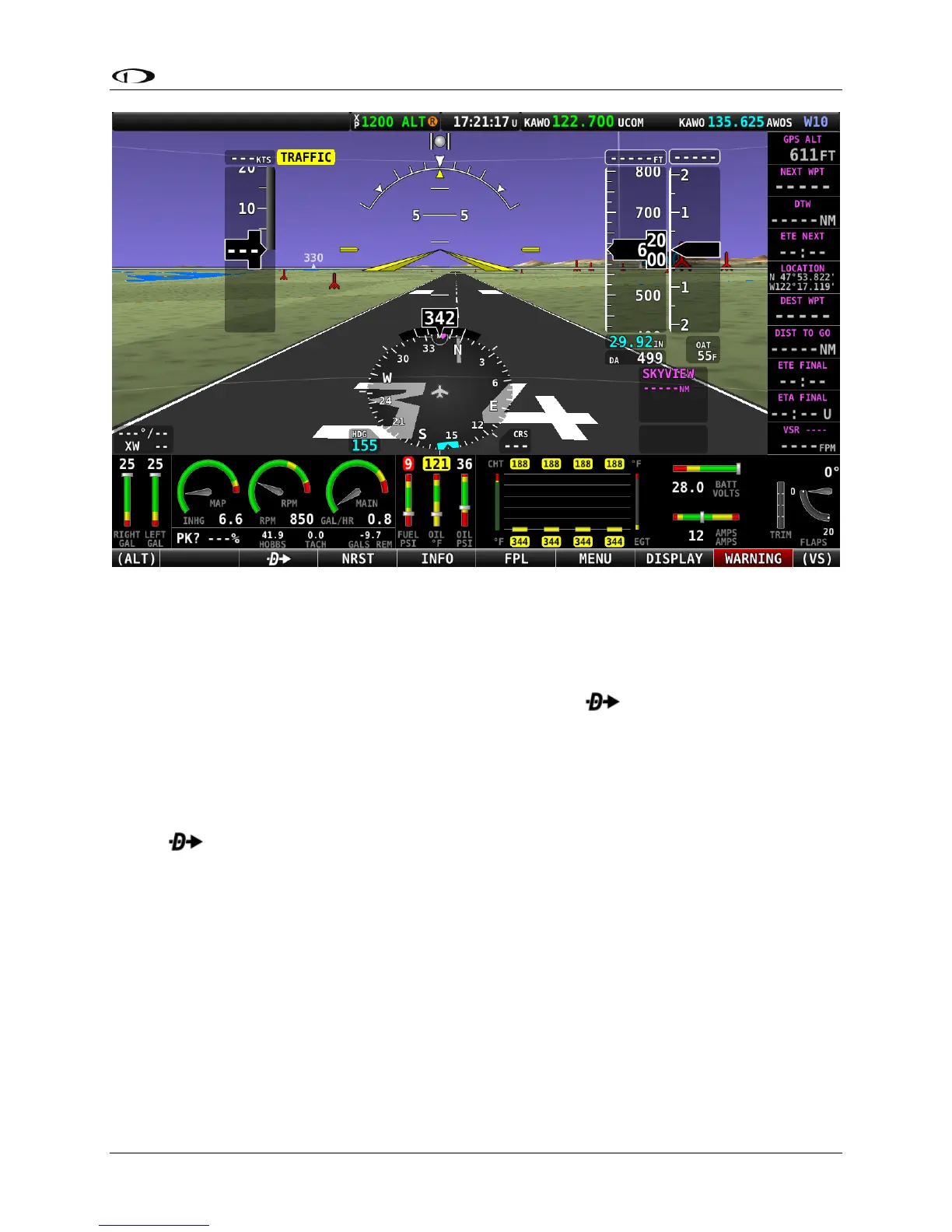
Figure 4 – Displaying Main Menu bar at bottom of screen
This guide refers to the labels above the buttons at the bottom of the screen as the Main Menu
bar, or simply Main Menu. The Main Menu at the bottom of the SkyView HDX screen is quite
simple and intuitive. Four of the seven MAIN MENU buttons – , NRST, INFO, and FPL – are
related to airport information, flight planning, and VFR GPS navigation. Use of these four Main
Menu items is discussed in detail in the MAP and VFR GPS Navigator Operation section.
The following functions are available on the Main Menu bar:
• (blank) – No function
• – Direct-To: Opens the INFO menu for easy access to select and confirm
information about a potential destination.
• NRST – Nearest: Opens a list of various navigational data, such as airports, fixes,
navaids, etc. which may be used as flight plan waypoints, plus other information. Each
list is sorted by proximity to either the aircraft’s position or the position of the panning
cursor on the moving map.
• INFO: Opens the Info page, providing access to all available information for a
designated airport, including optional weather data.
• FPL – Flight Plan: Opens SkyView’s currently entered flight plan.
• MENU – Opens a Menu page providing access to many configuration options, features
and utility functions.




 To Next Page