PFD Operation
SkyView HDX Pilot’s User Guide – Revision B 4-13
The vertical speed pointer scrolls up and down the VSI tape, simultaneously displaying the
instantaneous vertical speed in both analog and digital formats. If there is very little or no
vertical speed, the pointer appears blank. When the PFD is configured as a 50% page, the digital
vertical speed readout appears above or below the VSI tape as shown in Figure 37, but the
analog sliding behavior of the pointer is the same as described above. When the Vertical Speed
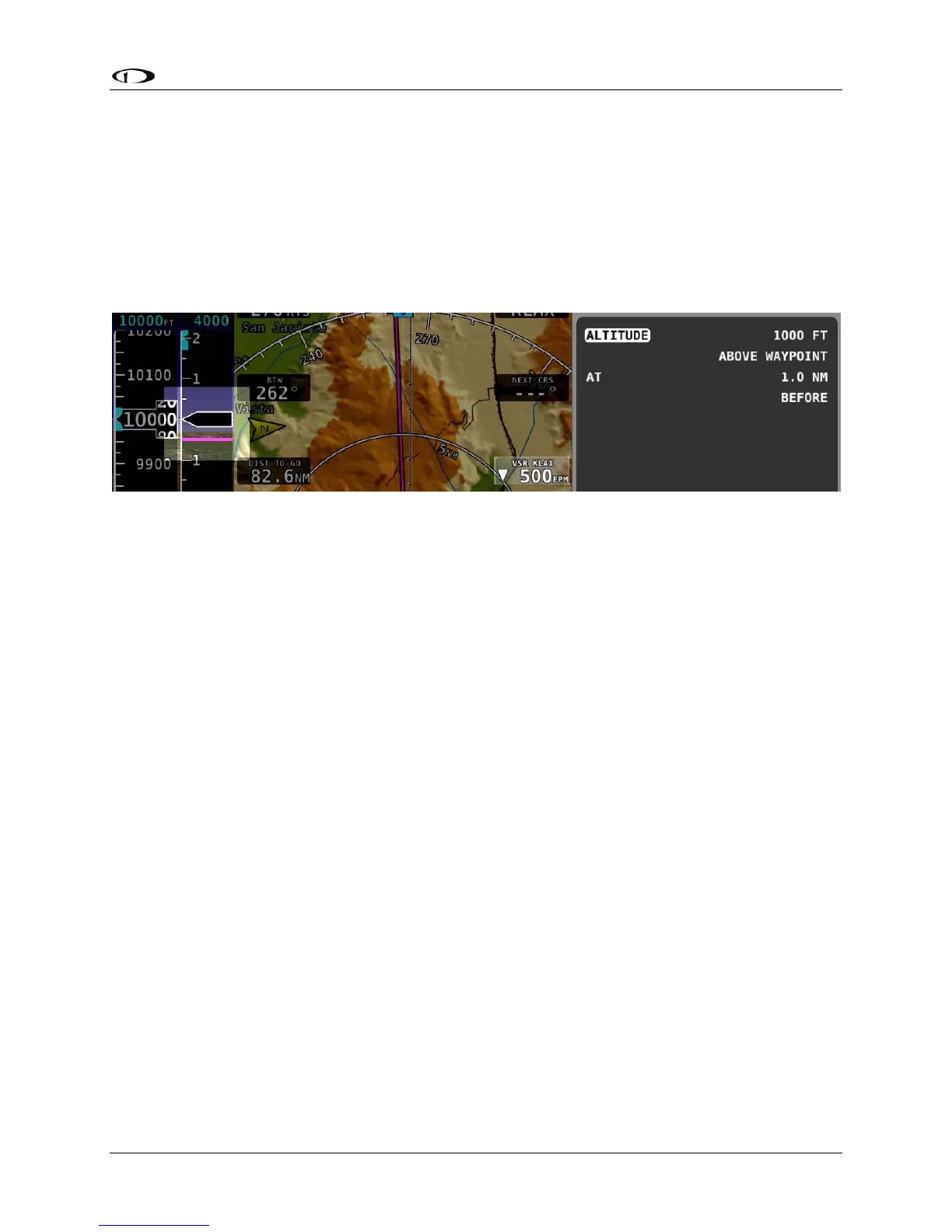
Required to Destination info item is active on the Map a magenta line is drawn on the VSI at
that speed.
Figure 39 – Vertical Speed Required to Destination
Vertical Speed BUG
The Vertical Speed BUG is displayed in cyan on the right side of the VSI tape and its associated
digital readout is displayed at the top of the VSI. The Vertical Speed BUG is used by the Autopilot
as a target vertical speed when it is climbing or descending (when a Pitch axis servo is installed).
To set the VS BUG:
1. Enter the Knob Function Menu.
2. Rotate the knob to highlight (VS).
3. Push the knob to close the menu (this is optional; the menu will close after
approximately 5 seconds). This step assigns that knob to (VS).
(VS) will now display just above that knob. The Vertical Speed BUG setting on the PFD will be
outlined to signal that it is selected. Rotate the knob to adjust the Vertical Speed BUG. Note
that while the vertical speed bug is changing, its display window lights up in cyan to draw your
attention to it.
You can synchronize the vertical speed bug with the current vertical speed by pushing and
holding the VS knob (½ second click).
After the Vertical Speed BUG is synchronized, a “VS SYNC” message will appear above the knob.





 To Next Page