PFD Operation
4-30 SkyView HDX Pilot’s User Guide – Revision B
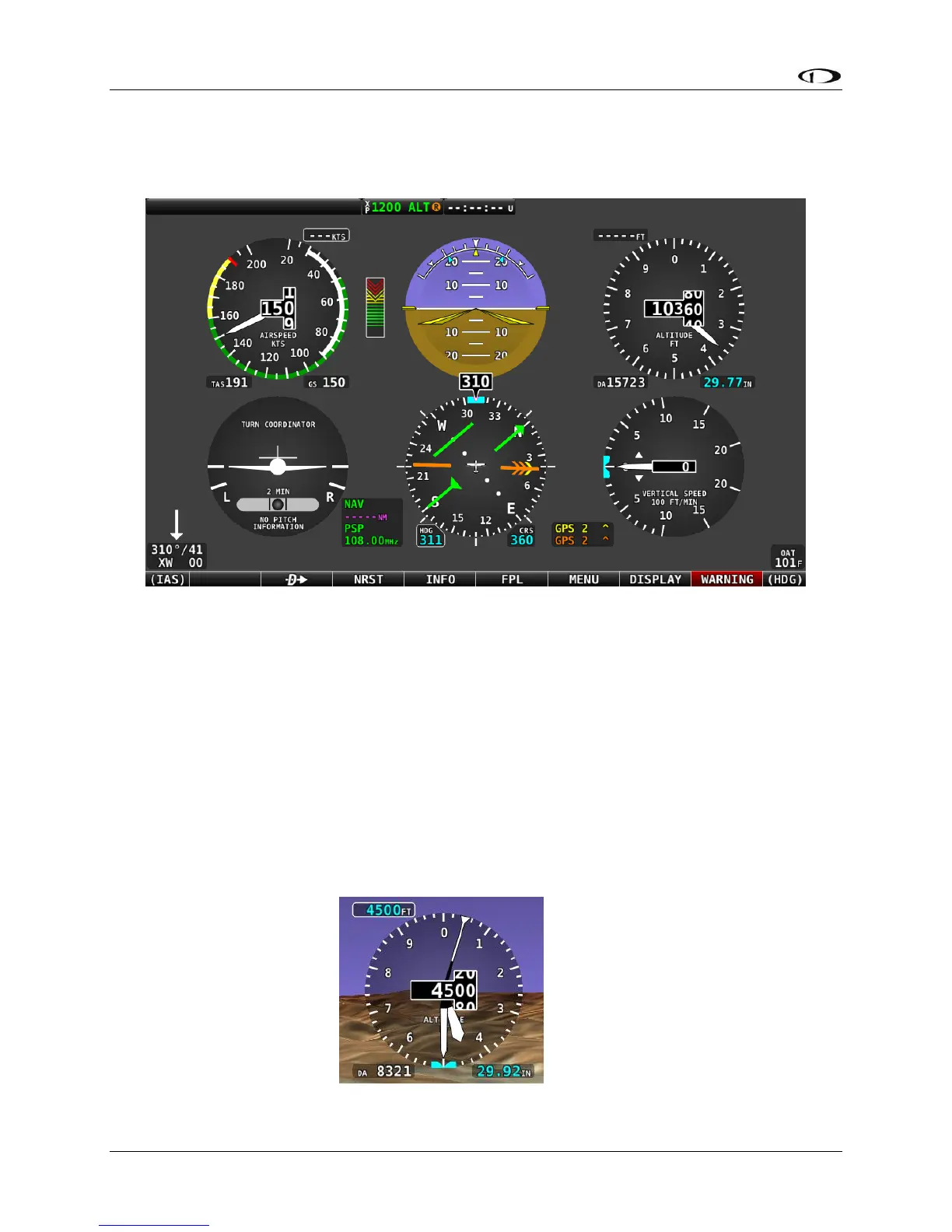
Figure 77 below illustrates the Six-pack presentation with Synthetic Vision disabled (Gray
background).
Figure 77 – Six Pack PFD Presentation, Synthetic Vision Disabled
The Six-pack presentation on the PFD may be enabled or disabled at any time by selecting
MENU (Button 6) on the Main Menu, then selecting the PFD TOOLS icon, then the SIX-PACK
icon. For easier viewing of the Six-pack presentation, display of Synthetic Vision can be enabled
or disabled in the same menu.
In SkyView software version 15.1, indicators for 1000 and 10000 feet were added to more
emulate a mechanical gauge. For example, here is 4500 feet depicted on the new instrument:




 To Next Page