Switching Basics
Source Select Module
192
Rtr
Holld
Uncalibrated source
Split OLED Source Select Display
Local Aux Module
The Local Aux Module is located at the top of the Control Panel, above the Stripes.
21
22
23
24
25
26
27
28
21
22
23
24
25
26
27
28
Wipe
Tran
s
Local Aux Module Example
Included features:
• The following will tally button colors in the Local Aux Panel to more easily identify
special sources:
• eDPM=Blue,
• IS (Image Store Channel=Orange, and
• Preview Primary=Yellow.
• Outlines border the display text; the default. Outlines can be toggled off/on in the
MFM: from Home, press the Panl, Bri, buttons then toggle the OUTL (under Joystick)
button.
• To allow a larger font, the Local Aux Panel OLED displays the ID or Name (if configured),
only.
• Inserting a space in the Source Name wraps the text to the second line. For example
typing
CAM then a space then the number 3 would wrap ‘3’ to the next line of the
OLED button display.
Note: If a name is configured, the Eng ID can still be seen in the Menu
Panel.
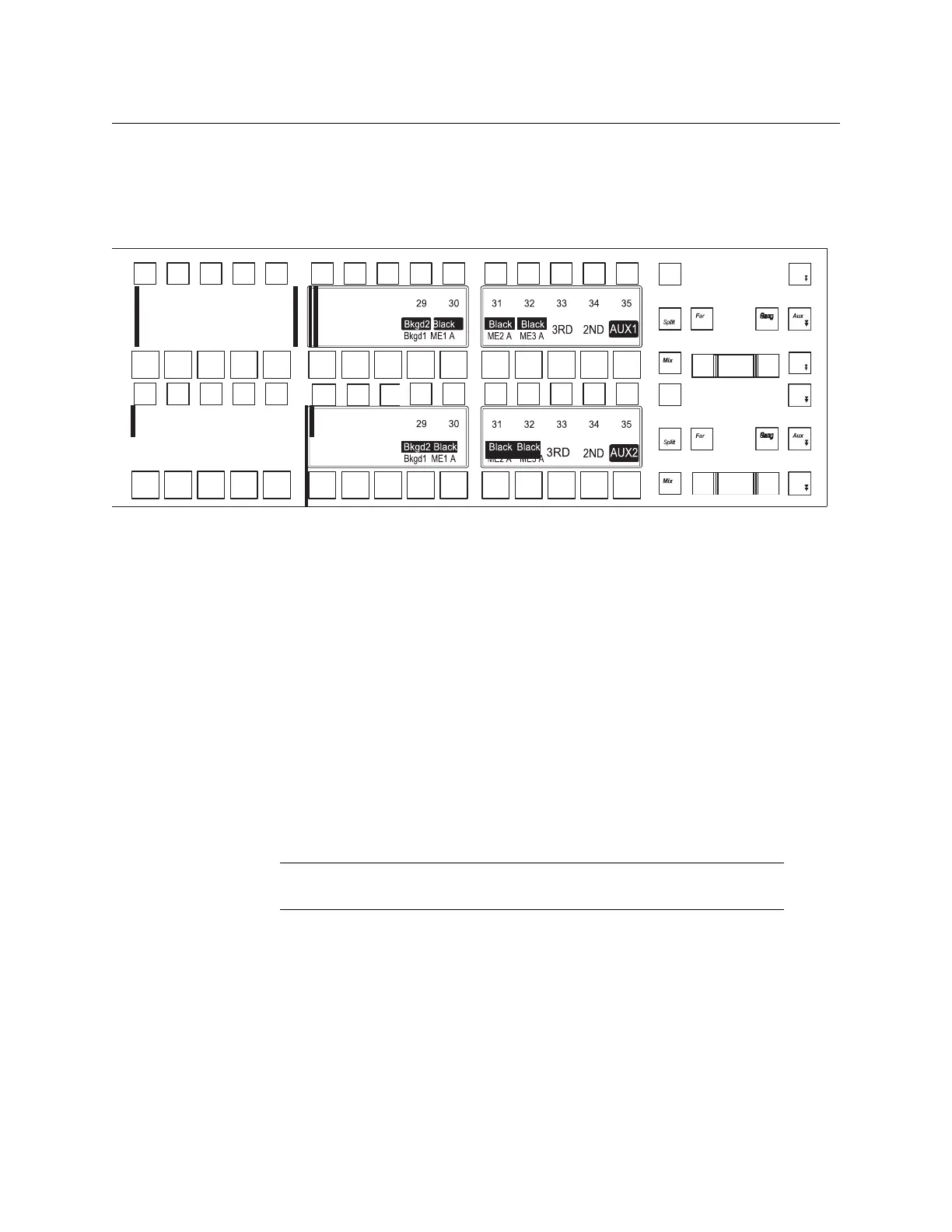
The Local Aux Module is similar to the Source Select Module, the main differences are:
• Status displays (OLEDs) are located between the button rows, both at the top and
bottom of the module,
• There are two rows of small buttons and two rows of larger buttons, and
• Different function buttons on the right side of the module, as shown:
21
22
23
24
25
26
27
28
21
22
23
24
25
26
27
28
Wipe
Tran
s












 To Next Page