Color Change and Non-Thermal Sensitive Resin Example 221
User Guide v 2.0 — March 2023 Color Change
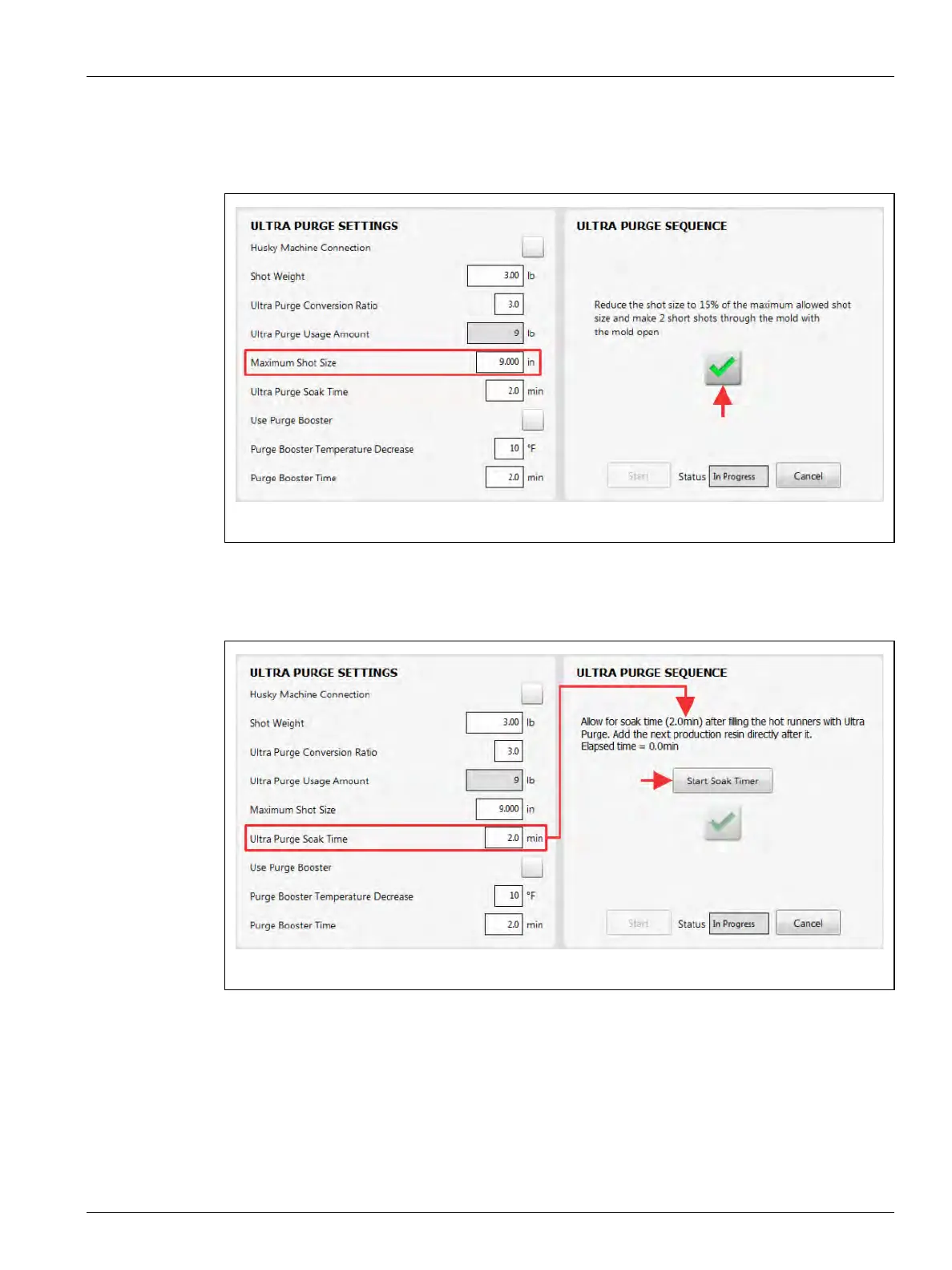
15. Reduce the shot size to 15% of the maximum shot size allowed (refer to Figure 13-12).
16. With the mold open, do two short injection shots through the mold.
17. Touch the check mark button to continue (Figure 13-12).
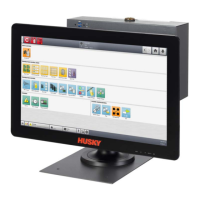
18. After the hot runners are filled with Ultra Purge, touch the Start Soak Timer button let
the soak timer complete (Figure 13-13).
NOTE: The elapse time is shown on the screen above the Start Soak Timer button.
Figure 13-12 Reduce Shot Size to 15% of the Maximum Allowed
Figure 13-13 Allow for Soak Time


 To Next Page