v 2.0 — March 2023 Altanium Delta5
222 Color Change and Non-Thermal Sensitive Resin Example
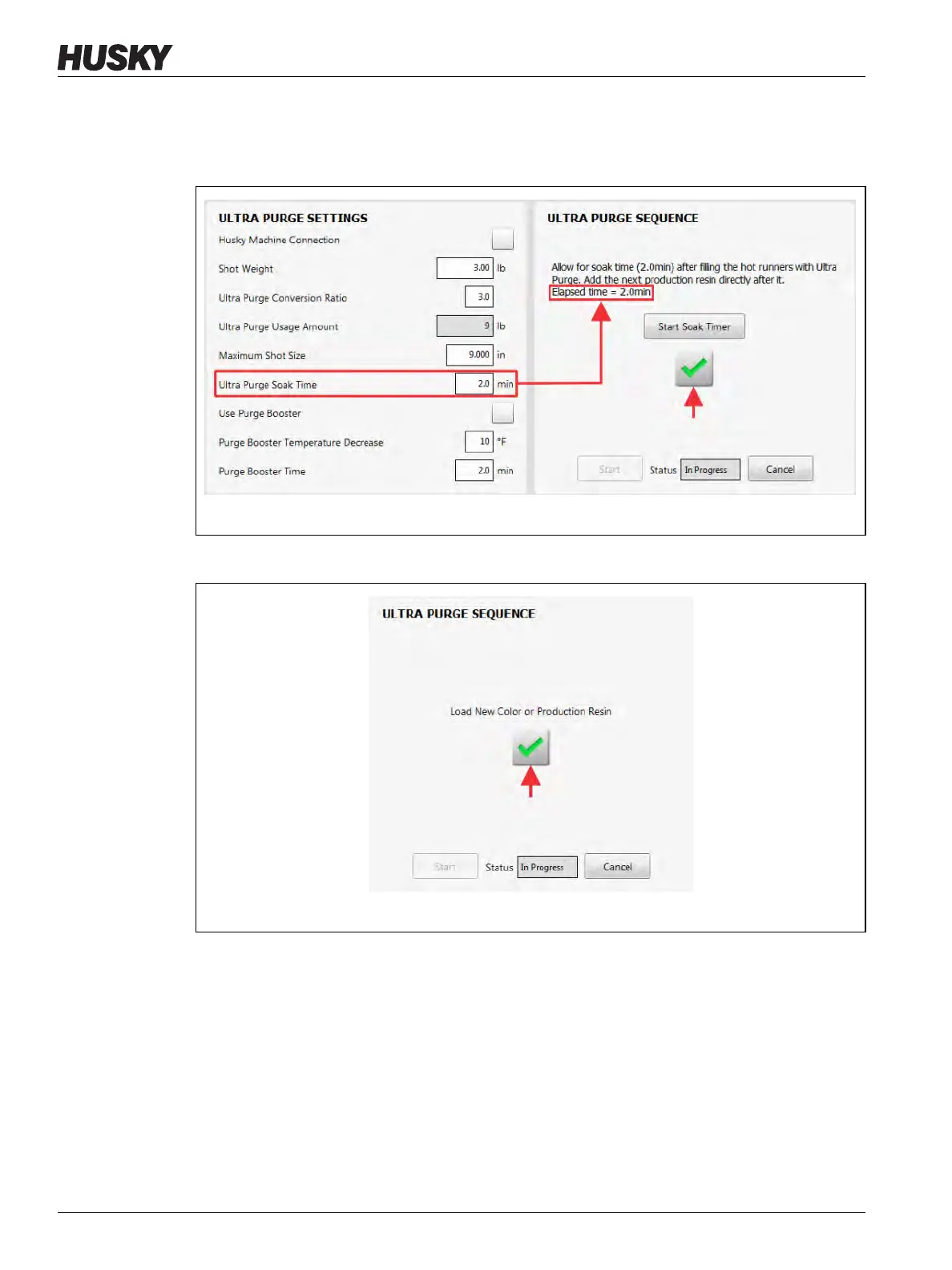
19. When the soak timer has completed, touch the check mark button to continue
(Figure 13-14).
NOTE: The check mark button becomes enabled when the soak time completes.
20. Load the new color or production resin into the IMM (Figure 13-15).
Figure 13-14 Ultra Purge Soak Time Completes
Figure 13-15 Load New Color or Production Resin


 To Next Page