Color Change and Non-Thermal Sensitive Resin Example 223
User Guide v 2.0 — March 2023 Color Change
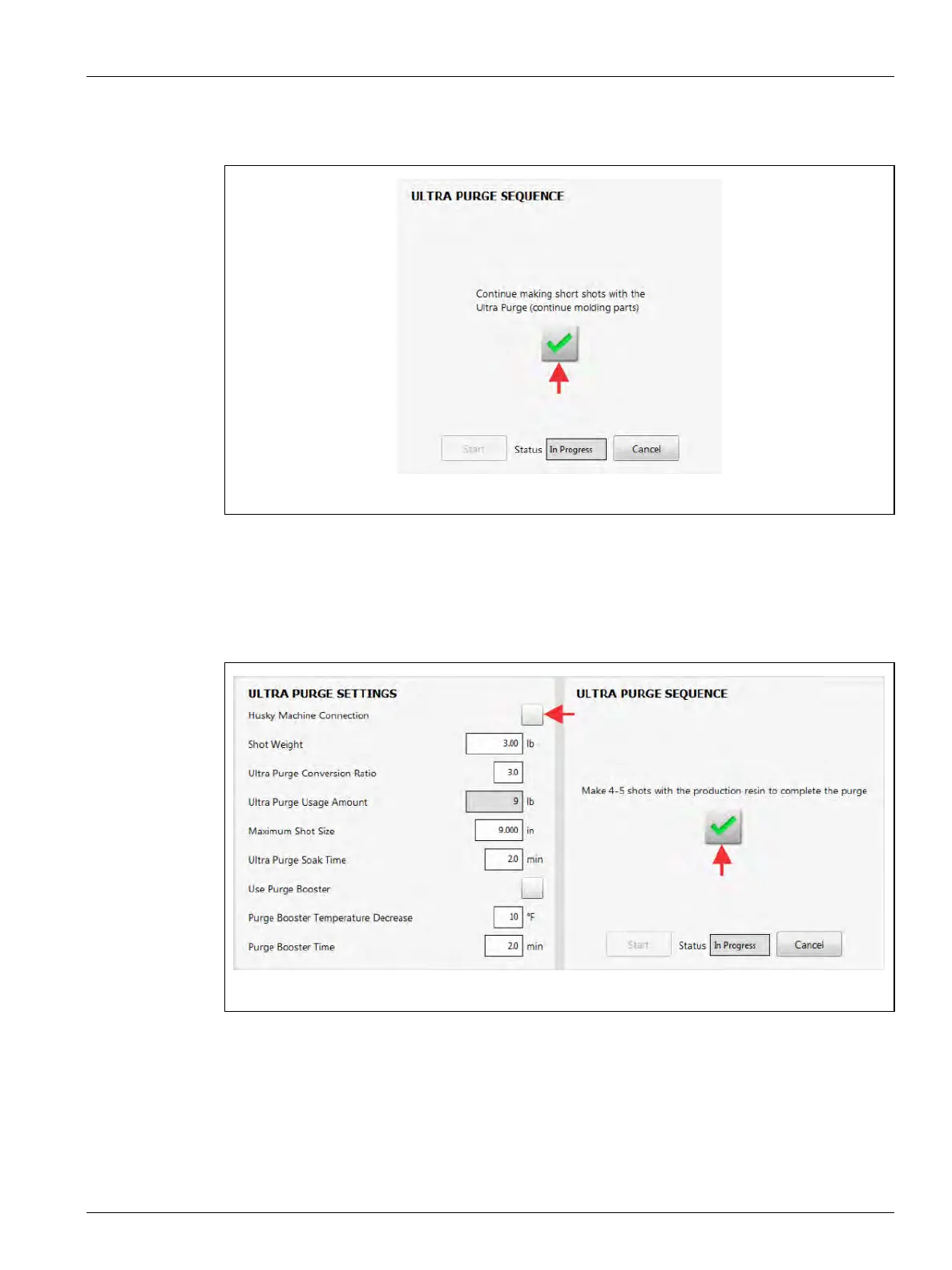
21. Continue to do short injection shots with the Ultra Purge (Figure 13-16).
NOTE: This helps flush the Ultra Purge and bring the new color resin to the hot runners.
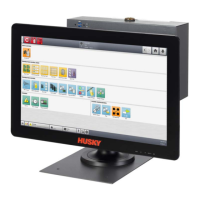
22. Make sure that the Husky Machine Connection checkbox does not have a check mark
(not enabled) and then do four to five injection shots with the new production resin
(Figure 13-17).
NOTE: This makes sure that the new production resin flows through the hot runners.
23. Touch the green check mark button when you have completed the injection shots.
Figure 13-16 Continue to Do Short Injection Shots with Ultra Purge
Figure 13-17 Do Four to Five Injection Shots with the New Production Resin


 To Next Page