Color Change and Thermal Sensitive Resin Example 229
User Guide v 2.0 — March 2023 Color Change
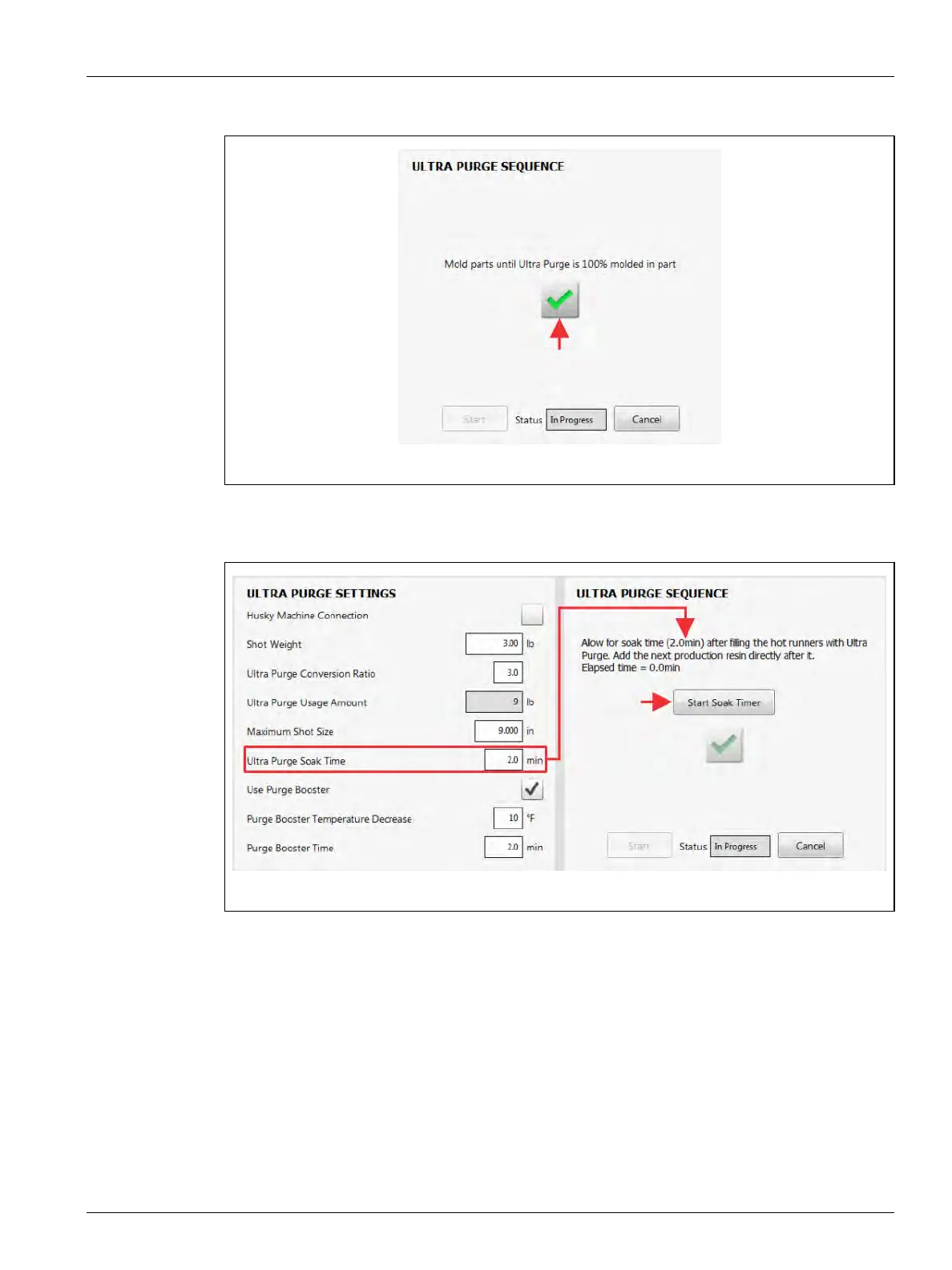
13. Touch the green check mark to continue (Figure 13-27).
14. Touch the Start Soak Timer button and let the soak timer complete (Figure 13-28).
NOTE: The elapse time is shown on the screen above the Start Soak Timer button.
Figure 13-27 Mold Part until Ultra Purge is 100% in Molded Parts
Figure 13-28 Allow for Soak Time



 To Next Page