v 2.0 — March 2023 Altanium Delta5
282 Remove and Replace the Touch Monitor
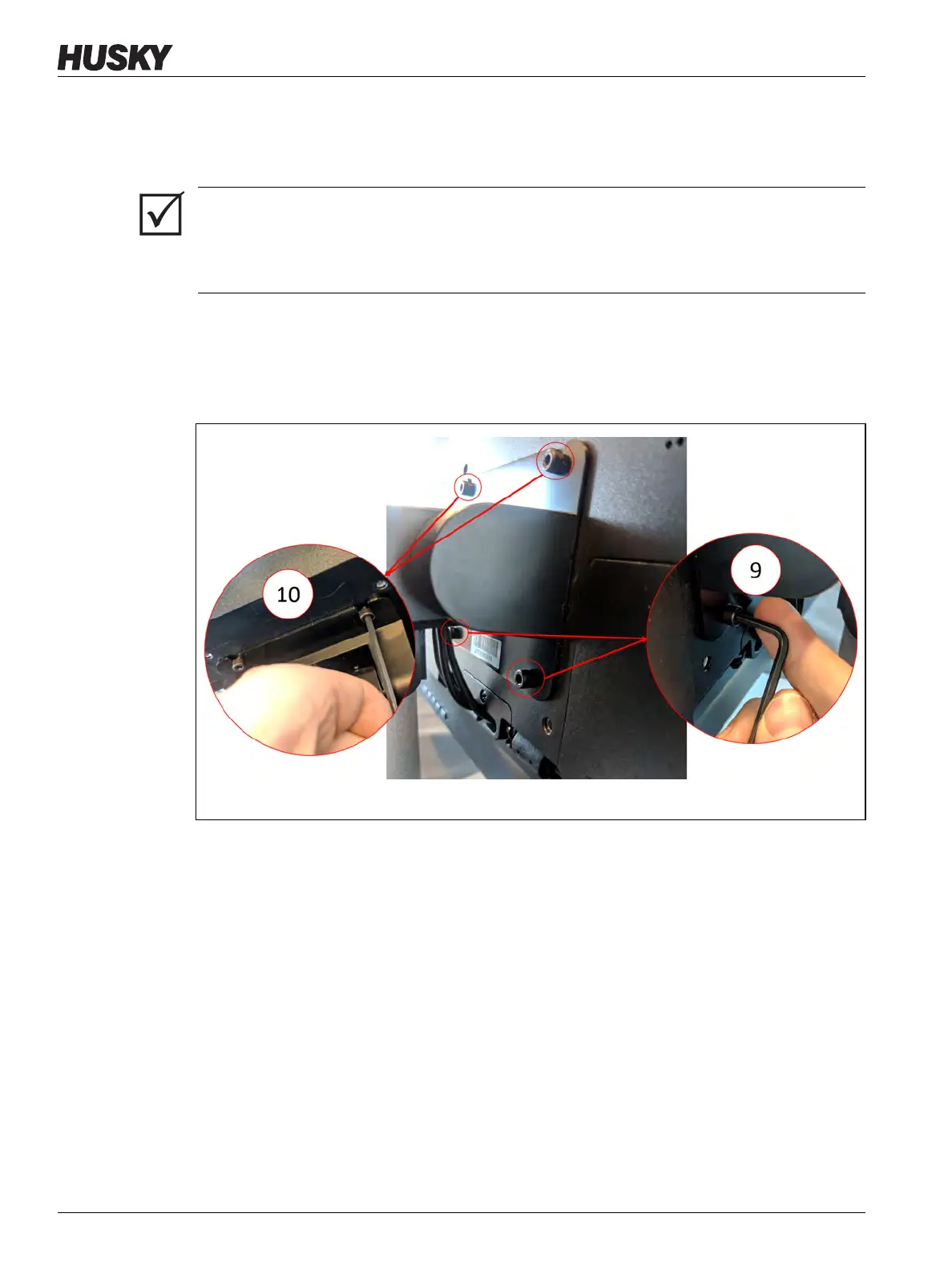
11. Use a 4 mm right-angle Allen key or hex wrench to remove the two bottom socket cap
screws from the retaining plate that secures the touch monitor to the pedestal. Refer to
callout 9 in Figure 16-15.
12. Use the 4 mm right-angle Allen key or hex wrench to loosen the two top socket cap
screws from the retaining plate that secures the touch monitor to the pedestal. Refer to
callout 10 in Figure 16-15.
Do not remove the screws.
IMPORTANT!
Only loosen the top fasteners. The top mounting holes in the bracket holding the touch
monitor are slotted and allow the monitor to be removed without removing the top
fasteners completely.
Figure 16-15 Removal of the Monitor Screws



 To Next Page