Remove and Replace the MCU 285
User Guide v 2.0 — March 2023 Maintenance
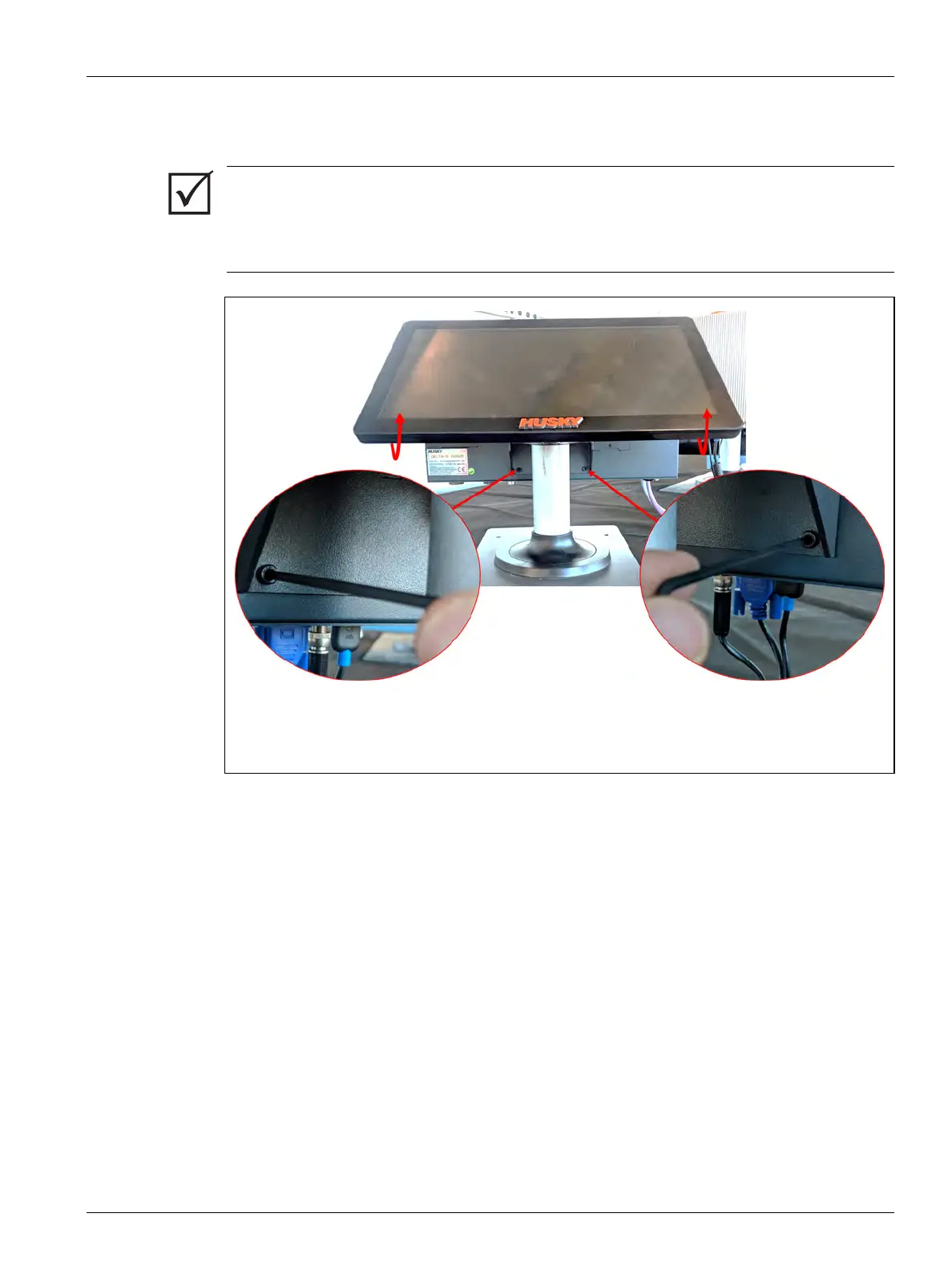
6. Find the two lower screws that hold the MCU to the mounting bracket and completely
remove them with a 4 mm right-angle Allen key or hex wrench. Refer to Figure 16-18.
7. Rotate the touch monitor to the full forward position.
IMPORTANT!
Only loosen the top fasteners. The top mounting holes in the bracket holding the touch
monitor are slotted and allow the monitor to be removed without removing the top
fasteners completely.
Figure 16-18 Remove Bottom Screws



 To Next Page