v 2.0 — March 2023 Altanium Delta5
286 Remove and Replace the MCU
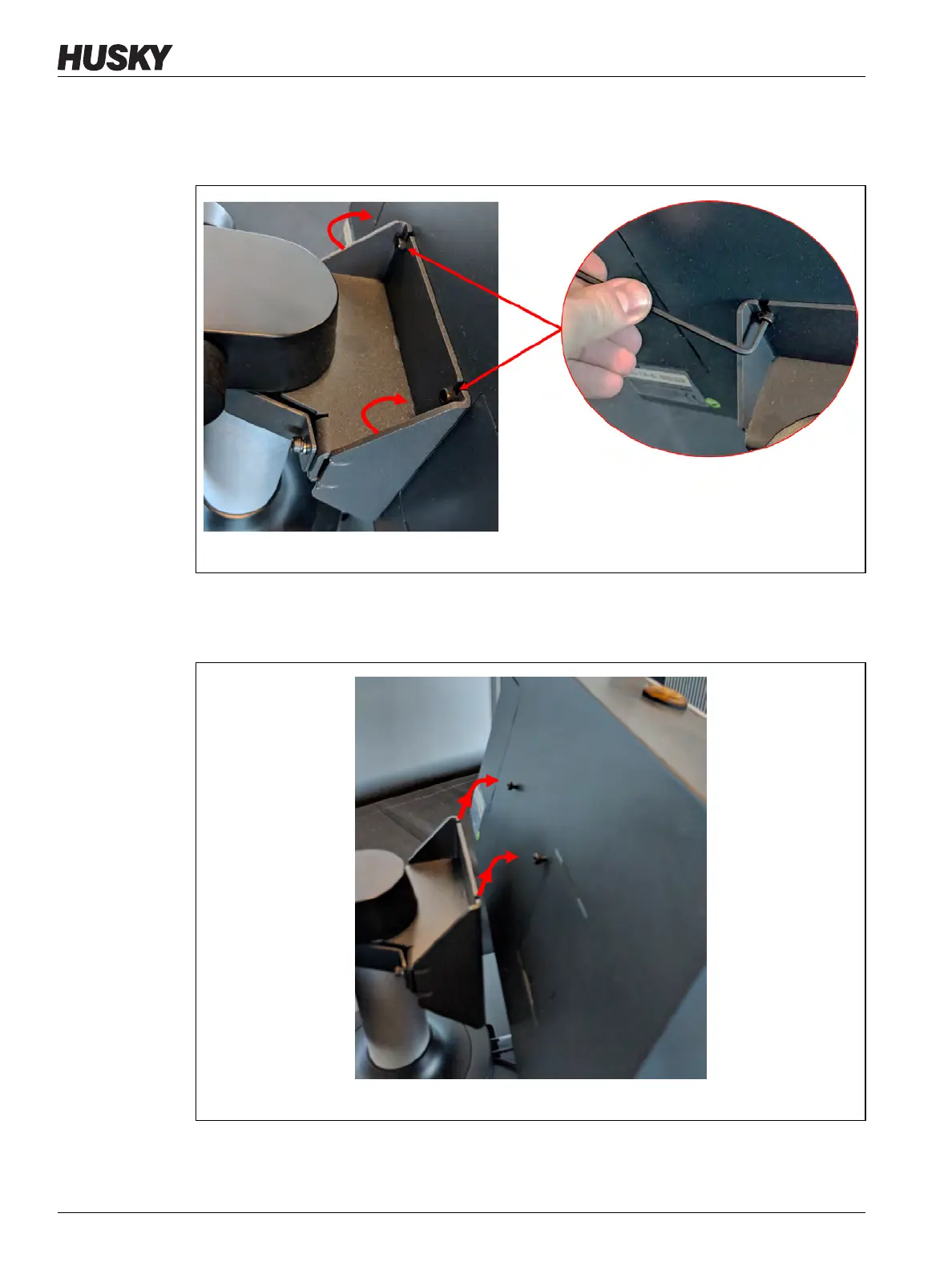
8. Find the two top fasteners that hold the MCU to the mounting bracket and loosen them
with a 4 mm right-angle Allen key or hex wrench. Refer to Figure 16-19.
Loosen the screws only; do not remove them.
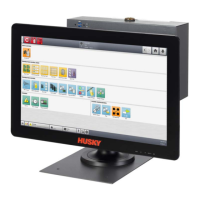
9. Securely hold the MCU and slide it up until the screws have cleared the upper mounting
slots and pull forward to remove the MCU from the mounting bracket. Refer to
Figure 16-20.
10. When you install the replacement MCU, make sure that the screws are pre-installed on
the upper threaded studs and the screws are left off the lower studs on the back of the
touch monitor.
Figure 16-19 Loosen Top Screws
Figure 16-20 Remove the MCU from the Bracket


 To Next Page