v 2.0 — March 2023 Altanium Delta5
294 Install the Remote Operator Interface
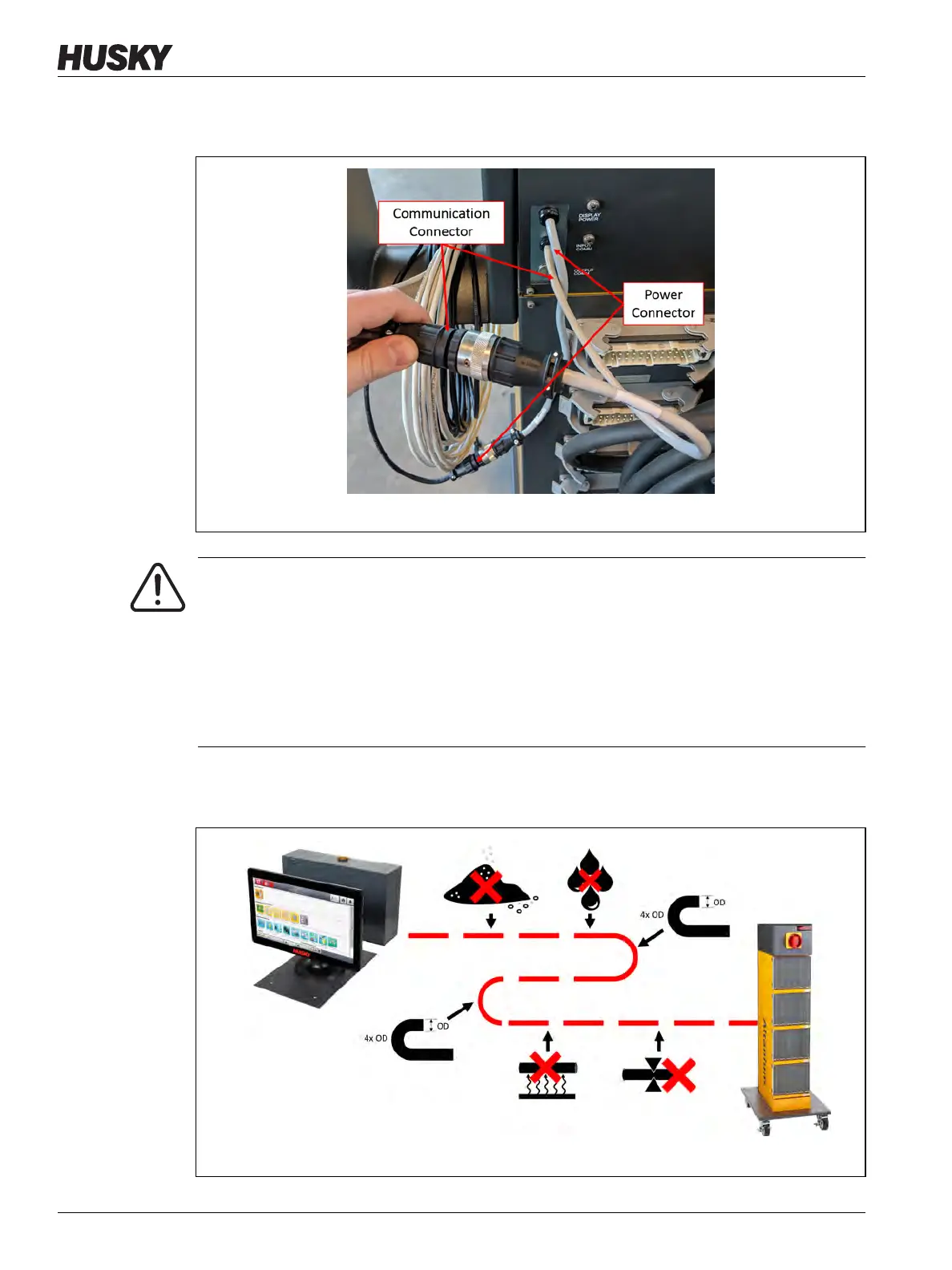
6. Connect the male end of the 7.6 m (25 ft) power cable to the female power connector
on the back of the controller mainframe. Refer to Figure 16-28.
7. Route the 7.6 m (25 ft) Communication and Power cables from the controller mainframe
to the location of the operator interface. Refer to Figure 16-29.
Figure 16-28 Remote Operator Interface - Mainframe Cable Connection
WARNING!
The cables should be routed in accordance with local codes. This includes areas free of
debris and liquids and away from sharp edges or objects that can pinch or cut the cable
housing or conductors. The cables should not be bent at a radius less than 4x the outer
diameter of the cables. Ensure that the cables are routed in areas where the ambient
temperature is within a range of -10 °C to 60 °C (14 °F to 140 °F). It is also recommended
that the cables are routed away from other cables, especially those that are high
voltage or high frequency, to minimize signal interference.
Figure 16-29 Remote Operator Interface - Route Cables



 To Next Page