Install the Alternative Mounted Operator Interface 297
User Guide v 2.0 — March 2023 Maintenance
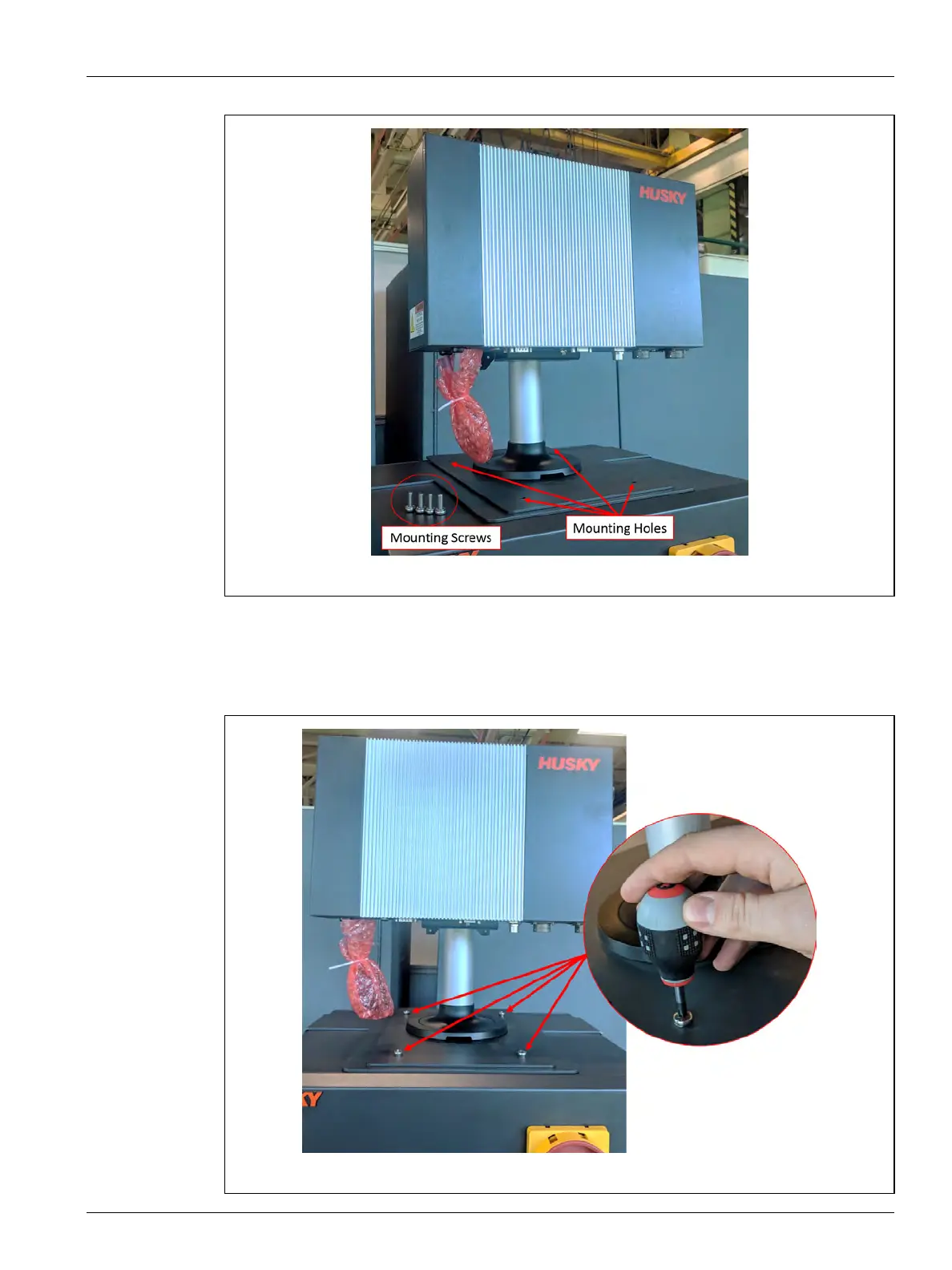
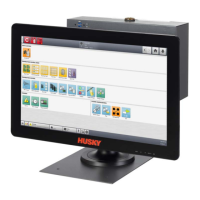
5. Use a #4 Phillips screwdriver to install the supplied four M6 metric screws through the
mounting holes on the MCU base plate into the top of the mainframe.
NOTE: This step will require a screwdriver short enough to clear the MCU located above
the two back mounting screws. Refer to Figure 16-33.
Figure 16-32 Alternative Mounted Operator Interface - Mounting Holes
Figure 16-33 Alternative Mounted Operator Interface - Attach Screws


 To Next Page