v 2.0 — March 2023 Altanium Delta5
298 Install the Alternative Mounted Operator Interface
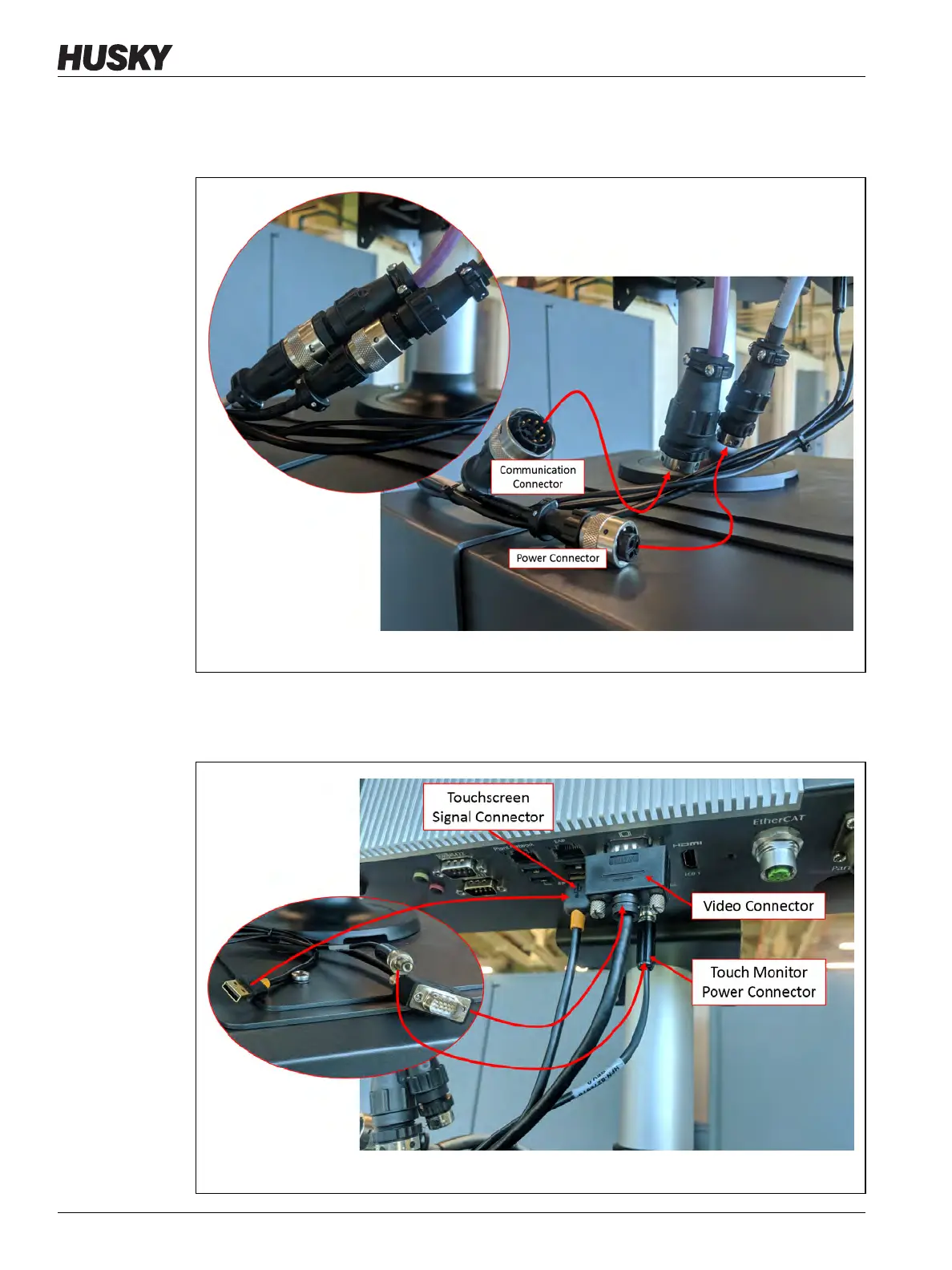
6. Connect the female Power cable connector and male Communication cable connector
to the male Power connector and female Communication connector on the MCU. Refer
to Figure 16-34.
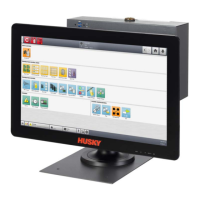
7. Connect the Touchscreen Signal cable connector, Touch Monitor Video cable connector
and Touch Monitor Power cable connector to the Touch Screen connector, LCD 12 VDC
connector, and VGS connector on the bottom of the MCU. Refer to Figure 16-35.
Figure 16-34 Power and Communication Cables
Figure 16-35 Touchscreen Signal, Monitor Video, and Monitor Power Cables


 To Next Page