Install the Alternative Mounted Operator Interface 299
User Guide v 2.0 — March 2023 Maintenance
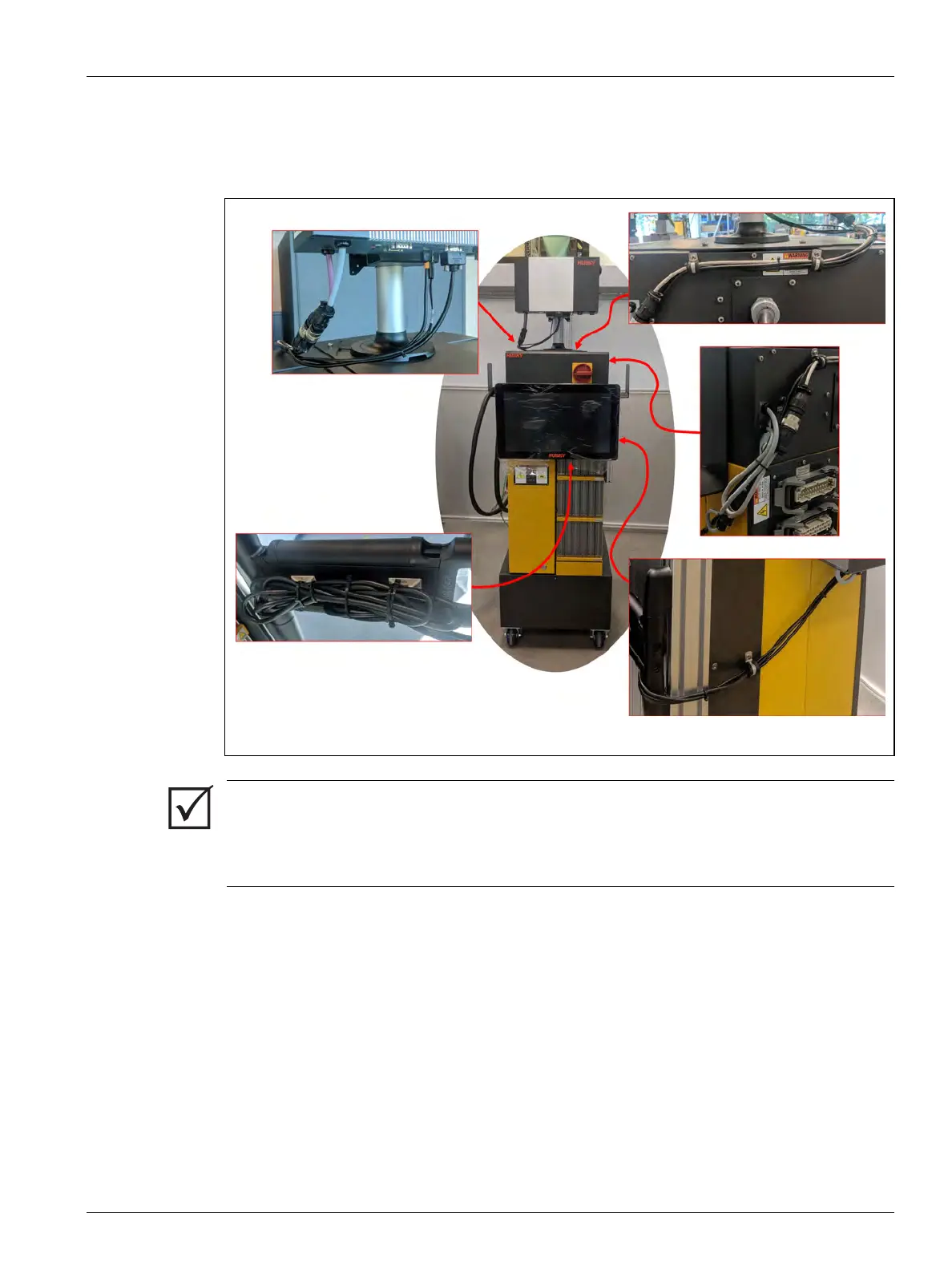
8. Use tie wraps to collect the lengths of cables between the touch monitor, controller
mainframe, and MCU. Make sure that all wires are away from pinch points and that there
is enough service loop to let the touch monitor and swing arm move freely. Refer to
Figure 16-36.
9. If necessary, remove the lock out equipment and tag from the main power switch.
10. Energize the system at the main power switch.
Figure 16-36 Attach Tie Wraps to Cables
IMPORTANT!
Because of the options purchased and the configuration of your controller there may be
more connectors to connect. Refer to the cable connections in Table 14-10 for a full list of
possible connectors.


 To Next Page