Detailed Screen mode 63
User Guide v 2.0 — March 2023 Making Adjustments
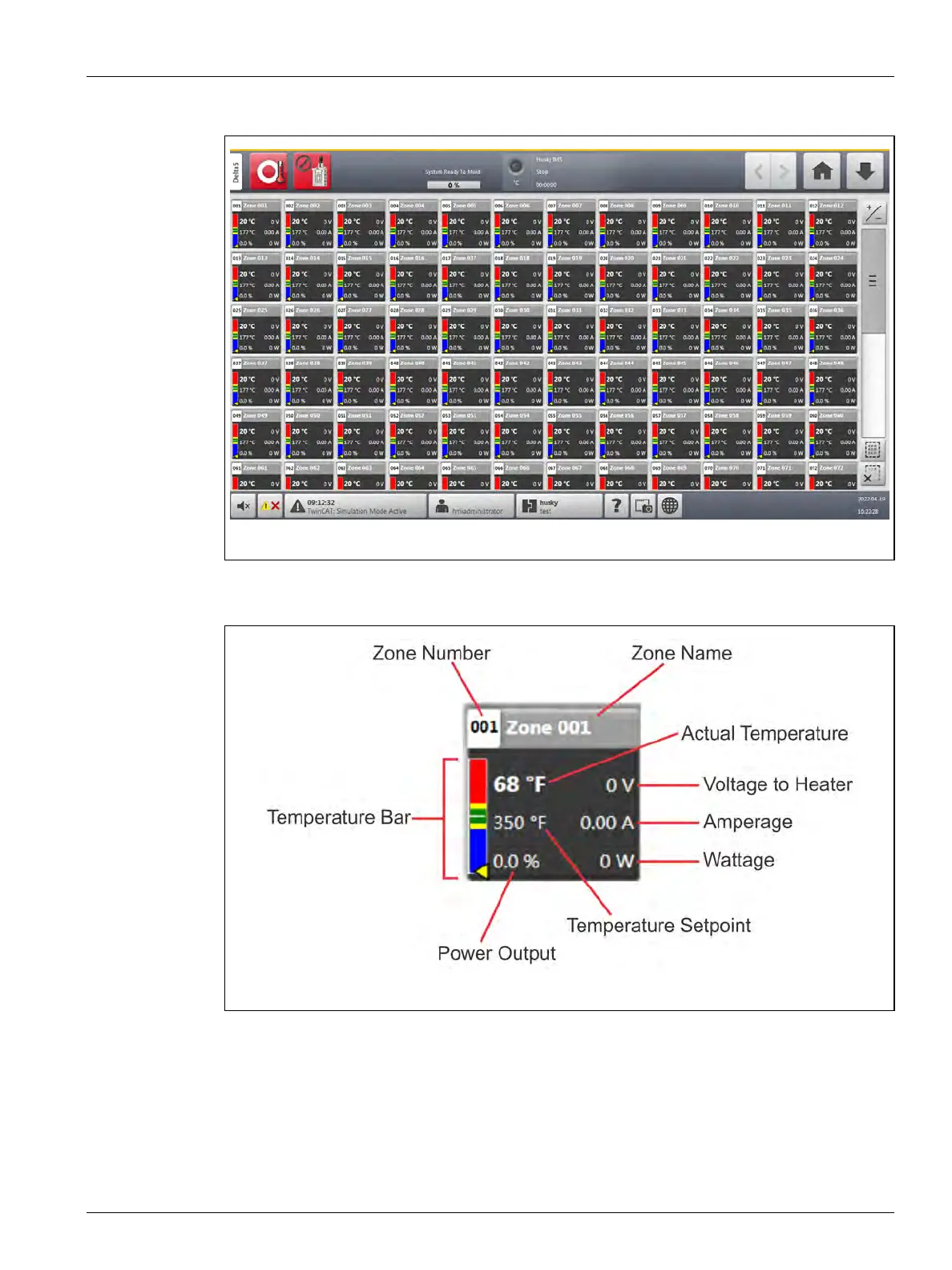
Figure 7-8 shows the Neo View screen in detailed screen mode.
In each zone block of the Neo View detailed screen, nine items of information are shown for
the zone (refer to Figure 7-9).
When a zone is energized, the numbered information fields will become active. The values
will show what is being used to increase the zone temperature and to maintain the
temperature at the zone’s setpoint. The temperature bar shows a graphical representation of
the zone’s temperature (see the description of the Temperature Bars in Table 7-2).
Figure 7-8 Neo View Screen - Detailed Screen Mode
Figure 7-9 Detailed Zone Blocks



 To Next Page