Table 3: Front Components in a Fully Configured MX2020 Router (continued)
Number of FRUsSlotsComponent DescriptionComponent No.
1–Lower cable manager–
(standard or extended)
7
NOTE: A combination middle cable manager and air filter is installed over the middle card cage.
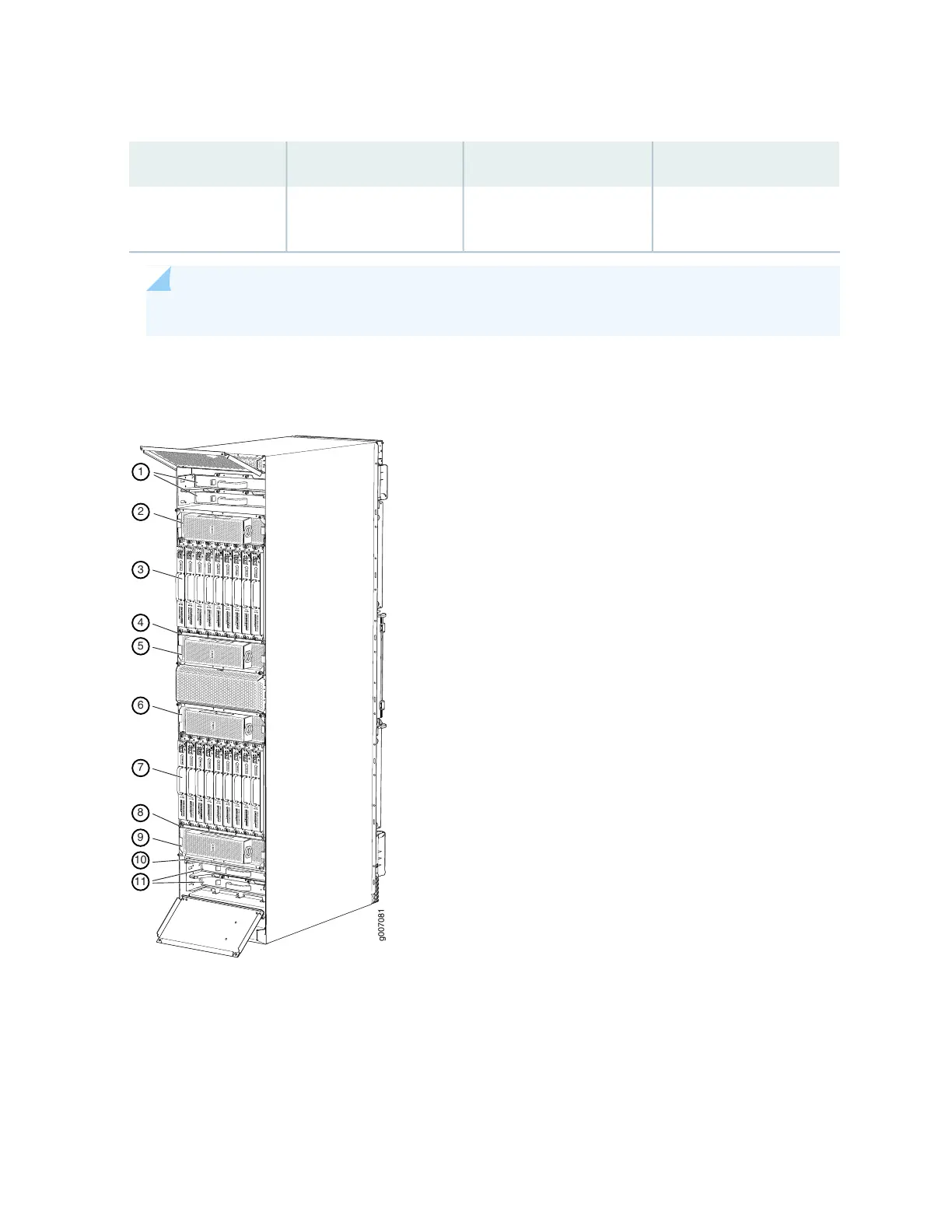
Figure 2: Rear View of a Fully Configured AC-Powered MX2020 Router Chassis
Remove field replacement units (FRUs) from the rear of the MX2020 router before you install the router.
See Table 4 on page 9 for information on MX2020 router components.
8



 To Next Page