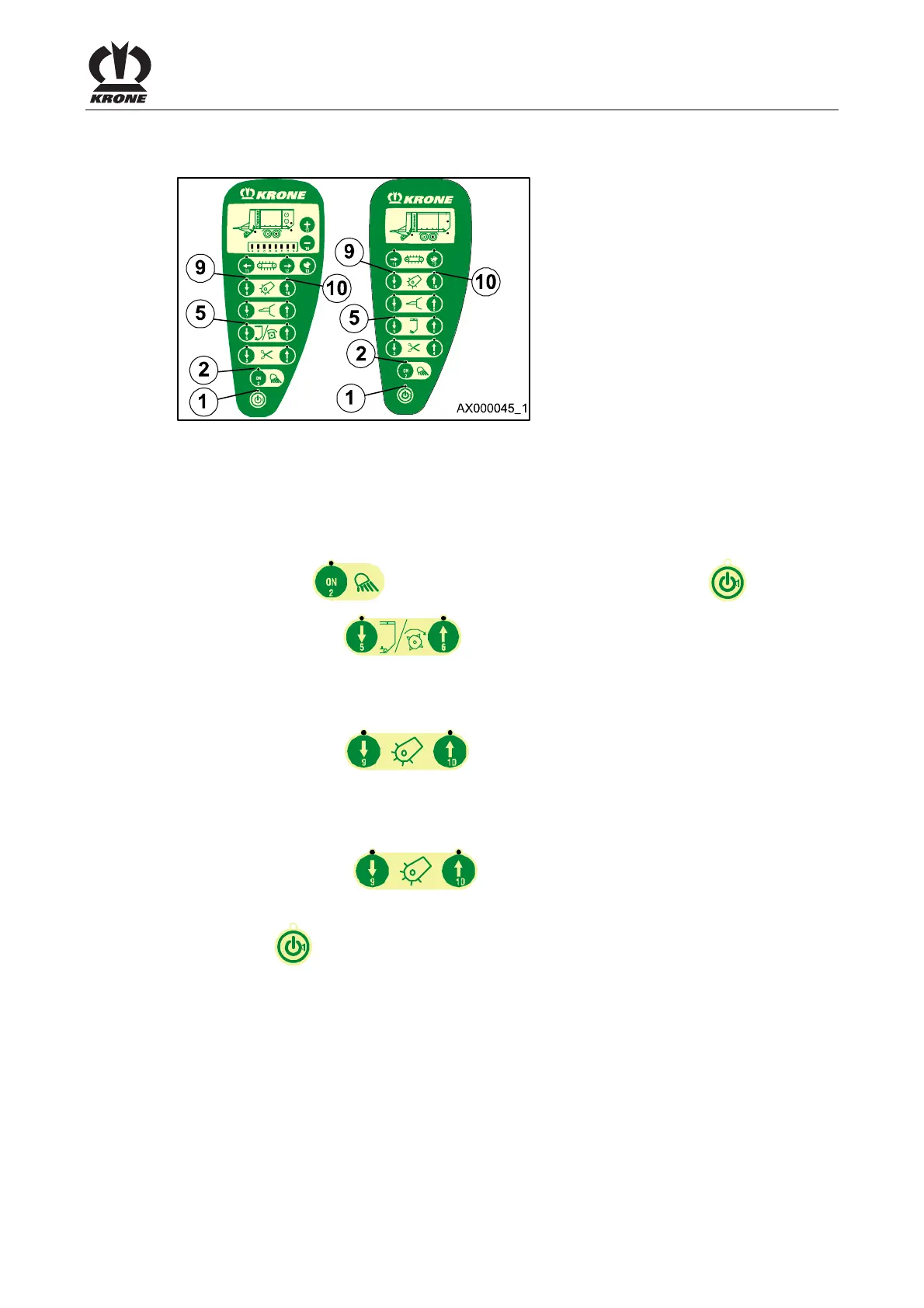
Medium Control Unit
69
Pos: 19.34 /BA/I nfo-Center/La dewagen/Mediu m/Jobrechner auf Bedienein heit programmier en @ 28\mod _1249983144 770_78.doc @ 272990
8.14 Job computer replaced
Figure. 34
If the job computer has been replaced, it is necessary to reprogram the new job computer to the
control unit used (control unit L/GL design or D/GD design).
To do this:
Turning on sensor test.
By keeping the key pressed, switch on the control unit via the key .
• Press the key (5)
. (Pilot lamp (2) goes out and control lamp (5)
flashes.)
D/GD design
By pressing the key (9), the job computer will be programmed to the control
unit, D/GD design.
L/GL design
By pressing the key (10), the job computer will be programmed to the control
unit, L/GL design.
Press the key to switch off the control unit.
Pos: 19.35 /BA/-- ---Seitenum bruch------ @ 0\m od_119617531 1226_0.doc @ 4165











 To Next Page