Medium Control Unit
70
Pos: 19.36 /BA/I nfo-Center/La dewagen/Mediu m/Parameter L oad-Sensing a ktivieren/deakti vieren @ 31\ mod_12520532 23831_78.d oc @ 303067
8.15 „Load-Sensing“ parameter
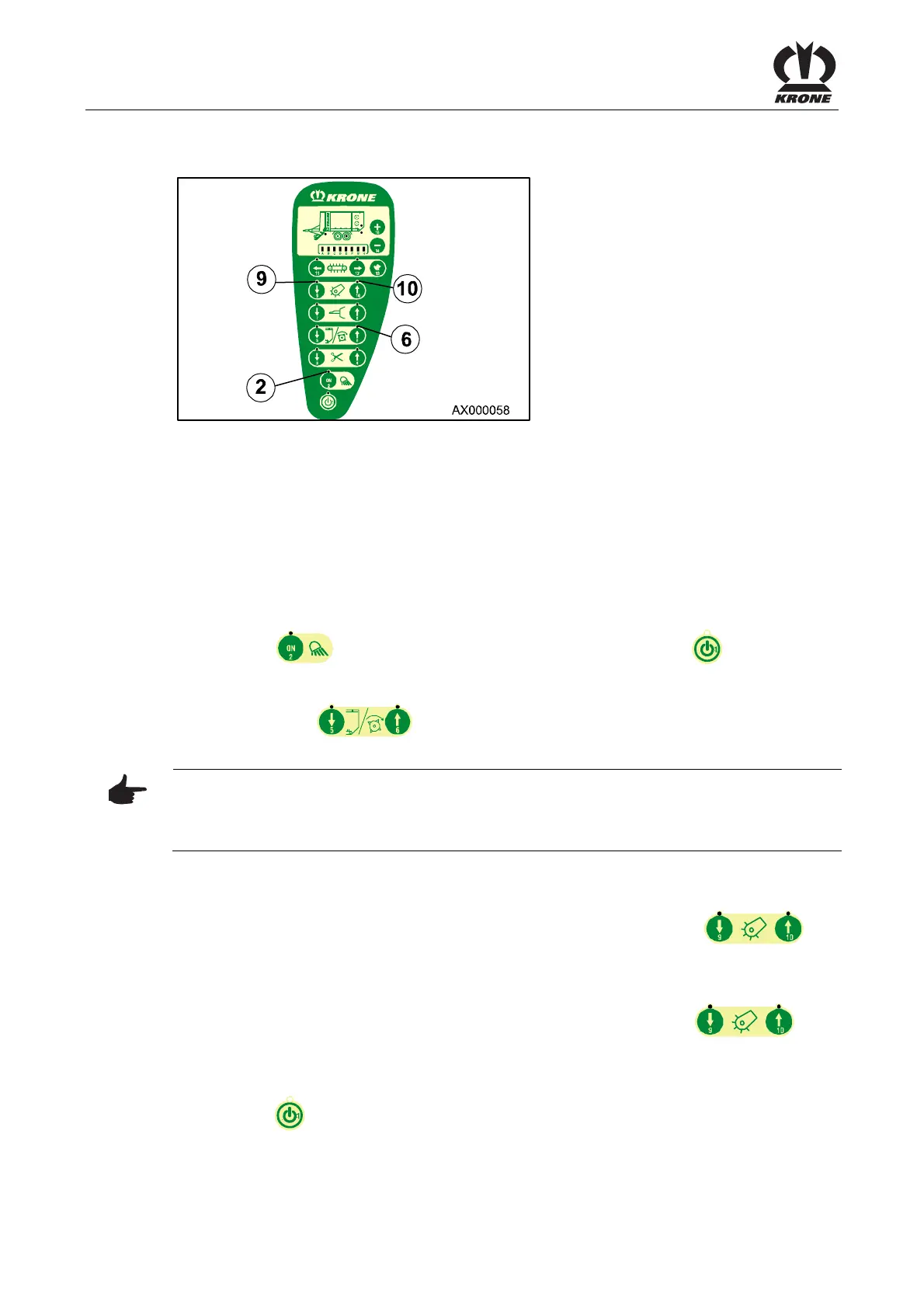
Fig. 35
Depending on the hydraulic block (load sensing capable yes/no) the parameter “Load-Sensing”
must be either activated (yes) or deactivated (no). The parameter “Load-Sensing” is activated
ex works.
The parameter does only determine if the hydraulic block is load sensing capable or not. The
usage of the load sensing is not being interrogated.
8.15.1 Checking and, if necessary, adjusting the parameter “Load-Sensing”
Switch on sensor test.
When the key is held down , switch on the control unit via the key .
The control unit switches to the sensor test (indicator lamp (2) flashes).
• Press key (6) (indicator lamp (2) goes out and indicator lamp (6) flashes).
Note
Bar graph on: Parameter „Load-Sensing“ activated (hydraulic block is load sensing capable).
Bar graph off: Parameter „Load-Sensing“ deactivated (hydraulic block is not load sensing
capable).
Deactivating the parameter “Load-Sensing”:
Deactivate the parameter “Load-Sensing” (bar graph off) by pressing key (9) .
Activating the parameter “Load-Sensing”:
Activate the parameter “Load-Sensing” (bar graph on) by pressing key (10) .
Also refer to chapter “Maintenance”, “Load-Sensing-Connection” and “Adaptation of the
hydraulic system”.
Press the key to switch off the control unit.
Pos: 19.37 /BA/-- ---Seitenum bruch------ @ 0\m od_119617531 1226_0.doc @ 4165











 To Next Page