Comfort Control Unit
114
Pos: 21.11.42 / BA/Info-Center/L adewagen/Ge wichtserfassug/ Kalibrierung Ü berschrift @ 2 8\mod_12501 51679446_78.d oc @ 274257
9.10.11 Calibration
Pos: 21.11.43 / BA/Info-Center/L adewagen/Ge wichtserfassug/ Kurzüberblic k über die Tasten Kalibrieren @ 28\mod_12 50151033618 _78.doc @ 2741 84
Function of the keys on menu calibration
Take default values (factory setting) for correction values
Changing and adjusting the correction values supported load and axle load.
Saving the correction values
Pos: 21.11.44 / BA/Info-Center/L adewagen/Ge wichtserfassug/ Kalibrierung @ 25\mod_124 2283528351_78 .doc @ 252259
To achieve a high accuracy of the weight control, it is necessary to calibrate the system on first
use or in case of occuring continuing differences of measurements (display to scale).
However, it must happen at least once a year before the beginning of harvest.
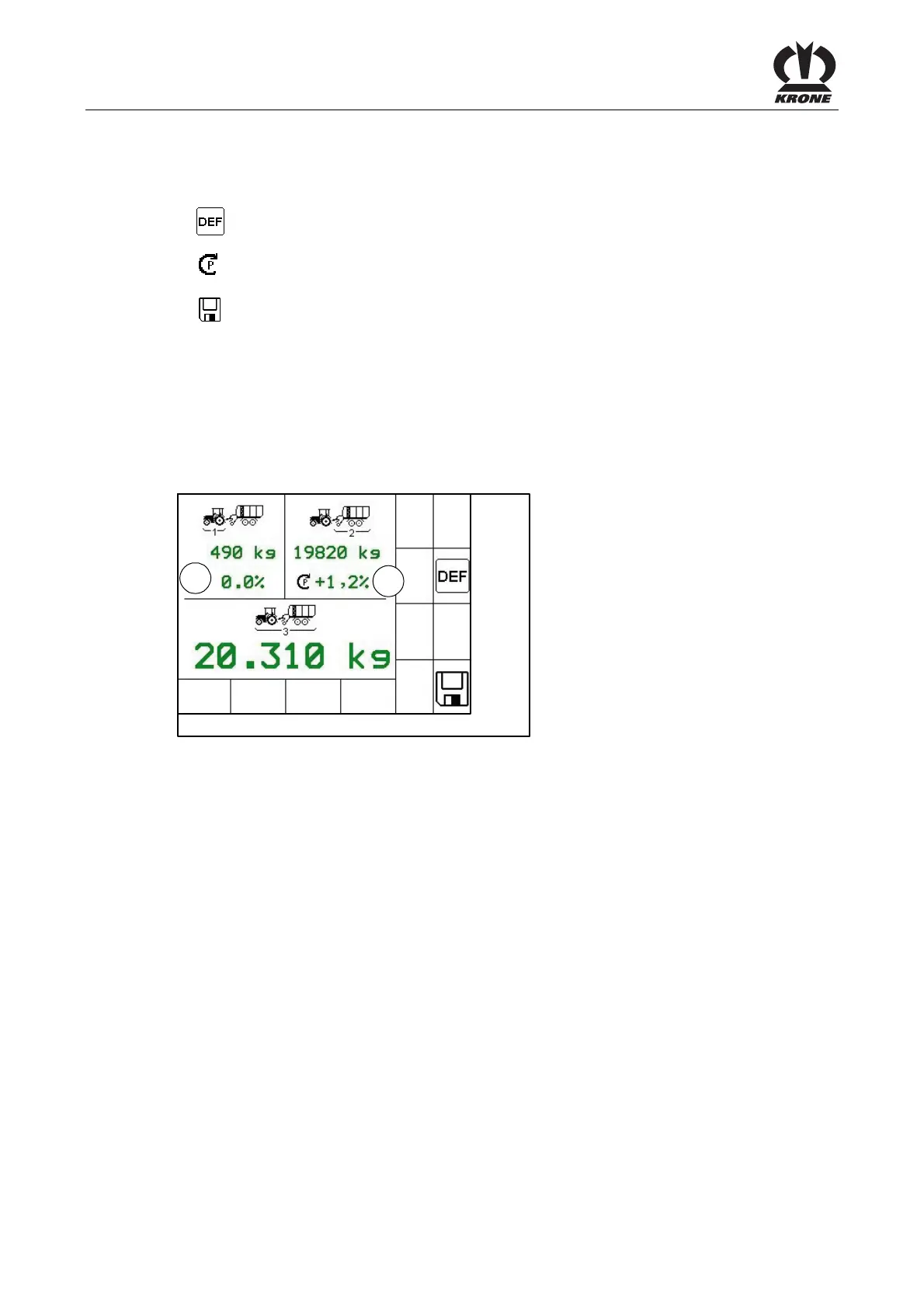
In this menu the correction values for the sensors supported load (1) and axle load are being
adopted to the loading wagon.
ZX400085
1
2
Fig. 77
The supported load (1) sets the value which affects the drawbar (see Fig. above).
The axle load (2) sets the value which weighs on the axles (see Fig. above).
With a change of the values the displayed total weight changes.
Procedure for calibration:
• Filling the loading.
• Call the menu “Weight control (save full weight)” from the basic screen loading mode.
• Save the displayed full weight.
• Afterwards, go to the scale and determine the supported load (full weight) and the axle
load (2) (full weight). (Write down values for supported load and axle load).
• Unload the loading wagon completely.
Afterwards, go to the scale and determine the supported load (tare) and the axle load (2)
(tare) again. (Write down values for supported load and axle load).
• Determine and write down the difference value between supported load (1) (full weight)
and supported load (1) (tare).
• Determine and write down the difference value between axle load (2) (full weight) and
axle load (2) (tare).
• Call the menu “Save tare” from the basic screen unloading mode.











 To Next Page