Comfort Control Unit
113
Pos: 21.11.39 / BA/Info-Center/L adewagen/Ge wichtserfassug/ Leergewicht sp eichern Bild @ 25\mod_1242 276391601_7 8.doc @ 2508 59
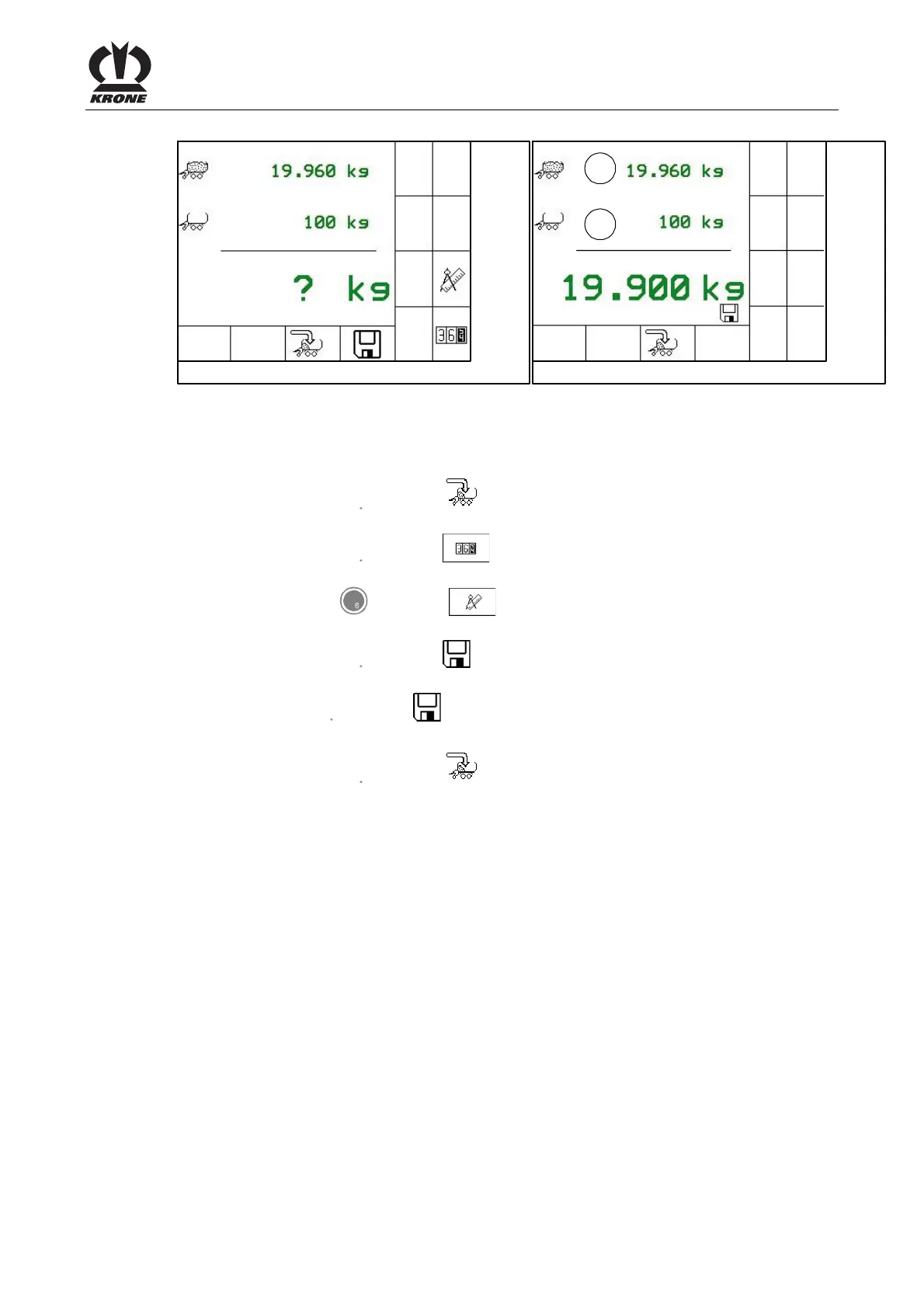
ZX400082 ZX400083
1
2
Fig. 76
The weight control shows the full weight (1) saved at last in the first line and the current tare (2)
in the second line.
Pos: 21.11.40 / BA/Info-Center/L adewagen/Ge wichtserfassug/ Leergewichtserf assung Taste n Beschreibung @ 25\mod _1242280377 695_78.doc @ 2 50783
• By pressing the key for softkey the weight display will be left without saving and
the basic screen loading mode will be displayed.
• By pressing the key for softkey the menu 2-1 “Customer counter” is displayed (for
selection of the customer counter which should save the weight).
• Pressing the key for softkey calls the calibration menu (see chapter
“Calibration”).
• By pressing the key for softkey for about 0.5 seconds the weight will be saved and
the load sensing equipment will be reset to zero.
After pressing the key for softkey the load weight of the last wagonload is displayed (the
load weight has been calculated from saved full weight - saved tare)
• By pressing the key for softkey the weight display will be left without saving and
the basic screen loading mode will be displayed.
The load sensing process is now finished and a new measurement can be started.
Pos: 21.11.41 / BA/-----Seiten umbruch------ @ 0\mod_11961 75311226_0.doc @ 4165











 To Next Page