Comfort Control Unit
123
Pos: 21.15.3 /B A/Info-Center/La dewagen/Ha uptmenüs/Hau ptmenü 4 Servic e/Menü 4-2 Se nsortest Hand @ 0\mod_12 00900050588 _78.doc @ 47 201
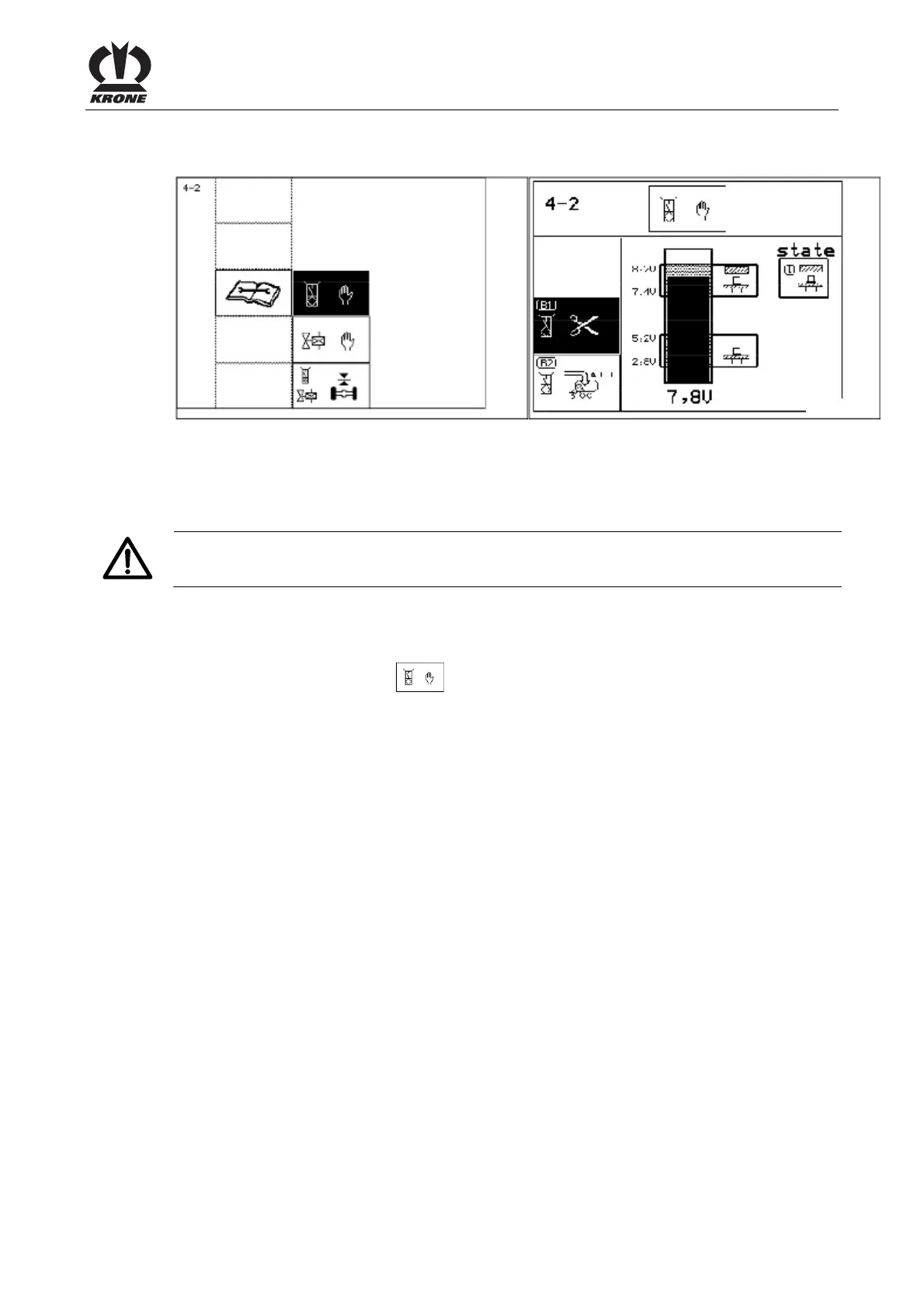
9.12.1 Menu 4-2 "Manual Sensor Test"
L400191
L400201
Figure 86
In the manual sensor test, the sensors that are installed on the machine are checked for errors.
In addition, the sensors can be correctly adjusted in the manual sensor test. There is no
guarantee the machine is working correctly until after the sensors have been adjusted.
Caution!
The PTO must not be turning during the sensor test.
Displaying the menu
Main menu 4 "Service" is called.
• You can select menu 4-2
with the rotary potentiometer. The icon is shown in
reverse colours.
• Press the rotary potentiometer.
The display shows menu 4-2 "Manual sensor test".
Selecting the sensor
• Select the sensor with the rotary potentiometer.
The selected sensor is shown in reverse colours and is tested.
Pos: 21.15.4 /B A/-----Seitenu mbruch------ @ 0\mod_119617 5311226_0.doc @ 4165











 To Next Page