Settings
166
Pos: 27.6.8 /BA/ Einstellungen/L adewagen/Sch neidwer k/Schneidwerk Schnittl änge einstell en AX @ 2\ mod_1203583248 798_78.doc @ 66875
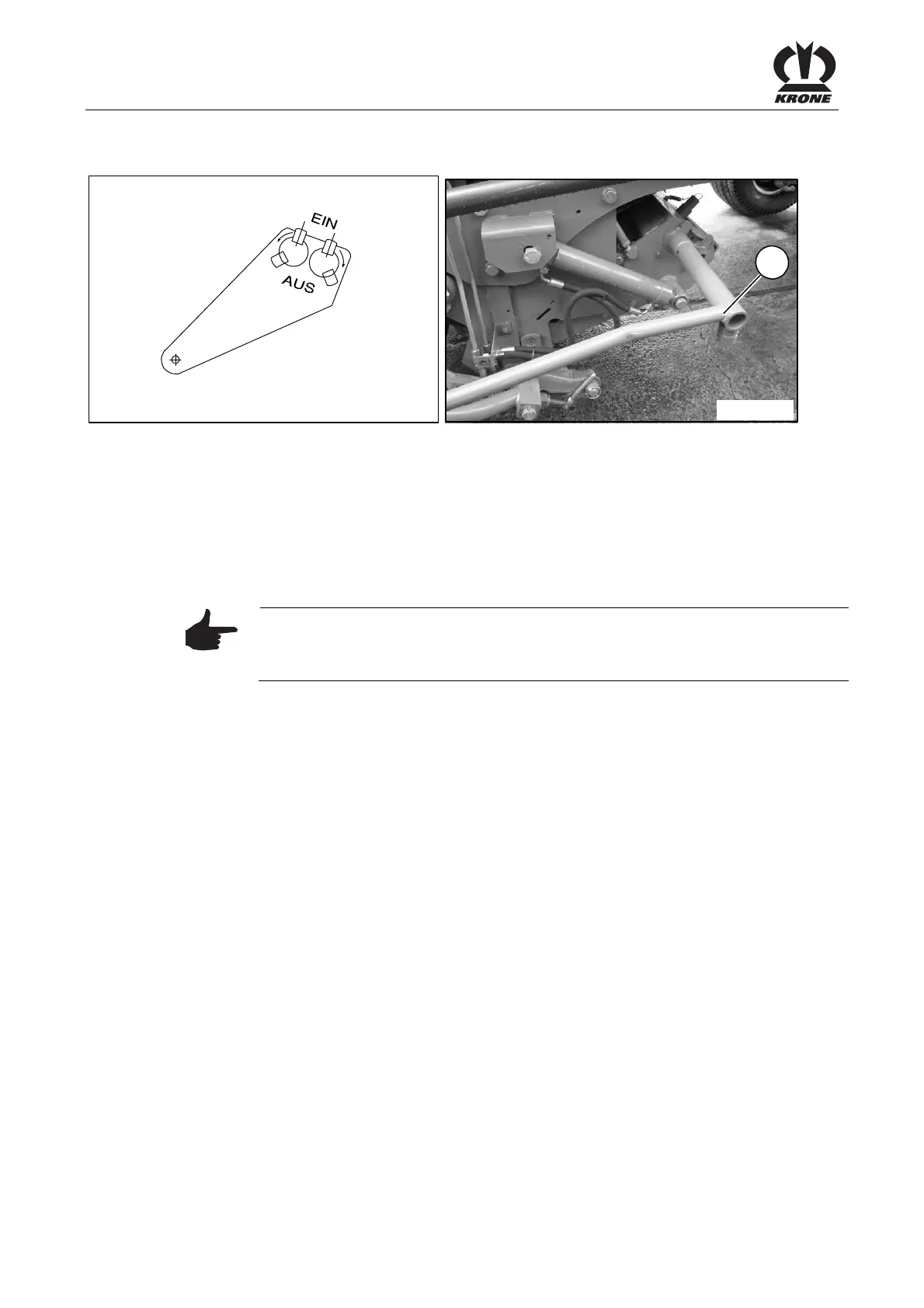
12.3.2 Adjusting the chop length
ZX400047
AX000030
4
Figure 108:
The setting is performed centrally on the left side of the wagon.
• The cutting system is in the working position.
• Remove the ignition key and switch off the electrical system on the control box.
• By using the multi-purpose key (4), turn the blade groups on or off until the desired
number of blades and thus the required chop length has been achieved.
• Properly attach the multi-purpose key again to the transport bracket.
• Switch the electrical system on again.
Pos: 27.6.9 /BA/ Einstellungen/L adewagen/Sch neidwer k/Hinweis Messerz ahl anwälbar, wenn Schneidw erk eingefahren is t. AX @ 14\ mod_12296781 38207_78.doc @ 171550
Note
The number of blades (chop length) cannot be adjusted until the cutting
system has been retracted.
Pos: 27.6.10 /B A/-----Seitenu mbruch------ @ 0\mod_119617 5311226_0.doc @ 4165











 To Next Page