Settings
167
Pos: 27.6.11 /B A/Einstellungen/ Ladewagen/Sc hneidwerk/Mess erwechsel AX @ 2\mod_1 20358416870 5_78.doc @ 6 6915
12.3.3 Cutter change
Warning!
Cutter change
Effect: Severe injuries to fingers and hands.
• Wear protective gloves when removing / installing cutters!
AX000009
1
2
3
5
9
8
4
7
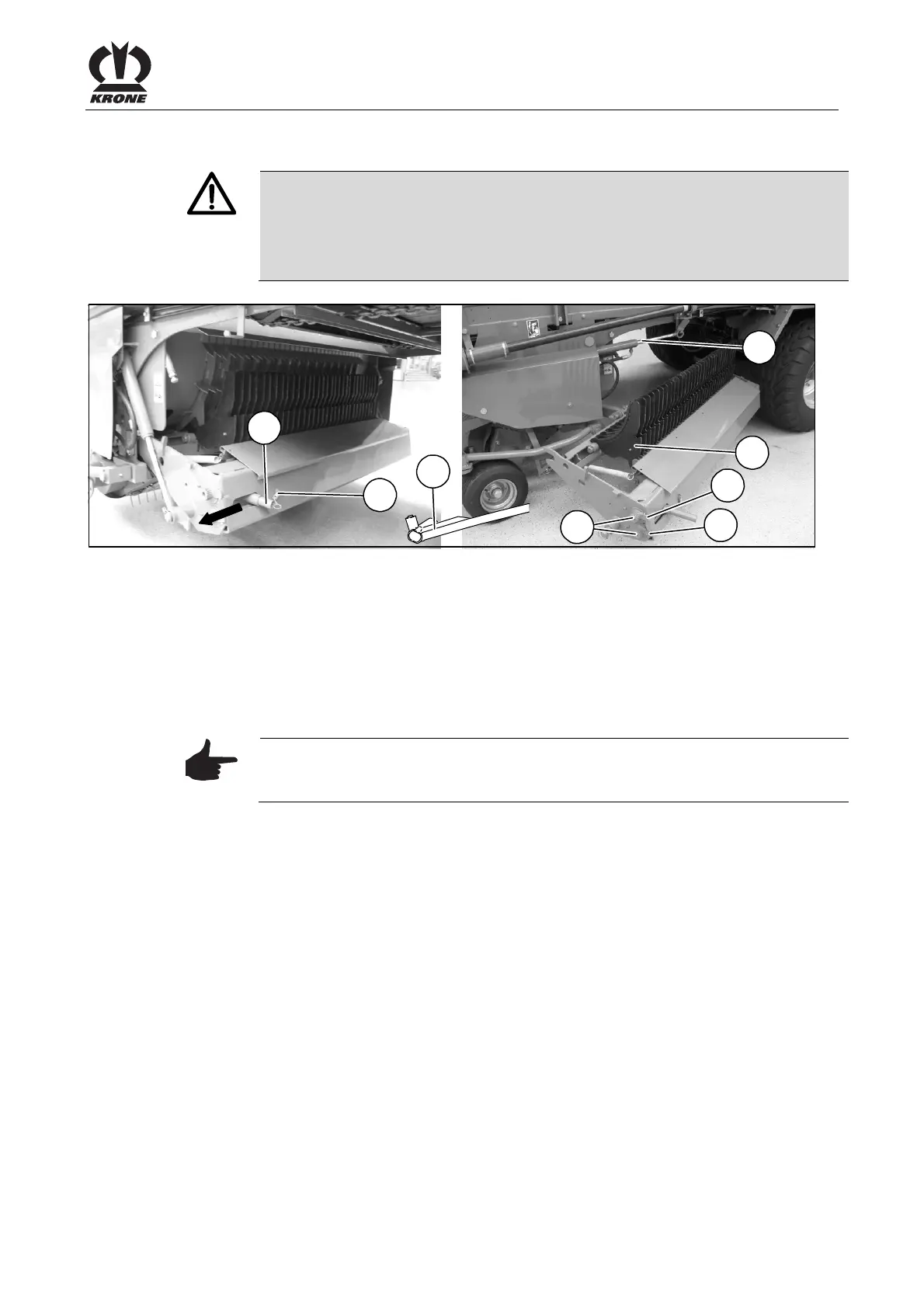
Figure 109:
Cutters are changed on the left side of the machine. For an easier way of changing the cutters,
the blade bar can be swivelled out to the left-hand side of the machine.
Lower the cutting system completely
• Set the blade bar to maintenance position.
Comfort Version: (see chapter "Info Centre")
Medium version: (see chapter "Medium operation")
Note
Remove the ignition key and switch off the electrical system on the control
panel.
Release the locking device of the individual blades
• With the multi-purpose key (4), turn both control shafts (7) in such a way that their cams
(8) and (9) point downwards in the OFF position.
• Place the cylinder (3) in the suspension on the frame.
• Disengage the spring (1) on the lever (2).
• Pull out lever (2) and move it in the direction of the arrow in order to release the cutting
system. At the same time, laterally pivot out the cutting system as far as it goes.
• Remove the cutters (5)
Pos: 27.6.12 /B A/-----Seitenu mbruch------ @ 0\mod_119617 5311226_0.doc @ 4165











 To Next Page