Comfort Control Unit
110
Pos: 21.11.28 / BA/Info-Center/L adewagen/H auptmenüs/Ha uptmenü 1 Einst ellungen/Menü 1-9 „Gewichtserf assung akti vieren/deakti vieren“ @ 25\mod _1242299087 773_78.doc @ 2 53435
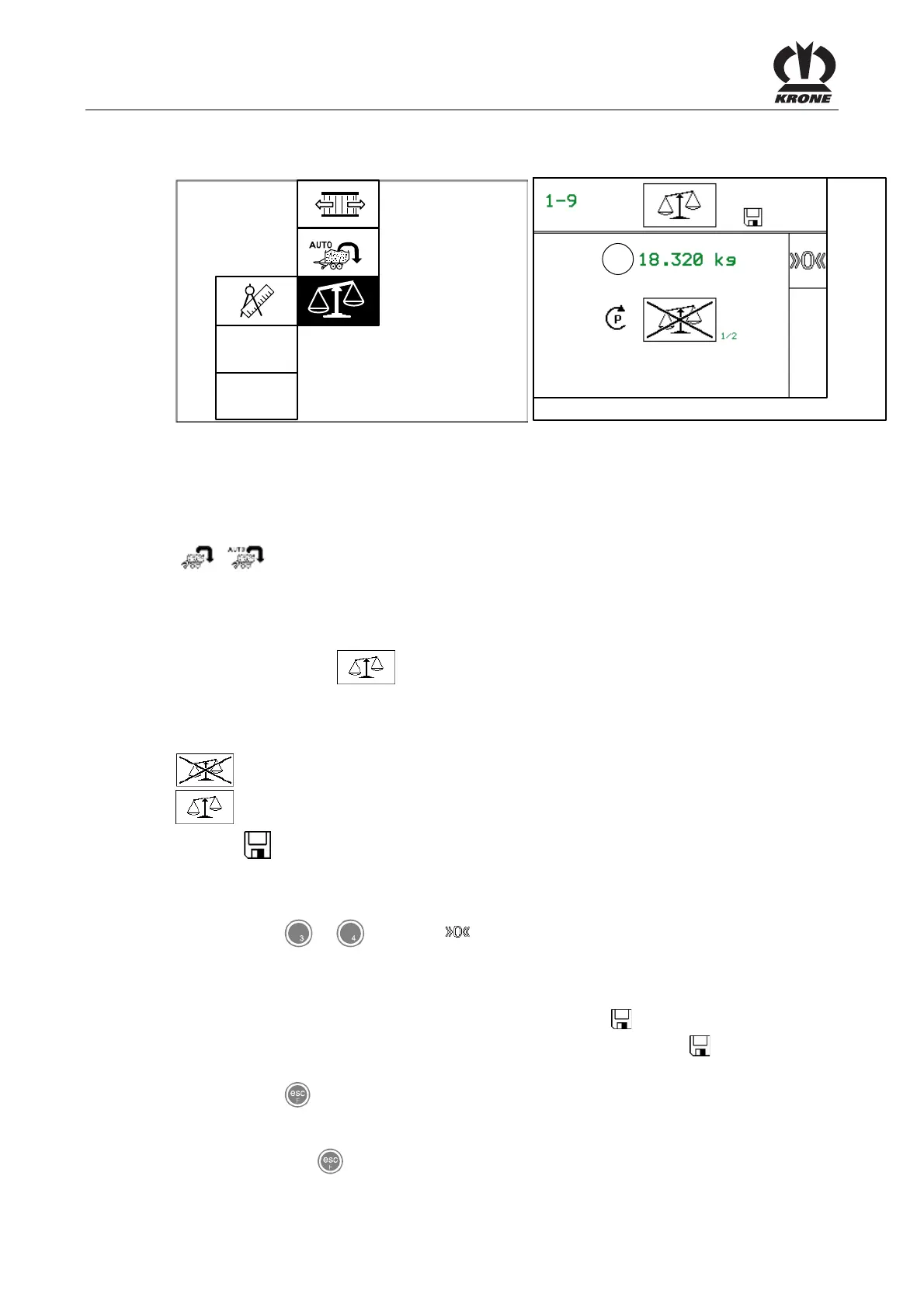
9.10.8 Menu 1-9 „Weight control“
ZX400087
1-9
ZX400086
1
Fig. 73
Activation and deactivation of the weight control
The weight control makes it possible to save the total weight of all wagon loads for a customer
counter.
With activation / deactivation of the weight control the menu guidance for the softkeys changes /
/ (for more information, see chapter "Basic screen loading mode” or “Basic screen
unloading mode”).
Displaying the menu
Main menu 1 "Settings" is displayed
• Select menu 1-9 with the rotary potentiometer. The icon is shown in reverse
colours.
• Press the rotary potentiometer. The display shows menu 1-9 “Weight control”.
The current status is displayed as an icon:
= weight control not activated
= weight control activated
The icon in the upper line indicates that the displayed status is saved.
The current payload of the wagon is displayed in line (1).
• With key or for softkey the current payload is set to zero.
Change and save status
• Set the desired status with the rotary potentiometer. The icon in the top line goes out.
• Press the rotary potentiometer. The set status is saved and the icon appears in the
upper line.
• Use the key to close the menu currently displayed.
The display shows menu level 1 "Settings".
• Pressing the key
and holding it down brings up the basic screen.
Pos: 21.11.29 / BA/-----Seiten umbruch------ @ 0\mod_11961 75311226_0.doc @ 4165











 To Next Page