Comfort Control Unit
107
Pos: 21.11.24 / BA/Info-Center/L adewagen/H auptmenüs/Ha uptmenü 1 Einst ellungen/Menü 1-6 Querförder band (option al- Titan-Baurei he) @ 0\mod_ 12006650936 15_78.doc @ 46 892
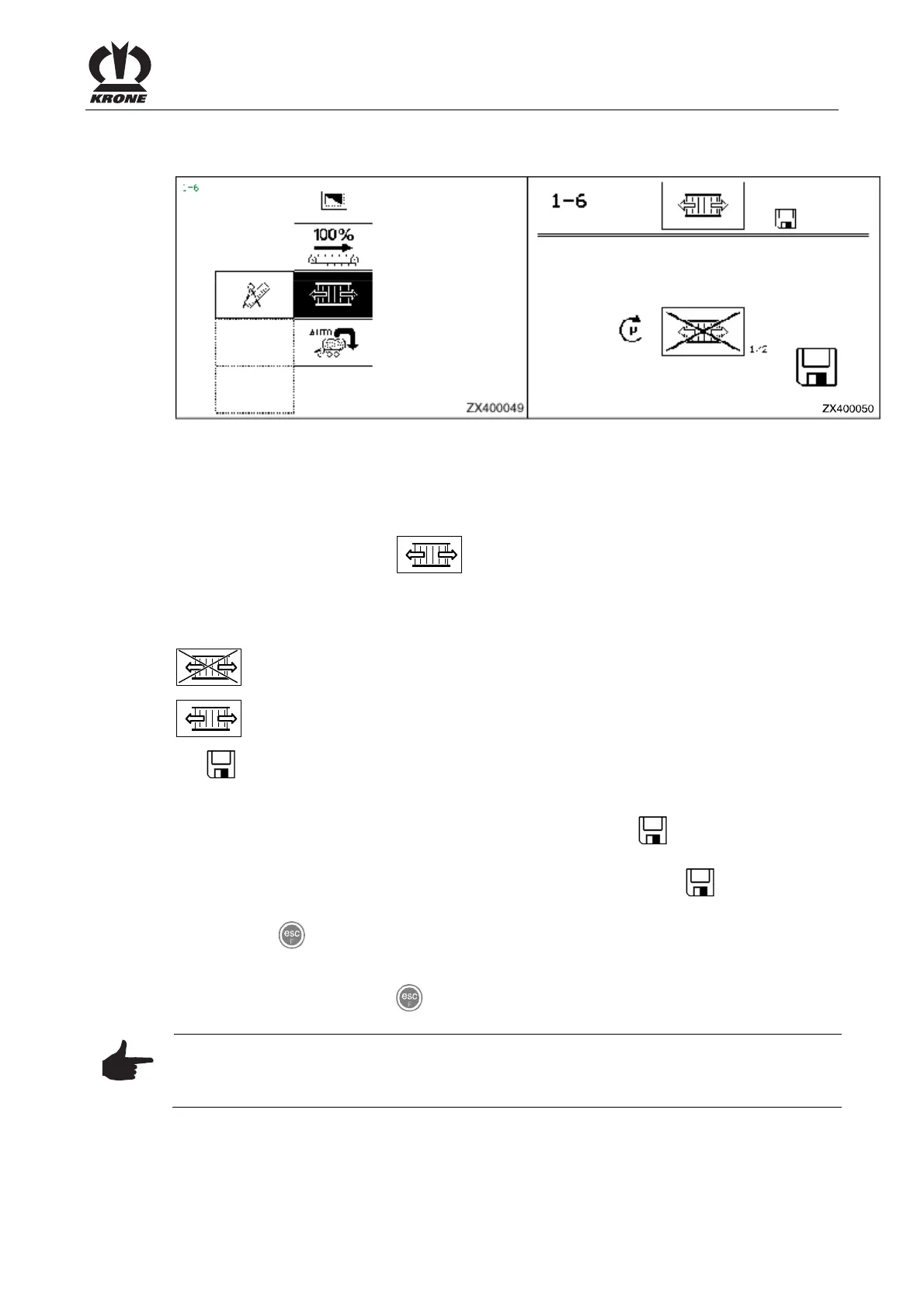
9.10.6 Menu 1-6 "Cross conveyor" (optional - AX/ MX series)
ZX400049
Figure 71
Setting the unloading operation with/without cross conveyor
Displaying the menu
Main menu 1 "Settings" appears
• You can select menu 1-6 with the rotary potentiometer. The icon is shown in
reverse colours.
• Press the rotary potentiometer. The display shows menu 1-6 "Cross conveyor".
The current status is displayed as an icon:
Unloading operation without cross conveyor
Unloading operation with cross conveyor
The
icon in the upper line indicates that the displayed status is saved.
Change and save status
• Set the appropriate status with the rotary potentiometer. The symbol in the top line
goes out.
• Press the rotary potentiometer. The set time delay is saved and the icon appears in
the upper line.
• Use the key to close the menu currently displayed.
The display shows menu level 1 "Settings".
• Pressing and holding the key brings up the basic screen.
Note
For further information on the use of the cross conveyor, please refer to Section "Conversion
for the unloading operation with cross conveyor"
Pos: 21.11.25 / BA/-----Seiten umbruch------ @ 0\mod_11961 75311226_0.doc @ 4165











 To Next Page