Comfort Control Unit
99
Pos: 21.11.9 /B A/Info-Center/La dewagen/Ha uptmenüs/Hau ptmenü 1 Einstell ungen/Menü 1- 1 Ladeauto matik (optional) @ 0\mod_1200 659212771_7 8.doc @ 4661 8
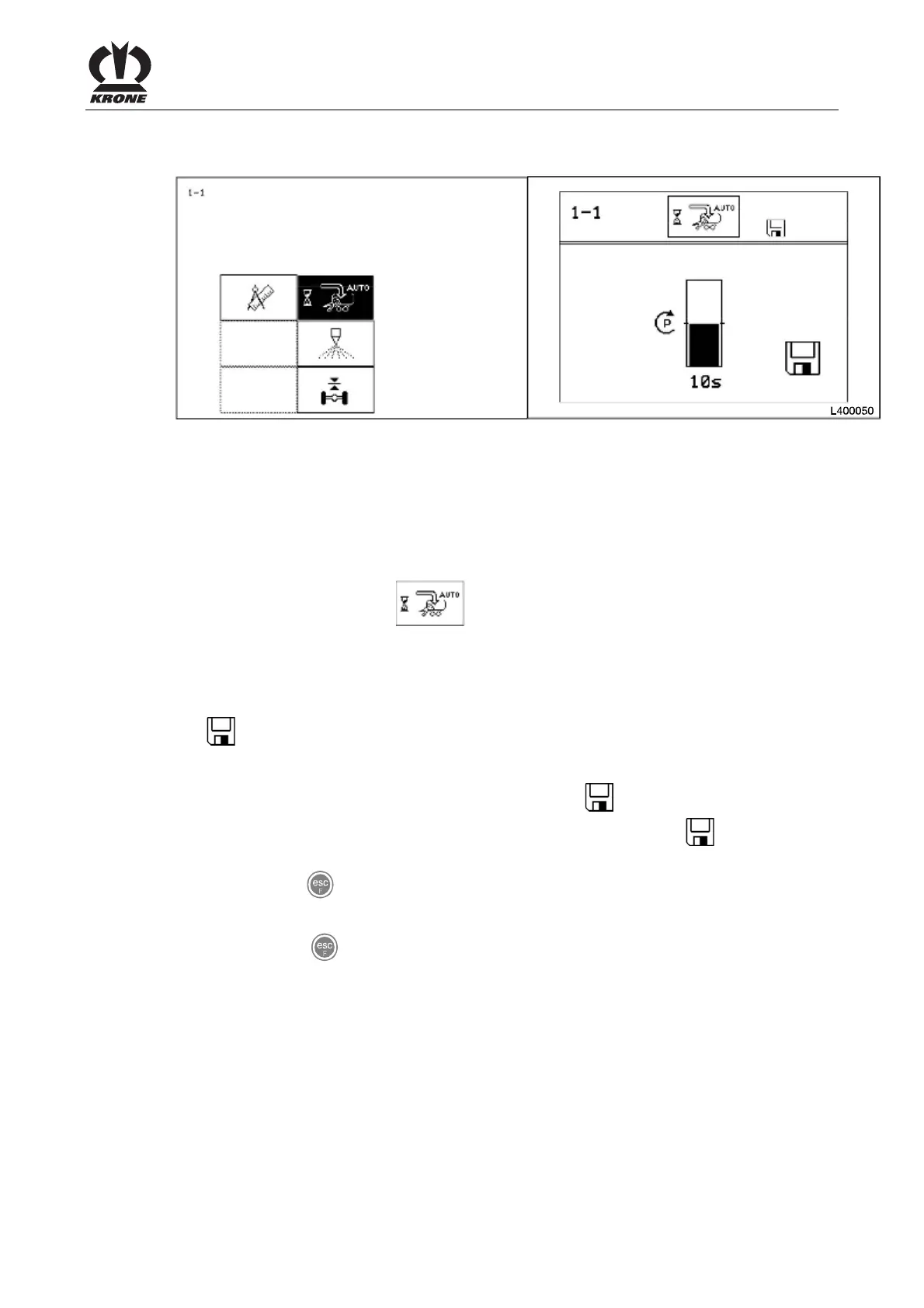
9.10.1 Menu 1-1 "Automatic loader" (optional)
L400040
Figure 63
Setting of the time delay for the activation of the floor conveyor, once the conveyor height of the
loaded goods during the loading operation has been achieved.
Displaying the menu
Bring up main menu 1 "Settings"
• You can select menu 1-1 with the rotary potentiometer. The icon is shown in
reverse colours.
• Press the rotary potentiometer.
The display shows menu 1-2 "Total counters". The bar display and time show the set time
delay.
The
icon in the upper line indicates that the displayed value is saved.
Setting and saving the time delay
• Set the time delay with the rotary potentiometer. The icon in the top line goes out.
• Press the rotary potentiometer. The set time delay is saved and the
icon appears in
the upper line.
• Use the key
to close the menu currently displayed.
The display shows menu level 1 "Settings".
• Pressing the key and holding it down brings up the basic screen.
Pos: 21.11.10 / BA/-----Seiten umbruch------ @ 0\mod_11961 75311226_0.doc @ 4165











 To Next Page