Comfort Control Unit
136
Pos: 21.21 /BA/I nfo-Center/La dewagen/Alarm meldungen/Al armeldung allge mein @ 0\mo d_120092978 4306_78.doc @ 48779
9.14.1 Alarm Message
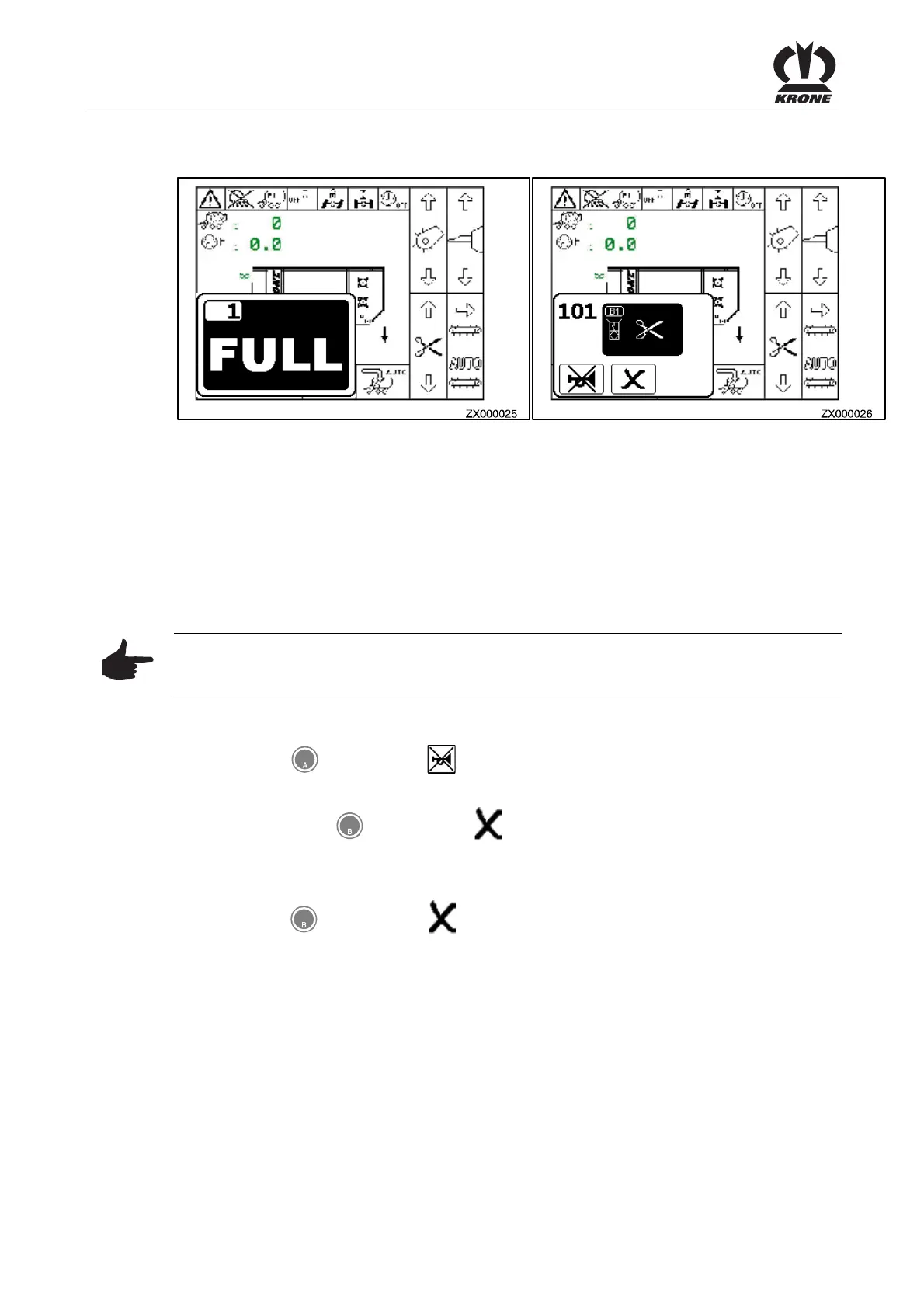
Figure 96
Information message
If one or several conditions are not met to carry out an action, an information message will be
displayed. The information message will soon disappear automatically.
Alarm Message
If a malfunction occurs in the machine an alarm message appears in the display and an audio
signal is heard at the same time (rapid-interval horn sound). Description, possible cause and
remedy are shown in Chapter "alarm messages".
Note
All functions in the menu that is covered over are still active. The softkeys that are covered by
the alarm message are disabled.
Stop audio signal:
• Press the
key for softkey .
To reset alarm:
• Briefly press the
key for softkey . The
alarm is reset and the audio signal stops.
If the malfunction occurs again, the alarm message will appear again.
To delete an alarm:
• Press the
key for softkey
and hold it for 5 seconds. The audio signal stops
immediately and the alarm will be deleted.
If the malfunction occurs again, no alarm message will appear. The alarm message does not
appear when the malfunction occurs until after the control unit is turned off and back on.
Pos: 21.22 /BA/-- ---Seitenum bruch------ @ 0\m od_119617531 1226_0.doc @ 4165











 To Next Page